
You're on a distributed team. Your frontend developers are in Lisbon, your backend engineers are in Singapore, and your product managers are scattered across three time zones. You're trying to design a new API, and the current "process" is a mess: a Google Doc that's always out of date, a JSON file in a GitHub repo that causes merge conflicts, and endless Slack threads trying to clarify what a specific field should be named.
The bottleneck is clear: you lack a single source of truth that everyone can see, edit, and discuss in real time. This is where modern, collaborative API specification tools come in. They turn API design from a solitary, document-centric task into a live, collaborative conversation.
If you're part of a global team building APIs, having the right collaborative editing tool isn't a luxury it's a necessity for velocity and quality.
Now, let's explore the top 10 tools that help global teams design APIs together, in real time.
Why Real-Time API Spec Editing Matters for Distributed Teams
Before we dive into the tools, let’s clarify what “real-time API spec editing” really means.
It’s not just about opening a YAML file in a shared Google Doc (please don’t).
It’s about:
- Multiple team members co-editing the same OpenAPI spec simultaneously
- Seeing live cursors, changes, and comments like Google Docs for APIs
- Getting instant validation as you type (no more “oops, that’s not valid OpenAPI”)
- Preserving version history and audit trails
- Syncing edits instantly to downstream workflows (mocking, testing, documentation)
Without this, your spec becomes a source of confusion not alignment.
And for global teams, the cost of misalignment is massive: delayed releases, broken integrations, duplicated work, and endless Slack threads like “Wait, is user_id required or optional now?”
So what should you look for in a real-time spec editor? Key features include:
- Live co-editing
- OpenAPI 3.0+/3.1 support
- Built-in validation & linting
- Role-based access control
- Integration with Git or CI/CD
- Automatic documentation publishing
With those in mind, let’s explore the top 10 tools that actually deliver real-time collaboration on API specs.
Top 10 Tools for Real-Time API Spec Editing
1. Apidog: The All-in-One API Collaborative Platform
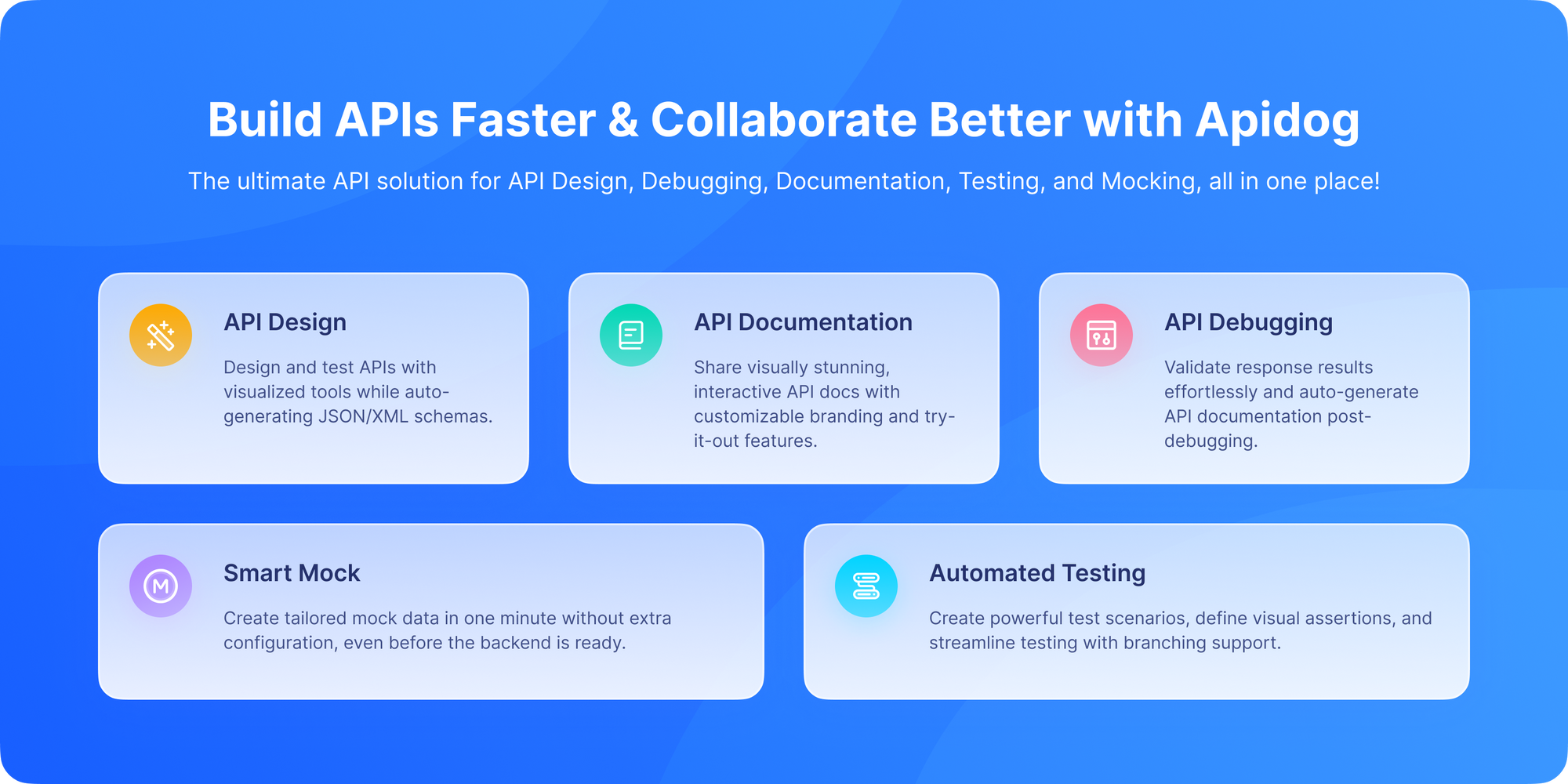
Apidog stands out by being more than just a spec editor; it's an integrated API lifecycle platform with collaboration at its core.
Unlike legacy tools that treat spec editing as a solo activity, Apidog was built for collaborative API design from day one. When you open an OpenAPI spec in Apidog, it’s not a static file; it’s a living, shared workspace where your entire team can design, discuss, and refine APIs together in real time.
Here’s what makes Apidog the gold standard for global teams:
1. True Real-Time Co-Editing
Multiple developers can edit the same spec simultaneously. See your teammate’s cursor, edits, and comments instantly no refresh needed. It’s Google Docs, but for OpenAPI specs.
2. Visual + Code Mode
Edit your spec visually (drag-and-drop endpoints, forms for schemas) or dive into raw YAML/JSON with live sync between both views. Non-technical PMs can use the visual editor; engineers can tweak the code. Everyone stays in sync.
3. Instant Validation
As you type, Apidog validates against the OpenAPI spec rules. Miss a required field? Use an invalid status code? You’ll know immediately not after your CI pipeline fails.
4. Built-In Collaboration Features
- Threaded comments on specific endpoints or fields
- @mentions to notify teammates
- Change history with user attribution
- Role-based permissions (Viewer, Editor, Admin)
5. Automatic Downstream Sync
Edit the spec → mock server updates → test collections refresh → documentation republishes. All in real time.
And perhaps most importantly: Apidog is free to download and use, even for teams. No paywall for collaboration. No “Pro only” features. Just seamless, secure, real-time API design out of the box.
Best for: Global teams that want one platform for spec editing, mocking, testing, and docs with true real-time collaboration.
2. Stoplight Studio: The Design-First API Powerhouse
Stoplight is built around a powerful, browser-based visual editor for OpenAPI specs. Its real-time features are delivered through Stoplight Projects.
- Real-Time Collaboration: Stoplight Projects allow multiple users to edit API descriptions and elements concurrently. It provides a shared workspace focused on the design phase.
- Visual & Code Views: Teams can collaborate in a user-friendly form-based UI or directly in the underlying YAML/JSON with syntax highlighting and validation.
- Powerful Modeling: Excellent for designing complex data models with JSON Schema. Great for establishing shared standards across a large organization.
- Git Integration: Can connect to Git repositories (GitHub, GitLab) to automatically sync branches and manage changes through pull requests, blending collaborative editing with Git workflows.
Best for: Larger organizations and teams heavily invested in a rigorous, design-first methodology who want deep OpenAPI and JSON Schema capabilities.
3. SwaggerHub: The Enterprise-Grade API Spec Editing
SwaggerHub, from SmartBear (the creators of Swagger), is an API design and documentation platform built for team and enterprise use.
- Real-Time Sync: While not a Google-Docs-style live editor, it offers powerful "team sync" features. Changes by one user are immediately available to all team members, and it handles merging contributions from multiple users.
- Domains & Style Guides: Strong features for enforcing consistency across many APIs. Global teams can define standard styles (naming, patterns) that are automatically validated.
- API Registry: Functions as a centralized catalog for all your APIs, making discoverability easy for distributed teams.
- Integrations: Deep integrations with the Swagger ecosystem (Codegen, UI) and CI/CD pipelines.
Best for: Enterprise teams that need governance, consistency across large API portfolios, and deep integration with the Swagger/OpenAPI toolchain.
4. Postman: The Familiar API Builder
Postman has evolved far beyond a testing client. Its API Builder feature allows teams to design APIs directly within the Postman workspace.
- Collaborative Workspaces: Postman's core strength. Teams work in shared workspaces where collections, environments, and now API definitions are collaboratively managed.
- Linked Workflows: The designed API can be instantly linked to collections for testing, creating a tight feedback loop. A change in the schema can trigger test updates.
- Commenting and Activity Feed: Teams can discuss changes through comments and follow an activity feed to track modifications.
- Versioning and Forking: APIs can be versioned, and changes can be proposed via forking and merge requests, familiar to developers used to Git workflows.
Best for: Teams already deeply embedded in the Postman ecosystem for testing who want to bring design into the same collaborative workspace.
5. Insomnia Designer: The Developer-Friendly API Client
Insomnia offers a "Design" mode focused on creating OpenAPI specs within its sleek, open-source-based desktop application.
- Collaboration via Git: Its primary real-time collaboration model is through Git. Team members work on branches, and Insomnia provides a UI to manage sync, commits, and pushes.
- Real-Time via Sync (Team Plan): The paid Team plan offers a Real-Time Sync feature, allowing specs to be instantly synchronized across team members' clients.
- Plugin Ecosystem: Supports plugins for custom linting rules and other extensions, allowing teams to tailor their workflow.
- Great DX: Loved by developers for its clean interface, keyboard shortcuts, and performance.
Best for: Developer-centric teams who prefer a desktop application and are comfortable using Git as the primary collaboration layer.
6. Apicurio Studio: The Open-Source Contender

Apicurio is a fully open-source API design studio that can be self-hosted, making it attractive for organizations with strict data governance requirements.
- Real-Time Collaboration: The web-based studio supports multiple users editing the same API design simultaneously, with live updates.
- Self-Hosted Control: Complete control over your data and infrastructure, crucial for regulated industries or companies with specific compliance needs.
- Microcks Integration: Strong integration with Microcks, an open-source API mocking and testing tool, for a full open-source lifecycle.
- Community-Driven: Being open-source, its roadmap is community-influenced, and it avoids vendor lock-in.
Best for: Teams that require self-hosting for security/compliance or have a strong preference for open-source software stacks.
7. Git-based Workflows (Swagger Editor + GitHub/GitLab)
This is the "roll-your-own" approach, leveraging the power of Git platforms directly.
- Tool: Use the open-source Swagger Editor (local or hosted) to edit specs, but store the YAML/JSON files in GitHub or GitLab.
- Real-Time Collaboration: Achieved via Git platform features. Use Pull/Merge Requests for proposing changes and the built-in code review tools for discussion. Platforms like GitHub offer a semi-live collaborative editing experience for markdown and code within the browser.
- Universal & Free: Leverages tools most developers already use. Excellent version history and branch management.
- Friction for Non-Devs: Product managers or QA might find Git workflows intimidating. Lacks the intuitive, form-based editing of dedicated tools.
Best for: Highly technical teams where all stakeholders are comfortable with Git and code review processes, and budget is a primary constraint.
8. Spectral: The Linter-as-Collaboration-Guardrail
Spectral is a different kind of tool a powerful, pluggable JSON/YAML linter. It enables collaboration by enforcing rules.
- Real-Time Feedback, Not Editing: It doesn't provide a shared editor. Instead, you use any editor (VS Code, stoplight, etc.) and Spectral ensures consistency. It can be run in CI/CD to reject non-compliant specs.
- Define Team Rules: Create a
.spectral.ymlruleset (e.g., "all endpoints must have adescription", "use camelCase for properties"). Share this file with the team. - VS Code Extension: Team members get real-time linting feedback directly in their IDE, ensuring they follow agreed standards as they type.
Best for: Teams that already have an editing workflow but need to enforce consistent standards across a distributed team. It's a powerful complement to other tools.
9. Convene: The API Reference-First Collaborator
ReadMe is famous for beautiful documentation. Their Convene feature builds collaboration around the documentation experience.
- Collaborative Documentation: The API reference, generated from an OpenAPI spec, becomes the collaboration point. Team members can leave comments directly on the published documentation.
- Change Management: Propose updates to the API spec through the docs UI. It tracks these "diffs" and allows for review before updating the master spec.
- Stakeholder-Friendly: Extremely accessible for non-technical stakeholders (support, marketing, partners) who can give feedback directly on what will be the public-facing docs.
Best for: Teams where external or cross-departmental feedback on the API interface is as important as internal technical design.
10. VS Code with Live Share + OpenAPI Extensions
Leverage the world's most popular code editor as a real-time collaborative design space.
- Setup: Use VS Code with the VS Code Live Share extension and a powerful OpenAPI extension (like OpenAPI (Swagger) Editor or 42Crunch).
- Real-Time Collaboration: Live Share allows multiple developers to share an editing session in real time, seeing each other's cursors and edits. You collaboratively edit the YAML/JSON file.
- Full IDE Power: Access to all of VS Code's linting, snippets, and other extensions.
- Ephemeral & Technical: Sessions are temporary and developer-focused. Lacks the persistent project management and stakeholder features of dedicated platforms.
Best for: Developer pairs or small technical teams who want to do ad-hoc, deep-dive design sessions within the comfort of their IDE.
Common Pitfalls in Collaborative API Spec Editing
Even with the right tool, teams make avoidable mistakes. Here are three big ones:
Pitfall 1: Editing Specs Outside the Collaboration Tool
Someone edits the YAML in their IDE and pushes to Git bypassing the real-time workspace.
Fix: Treat your collaboration tool (like Apidog) as the single source of truth. Disable direct Git edits via branch protection.
Pitfall 2: No Review Process
Real-time doesn’t mean “no review.” Unvetted changes can break contracts.
Fix: Use forking and merging (like Apidog’s workflow) or integrate with GitHub PRs.
Pitfall 3: Ignoring Versioning
You need to track spec versions tied to API releases.
Fix: Use tools that auto-tag versions or integrate with your release pipeline.
Conclusion: Choosing Your Team's Collaboration Hub
The "best" tool depends entirely on your team's culture, workflow, and needs.
- Choose Apidog if you want an integrated, all-in-one platform where design, testing, and collaboration are seamlessly woven together in real time.
- Choose Stoplight or SwaggerHub if you need deep, governance-focused OpenAPI design with robust real-time or sync-based collaboration for large teams.
- Choose Postman or Insomnia if your team already lives in those tools and you want to extend that collaborative environment to design.
- Choose a Git-centric approach if your team's collaboration DNA is already built around pull requests and code reviews.
For modern global teams, the era of the solitary API designer is over. The right collaborative tool breaks down geographical barriers, aligns stakeholders instantly, and turns API design from a bottleneck into a catalyst for innovation. Evaluate a few options, and take your global team's API workflow into the real-time, collaborative future.