With the Apidog's IDEA plugin or some Swagger plugins, you can easily generate API documentation from code, solving the problem of writing docs from scratch.
However, even after the endpoints are written and the docs are generated, you might still feel unsure: Is the API design good enough? Is the documentation standardized? Are there areas that can be further improved?
Especially in team collaboration, you want your API docs to be easy for teammates to understand at a glance. Naming clarity and completeness of information directly affect their experience using your APIs.
Apidog has recently rolled out several AI features to help you further optimize API documentation at this stage. Whether you’re improving existing endpoint details or importing existing API docs from elsewhere, AI can offer practical suggestions.
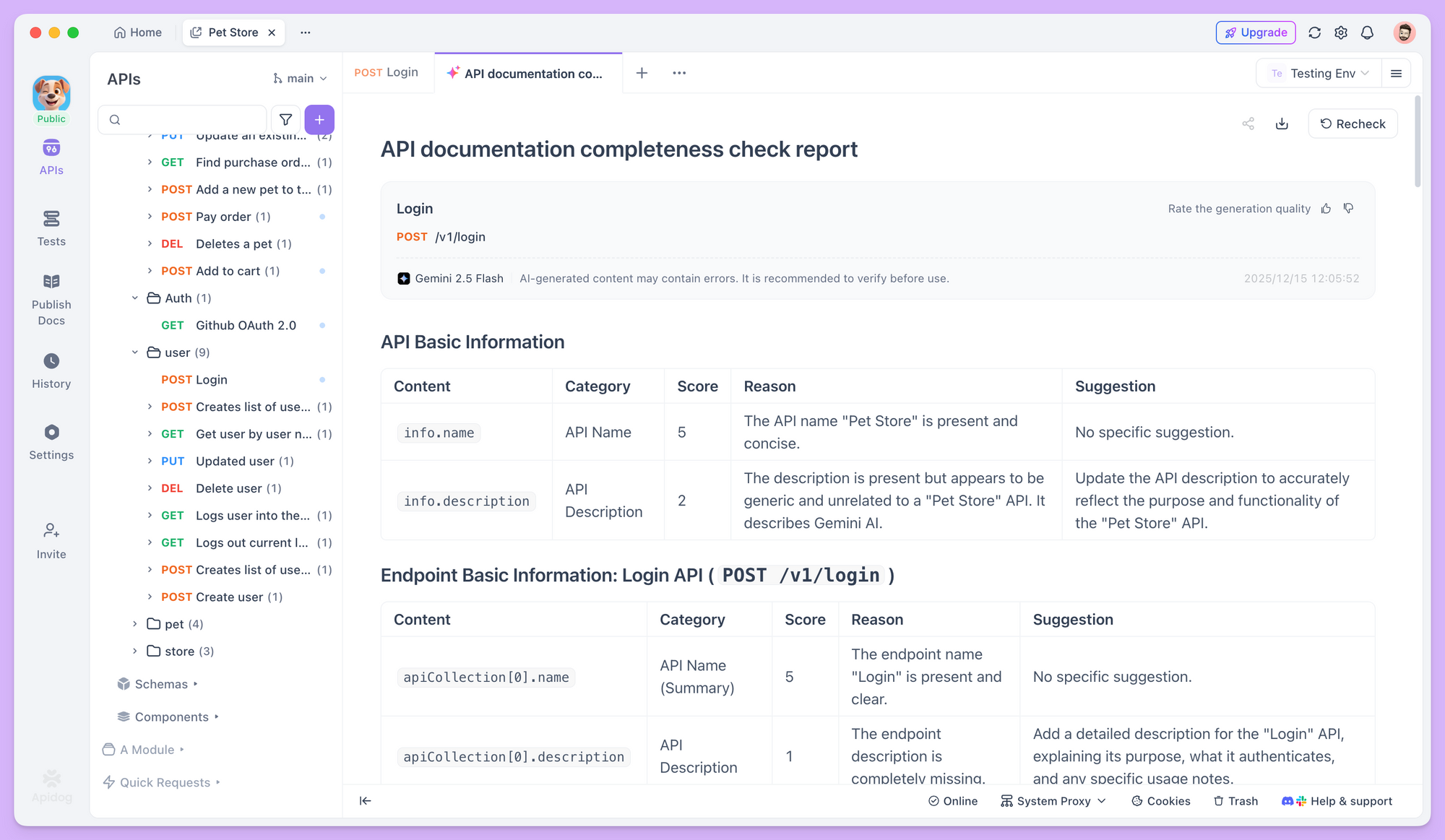
Below, we'll walk through how to use AI in Apidog to create more standardized API documentation. Before we start, please make sure you have updated Apidog to the latest version, enabled AI features, and configured the AI model.
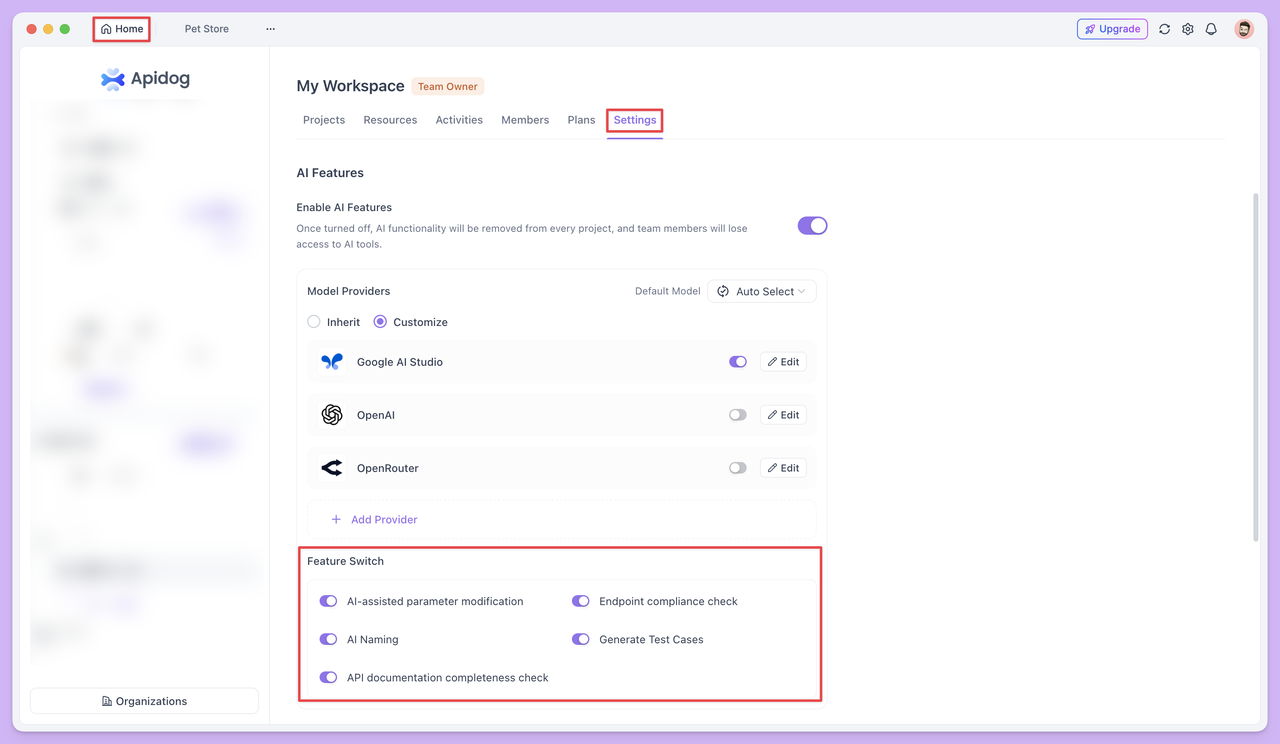
Importing from Existing Documentation
Sometimes you need to migrate API documentation from other sources into Apidog. If the docs are in a standard format, Apidog natively supports multiple import methods: you can generate docs from code via the IDEA plugin, import OpenAPI/Swagger specs, or migrate from other tools like Postman.
But in some cases, your documentation may not be in these standard formats. For example, the team previously documented endpoints in Markdown, organized field descriptions in Word, or found endpoint definitions in chat logs or emails. Manually entering each field from these non-standard sources into Apidog can be daunting.
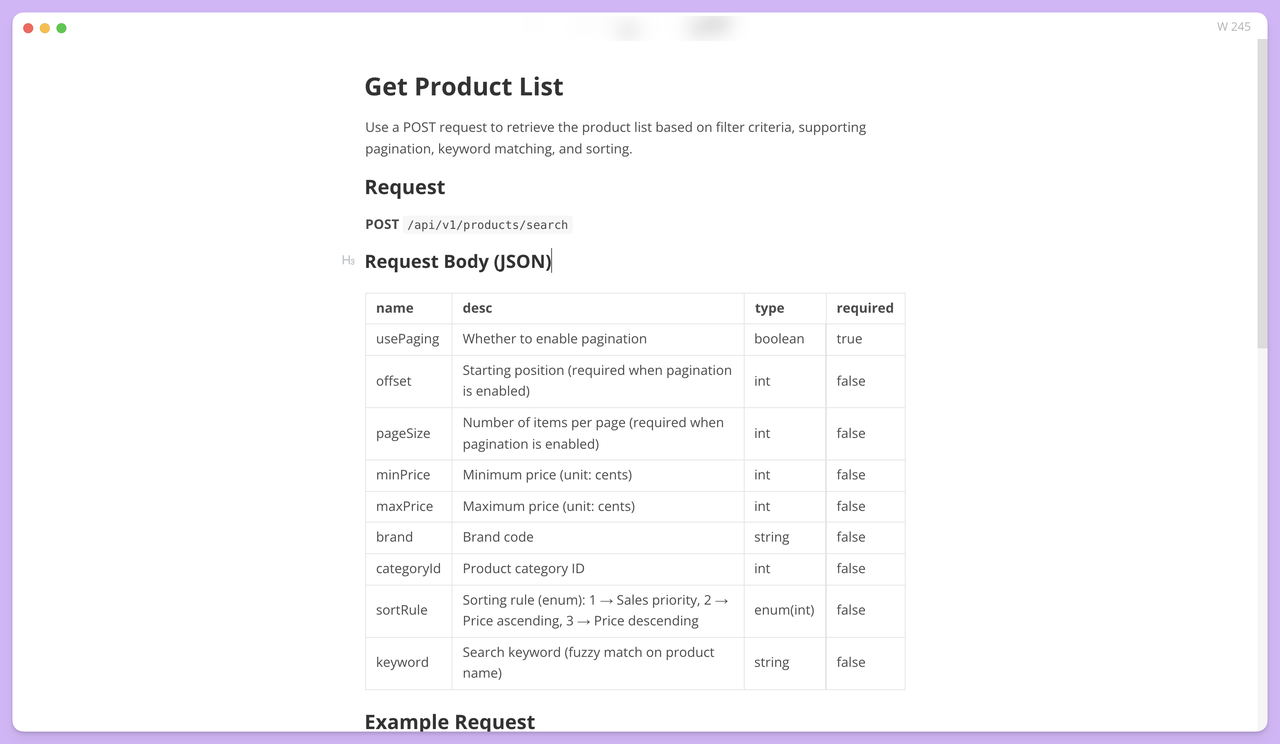
In this situation, you can use the Modify schema with AI feature to help with data entry. Suppose you have Markdown content like this:
| name       | desc                                                                            | type      | required |
| ---------- | ---------------------------------------------------------------------------     | --------- | -------- |
| usePaging  | Whether to enable pagination                                                    | boolean   | true     |
| offset     | Starting position (required when pagination is enabled)                         | int       | false    |
| pageSize   | Number of items per page (required when pagination is enabled)                  | int       | false    |
| minPrice   | Minimum price (unit: cents)                                                     | int       | false    |
| maxPrice   | Maximum price (unit: cents)                                                     | int       | false    |
| brand      | Brand code                                                                      | string    | false    |
| categoryId | Product category ID                                                             | int       | false    |
| sortRule   | Sorting rule: 1 → Sales priority, 2 → Price ascending, 3 → Price descending   | enum(int) | false    |
| keyword    | Search keyword (fuzzy match on product name)                                    | string    | false    |
Simply copy the parameters and ask AI: "Convert this content into endpoint parameters, making sure to identify types and required fields."
AI will automatically detect field names, data types, required status, and descriptions, then convert everything into Apidog’s standard schema format. If enums are included, AI will also organize them into proper enum types for you.
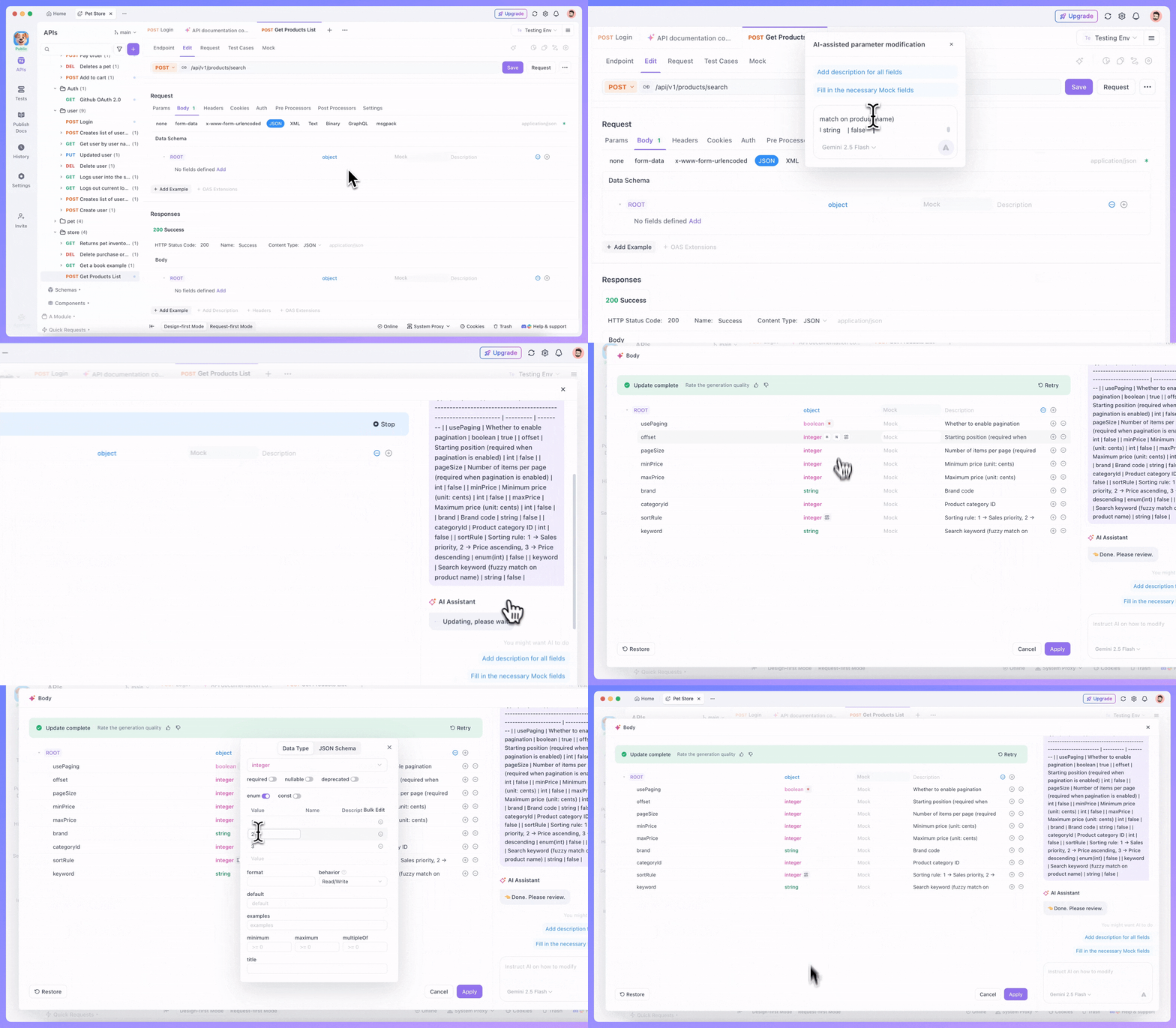
AI Helps You Refine API Details
After importing the basic information, the next step is to refine the details.
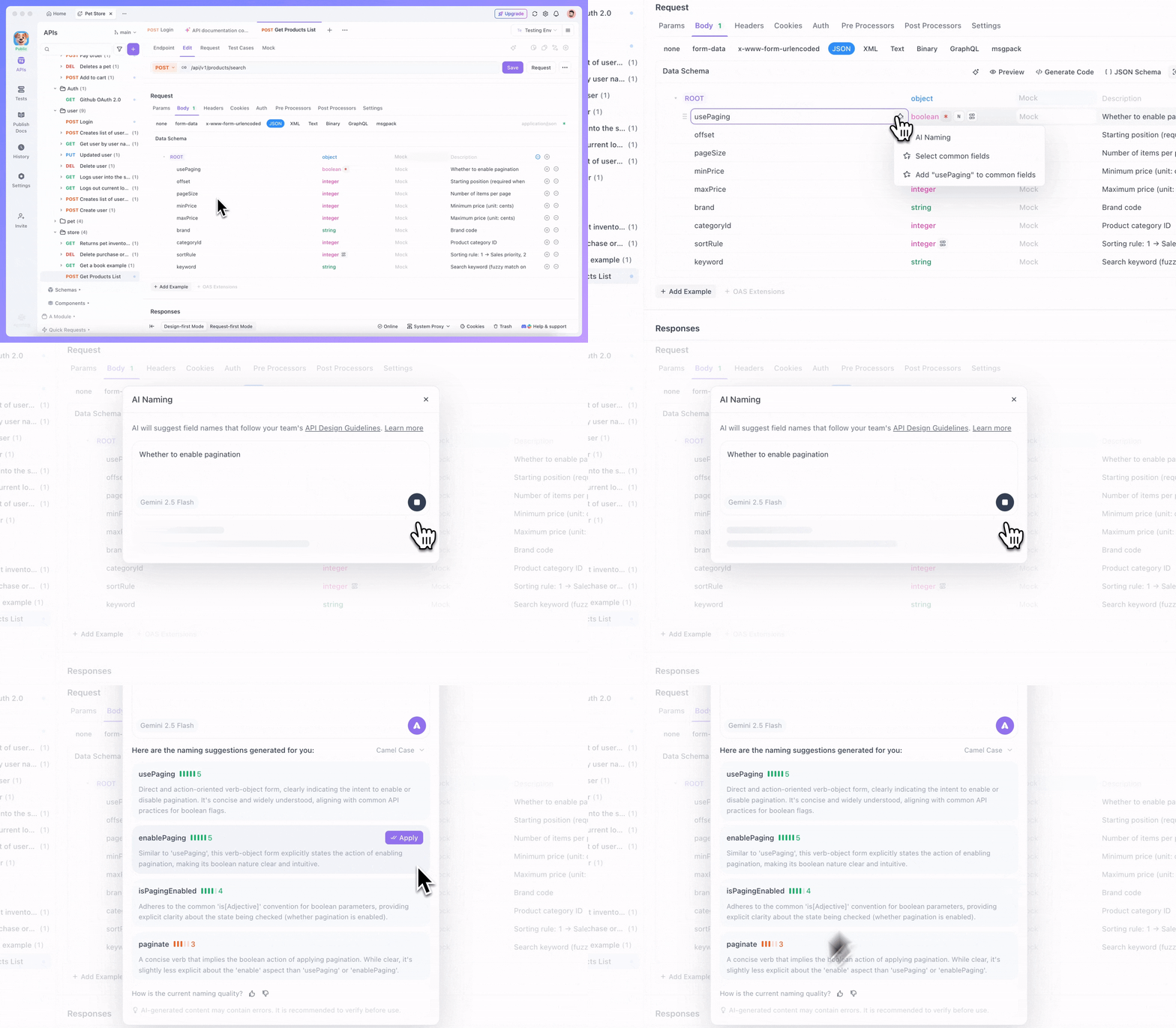
If you're unsure about a field name, use the AI naming feature. AI will provide more accurate naming suggestions according to the endpoint specs and API design guidelines.
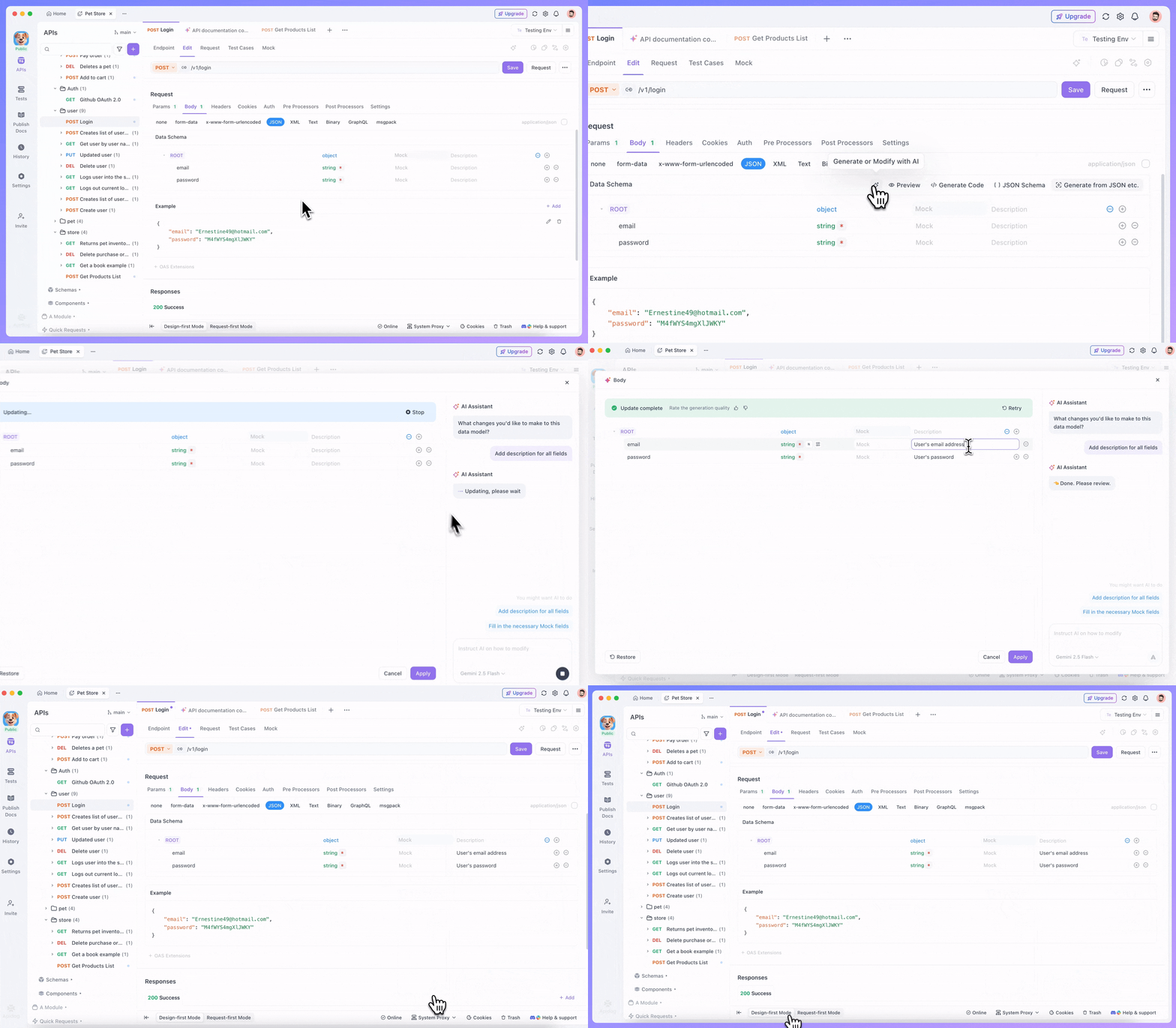
You can also use AI to auto-complete the field descriptions for clearer and more complete explanations.
Mock data generation is another AI strength. Often we know what a field represents but aren't sure what example values to use. AI will automatically generate reasonable example data based on the field type and description.
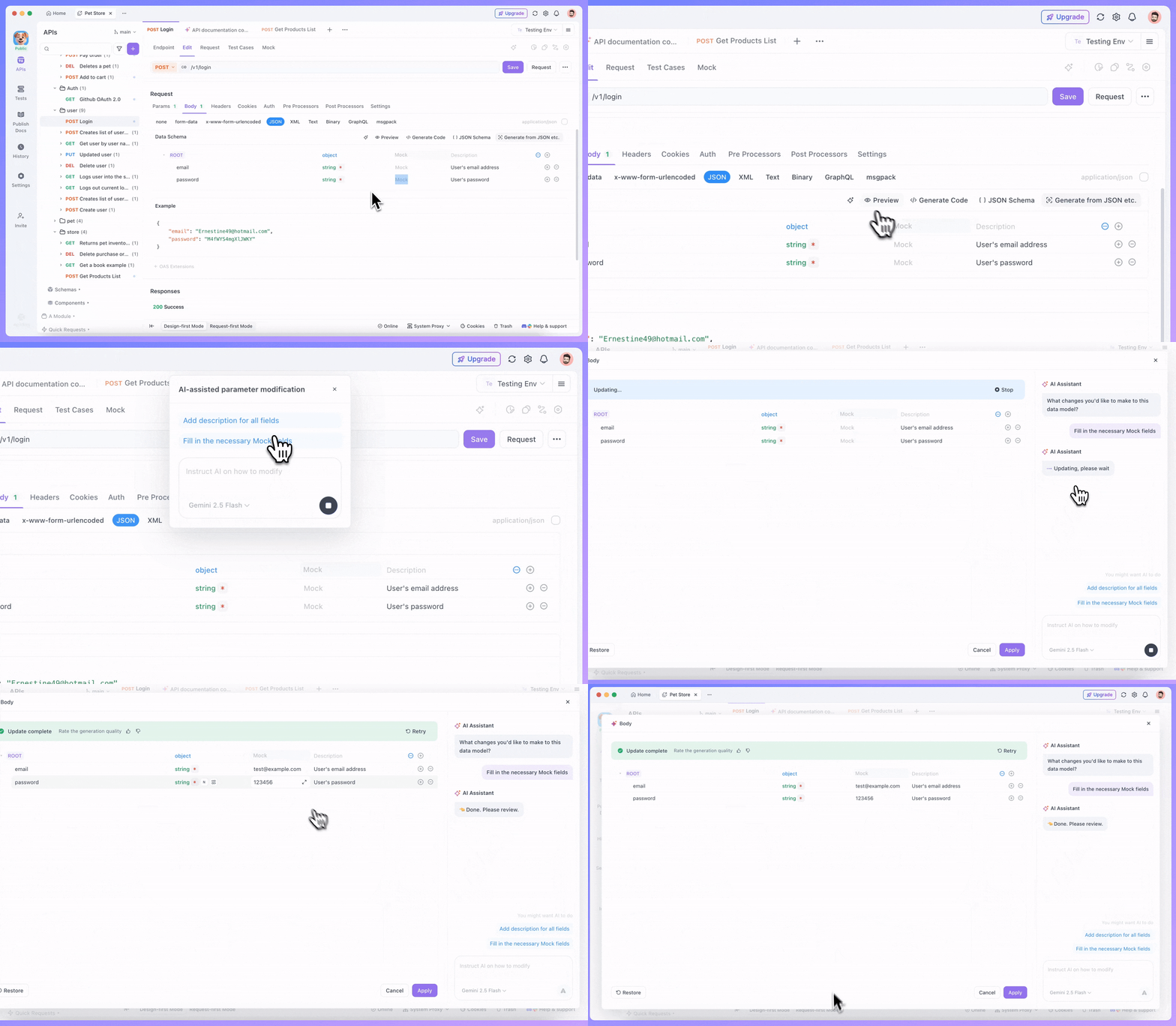
API Documentation Completeness Check: Avoiding Omissions
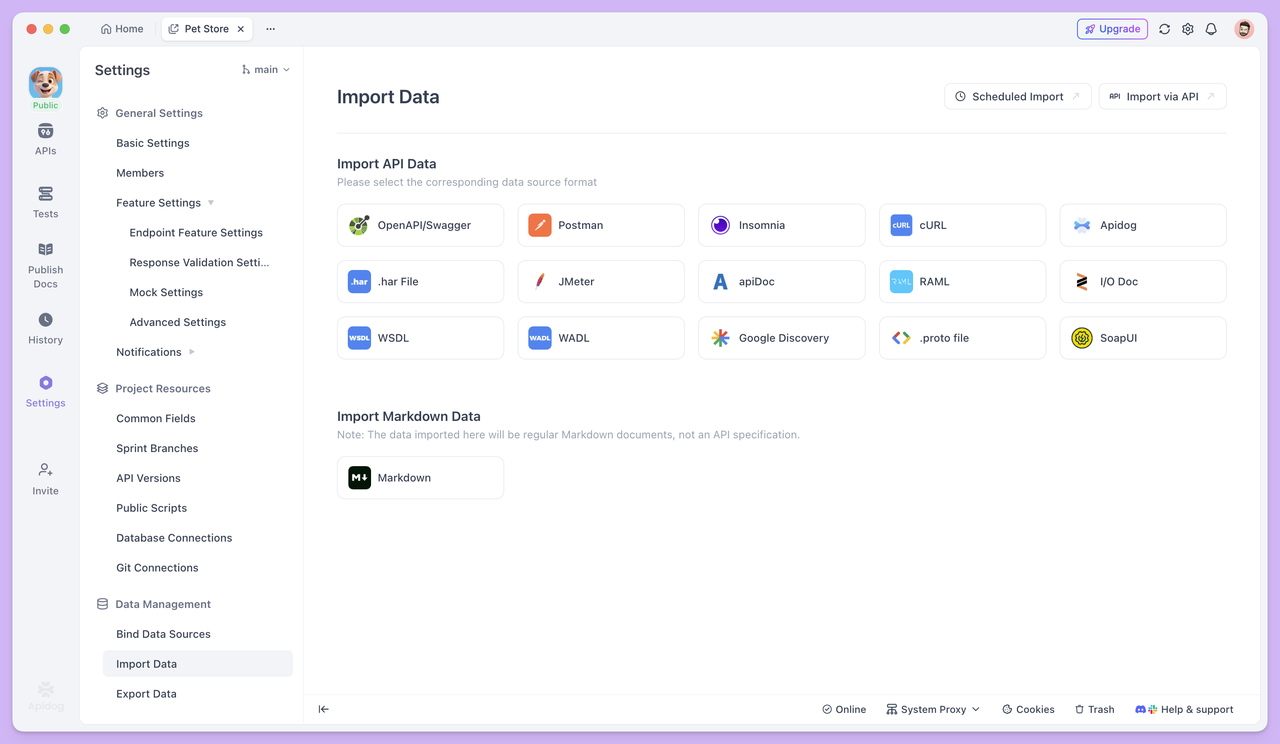
When the documentation looks nearly complete, you might still wonder if any key information is missing. At this point, use Apidog's API Documentation Completeness Check to see if anything is overlooked.
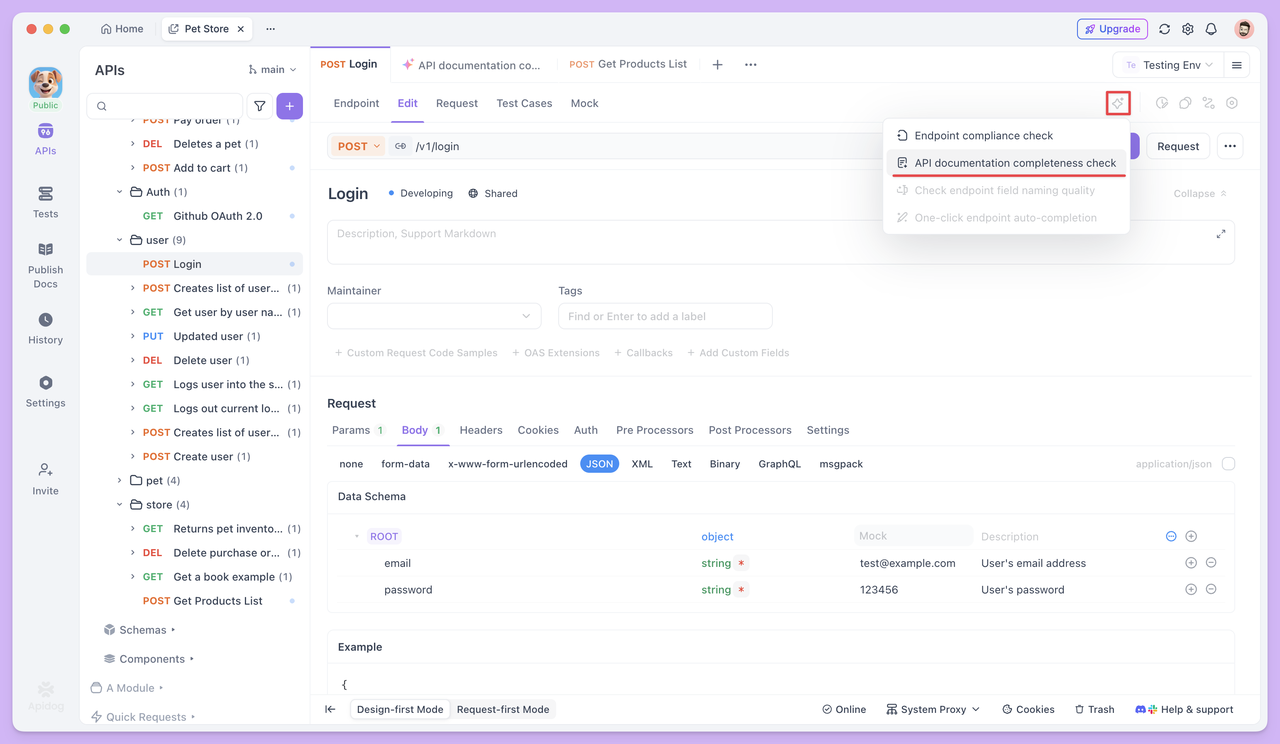
AI will scan your existing API documentation from multiple perspectives to identify missing or incomplete information. It then generates a detailed report that scores each review item, helping you quickly see where your API docs need improvement.
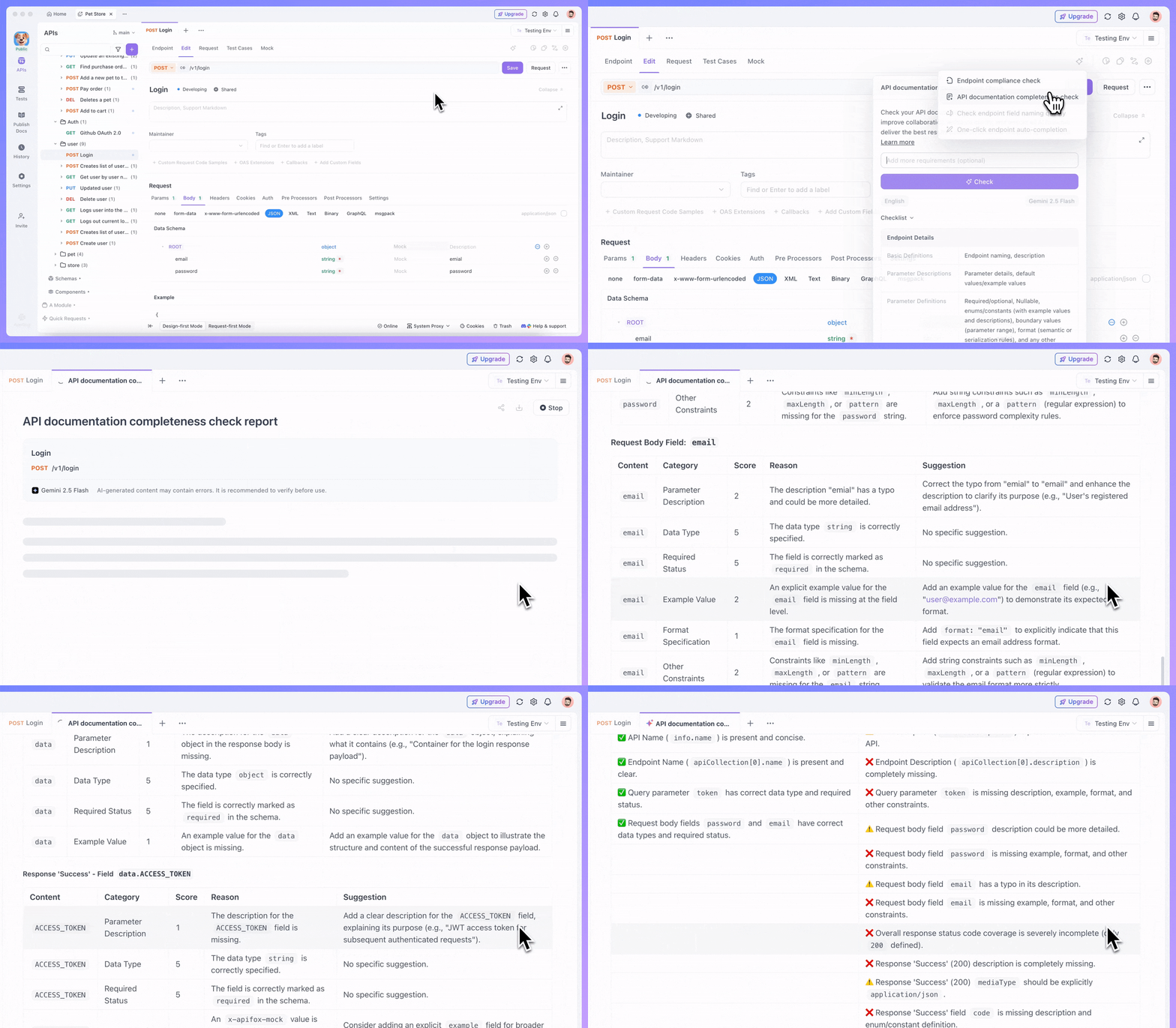
The report doesn't just tell you what to do—it also explains why. For example, you may have documented a successful response format but not the possible error scenarios; you may have basic field descriptions but lack usage constraints or formatting requirements.
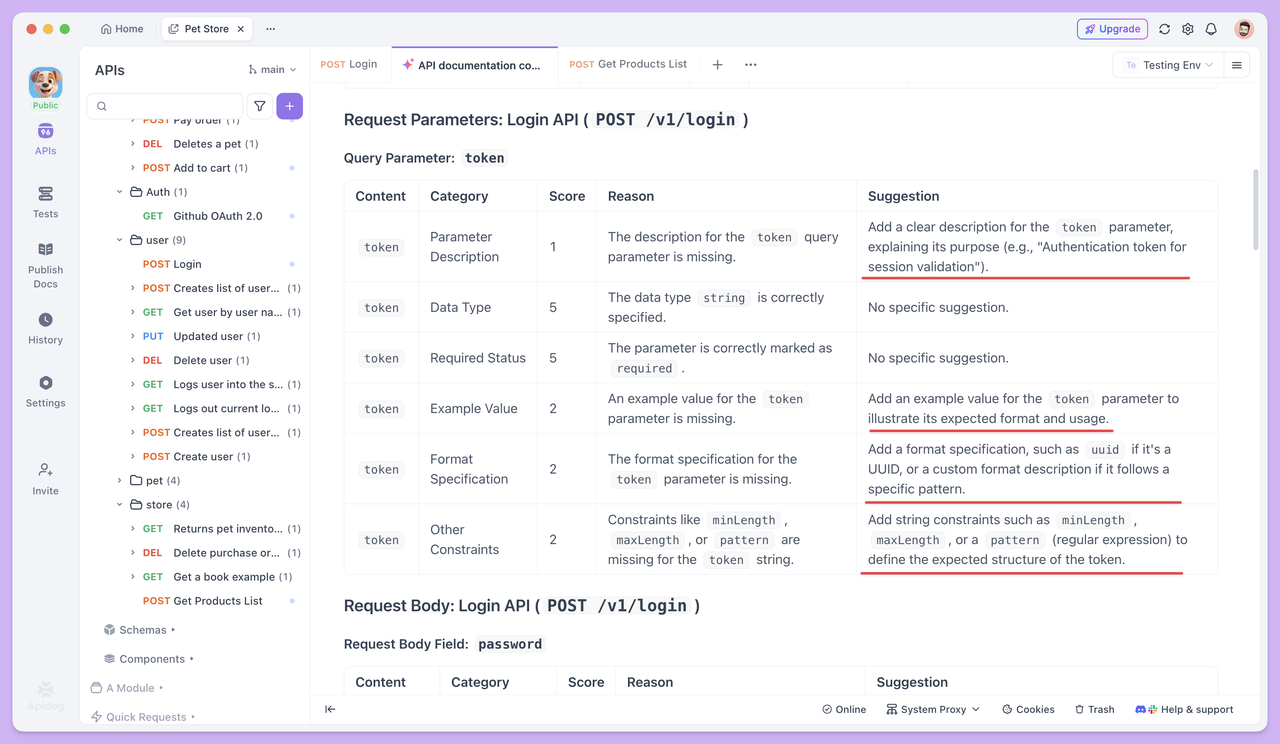
You can improve your API documentation by following the suggestions provided in the report.
Endpoint Compliance Check: Ensuring Consistency
Beyond being complete, API documentation also needs to be well standardized. Within a single endpoint, naming should follow a consistent style, field types must be clearly and correctly defined, and response structures should be logical. These details play a key role in making your docs easy to read and maintain.
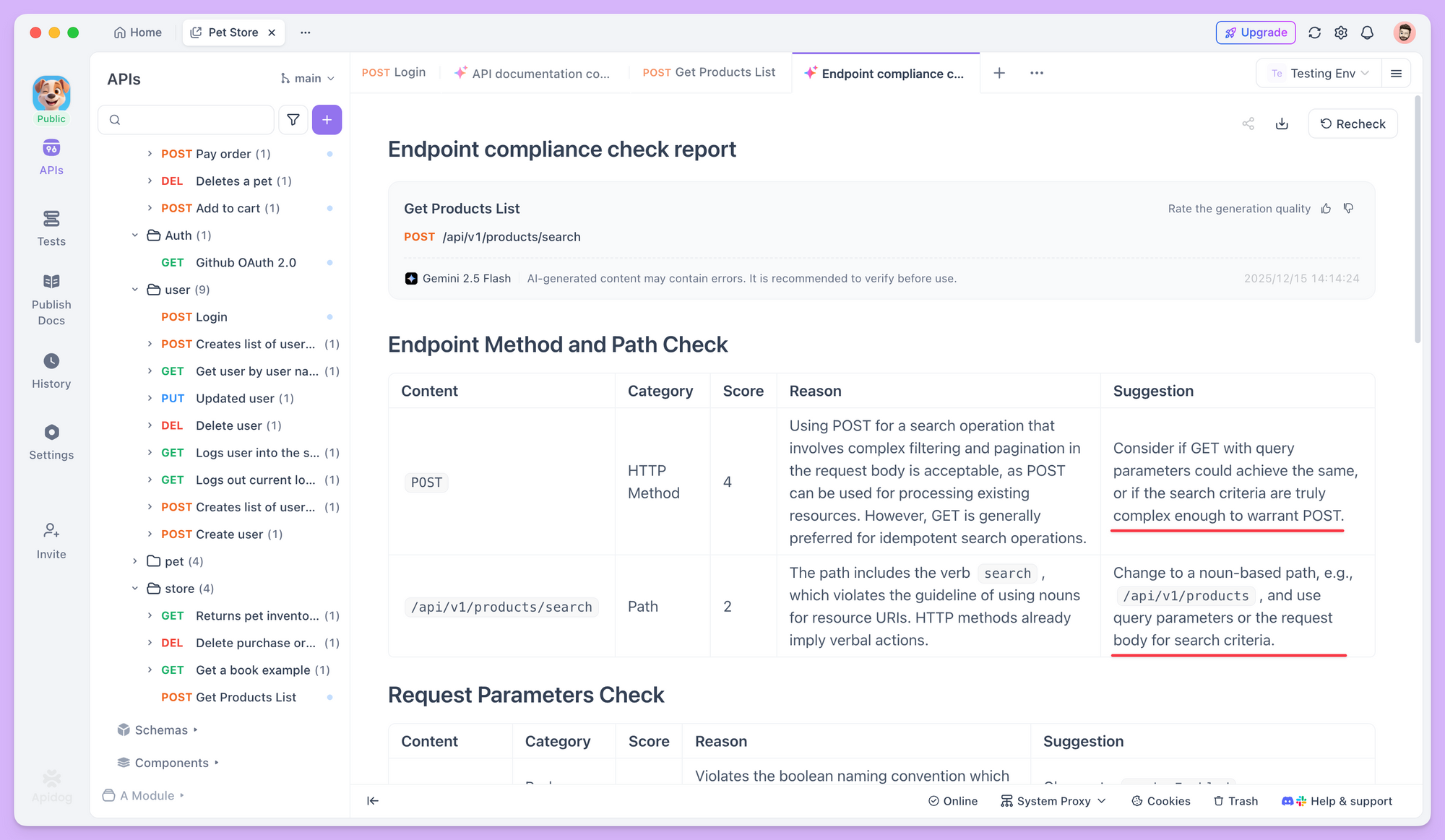
Apidog's endpoint compliance check feature examines your documentation from multiple angles. For example, if some fields are named with verbs while others use nouns, AI will flag the inconsistency and recommend a unified naming style.
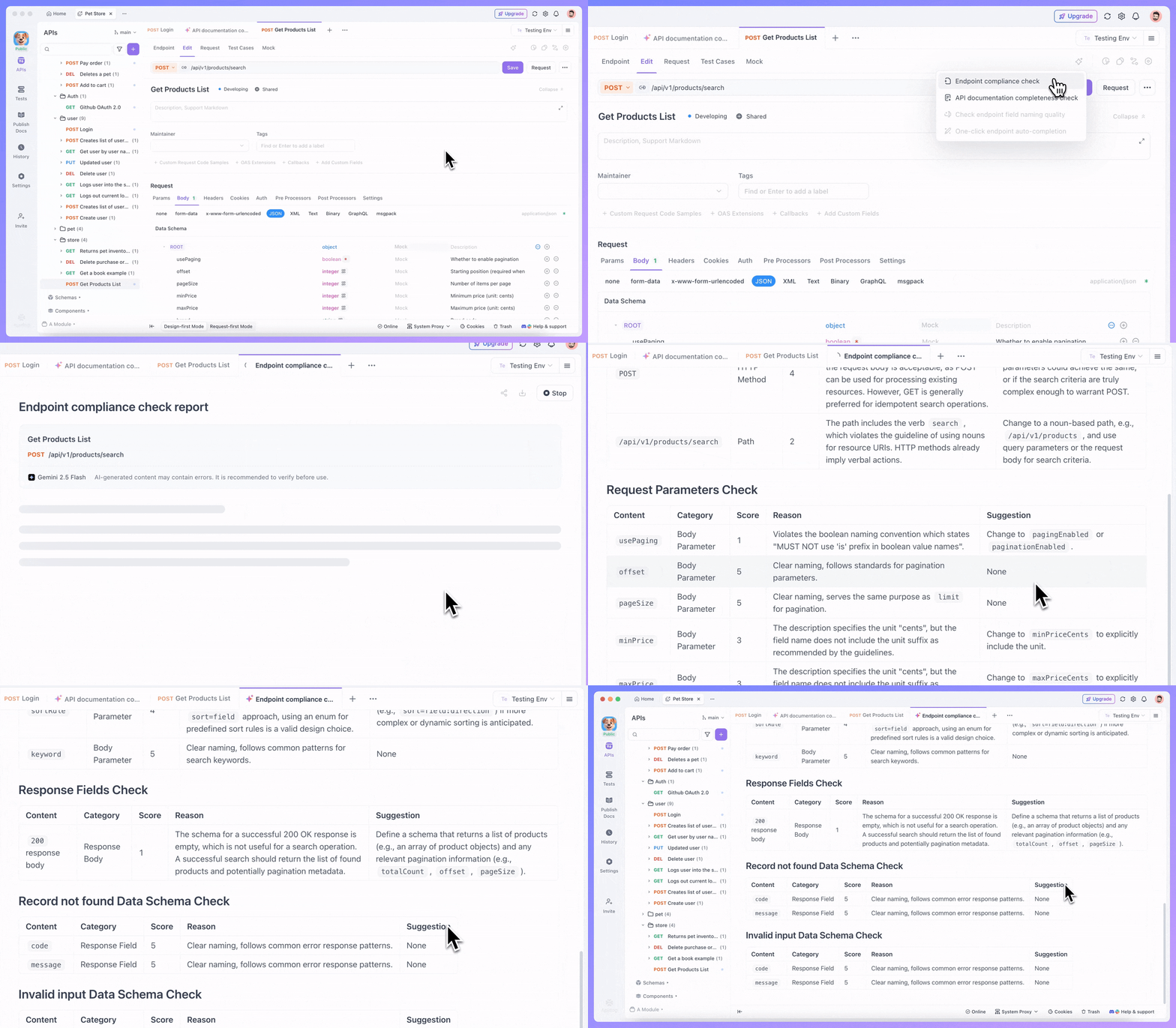
It also checks whether field definitions follow consistent standards, such as avoiding mixed casing styles, the simultaneous use of underscores and camelCase, or inconsistent abbreviations, and then provides clear suggestions on how to fix these issues.
Summary
Creating clear and standardized API documentation is essential. Features like AI-generated test cases, depend on the quality of your docs—the more complete and consistent they are, the more accurate and useful the generated test cases will be.
You don't need to use every AI feature at once or overhaul your current workflow.
This is a gradual process. You can begin by importing your existing documentation and then slowly apply AI features to improve and refine it. If you’re unsure about a suggestion, you can leave things unchanged and revisit it later when you have more context.
Over time, you’ll naturally gain a better understanding of API documentation standards. AI doesn't just help fix immediate issues—it also helps you develop better documentation habits.