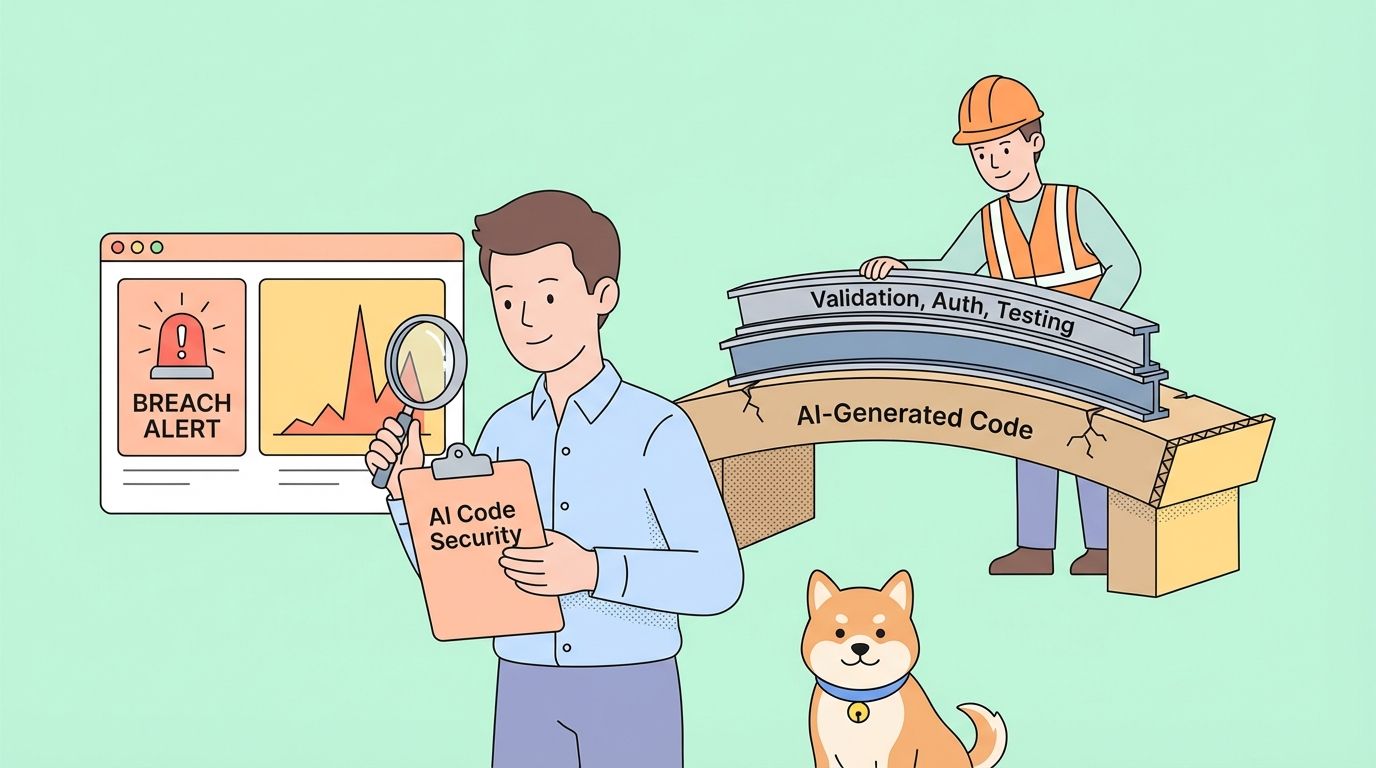
A team relied heavily on AI to generate their application code—a practice now called "vibe coding." Within one week of deployment, their server was compromised. The developer who shared this incident could immediately guess the attack vector because the vulnerabilities were predictable. This article breaks down what went wrong, why AI-generated code is uniquely vulnerable to security exploits, and provides a concrete checklist for securing AI-assisted projects before they reach production.
The Incident: What Happened
The story emerged on Reddit's r/webdev community in January 2026, quickly gaining over 400 upvotes and sparking intense discussion. A developer shared what happened at their company when two colleagues embraced "vibe coding"—the practice of rapidly building applications using AI code generation tools like ChatGPT, Claude, or Cursor with minimal manual review.
The team was excited. They shipped fast. The AI handled everything from database queries to authentication flows. When deployment time came, the AI even suggested version number "16.0.0" for their first release—a detail that would later seem darkly ironic.
One week after deployment, the server was hacked.
The developer sharing the story wasn't surprised. Looking at the codebase, they could immediately identify multiple security vulnerabilities that the AI had introduced. The attackers had found them too.
This isn't an isolated incident. Security researchers have been warning about what they call "synthetic vulnerabilities"—security flaws that appear almost exclusively in AI-generated code because of how language models are trained and how they approach coding tasks.
Why AI-Generated Code Is Vulnerable
AI coding assistants are trained on vast repositories of public code. This creates several security blind spots:
1. Training Data Includes Vulnerable Code
GitHub, Stack Overflow, and tutorial websites contain millions of lines of insecure code. Examples written for learning purposes often skip security considerations. Deprecated patterns remain in training data. The AI learns from all of it equally.
When you ask an AI to write authentication code, it might reproduce a pattern from a 2018 tutorial that lacked CSRF protection, or a Stack Overflow answer that stored passwords in plain text for simplicity.
2. AI Optimizes for "Works" Not "Secure"
Language models generate code that satisfies the prompt. If you ask for a login endpoint, the AI creates something that logs users in. Whether that implementation resists SQL injection, properly hashes passwords, or validates session tokens is secondary to the primary goal.
This is fundamentally different from how experienced developers think. Security-conscious developers ask "how could this be exploited?" at each step. AI assistants don't naturally apply this adversarial mindset.
3. Context Window Limitations Prevent Holistic Security
Security vulnerabilities often emerge from interactions between components. An authentication check might exist in one file while a database query in another file assumes authentication already happened. AI generating code file-by-file or function-by-function can't always maintain this security context.
4. Developers Trust AI Output Too Much
This is the human factor. When code comes from an AI that seems confident and competent, developers often skip the careful review they'd apply to code from a junior team member. The "vibe coding" approach explicitly embraces this: generate fast, ship fast, fix later.
The problem is that security vulnerabilities often can't be "fixed later" once attackers find them first.
The 7 Most Common Security Holes in AI-Generated APIs
Based on analysis of AI-generated code repositories and security audits, these vulnerabilities appear most frequently:
1. Missing or Weak Input Validation
AI-generated endpoints often accept user input directly without sanitization:
// AI-generated: Vulnerable to injection
app.post('/search', (req, res) => {
  const query = req.body.searchTerm;
  db.query(`SELECT * FROM products WHERE name LIKE '%${query}%'`);
});
The fix requires parameterized queries, input length limits, and character validation—steps AI frequently omits.
2. Broken Authentication Flows
Common issues include:
- Tokens stored in localStorage instead of httpOnly cookies
- Missing token expiration
- Weak or predictable session IDs
- No rate limiting on login attempts
- Password reset tokens that don't expire
3. Excessive Data Exposure
AI tends to return full database objects rather than selecting specific fields:
// AI-generated: Returns sensitive fields
app.get('/user/:id', (req, res) => {
  const user = await User.findById(req.params.id);
  res.json(user); // Includes passwordHash, internalNotes, etc.
});
4. Missing Authorization Checks
The AI creates endpoints that work but forgets to verify the requesting user has permission:
// AI-generated: No ownership verification
app.delete('/posts/:id', async (req, res) => {
  await Post.deleteOne({ _id: req.params.id });
  res.json({ success: true });
});
// Any authenticated user can delete any post
5. Insecure Dependencies
AI often suggests popular packages without checking for known vulnerabilities:
// AI suggests outdated package with CVEs
const jwt = require('jsonwebtoken'); // Version not specified
Without explicit version pinning and vulnerability scanning, projects inherit security debt from day one.
6. Hardcoded Secrets and Credentials
This appears surprisingly often in AI-generated code:
// AI-generated: Secret in source code
const stripe = require('stripe')('sk_live_abc123...');
AI learns from tutorials and examples where hardcoded keys are common for illustration purposes.
7. Missing Security Headers
AI-generated Express, Flask, or Rails apps typically lack:
- CORS configuration (or overly permissive CORS)
- Content-Security-Policy headers
- X-Frame-Options
- Rate limiting middleware
- HTTPS enforcement
A Security Testing Checklist for AI-Assisted Projects
Before deploying any project with AI-generated code, run through this checklist:
Authentication & Authorization
- [ ] All endpoints require authentication where appropriate
- [ ] Authorization checks verify user owns/can access requested resources
- [ ] Passwords are hashed with bcrypt, Argon2, or similar (cost factor ≥10)
- [ ] Session tokens are cryptographically random and expire
- [ ] Failed login attempts are rate-limited
- [ ] Password reset tokens are single-use and time-limited
- [ ] JWTs include expiration and are validated server-side
Input Validation
- [ ] All user input is validated for type, length, and format
- [ ] Database queries use parameterized statements
- [ ] File uploads validate type, size, and scan for malware
- [ ] URLs and redirects are validated against allowlists
- [ ] JSON/XML parsers have size limits configured
Data Protection
- [ ] API responses return only necessary fields
- [ ] Sensitive data is encrypted at rest
- [ ] Database credentials use environment variables, not code
- [ ] Secrets are stored in proper secret management systems
- [ ] Logs don't contain passwords, tokens, or PII
Transport Security
- [ ] HTTPS is enforced in production
- [ ] HSTS headers are configured
- [ ] TLS 1.2+ is required
- [ ] Secure cookies have Secure and HttpOnly flags
API-Specific Security
- [ ] Rate limiting prevents abuse
- [ ] CORS is configured for specific origins, not
* - [ ] API versioning allows deprecating insecure endpoints
- [ ] Error messages don't leak internal details
- [ ] GraphQL has query depth/complexity limits
Dependencies
- [ ] All packages have specific version pins
- [ ]
npm audit/pip check/ similar shows no critical vulnerabilities - [ ] Automated dependency updates are configured
- [ ] No packages are abandoned or unmaintained
How to Test Your API Security Before Deployment
Manual review isn't enough. You need systematic testing that catches vulnerabilities the AI introduced and your review missed.
Step 1: Automated Security Scanning
Use tools designed to find common vulnerabilities:
# For Node.js projects
npm audit --audit-level=high

# For Python projects
pip-audit

# For container images
trivy image your-app:latest
Step 2: API Security Testing
This is where Apidog becomes essential. Instead of manually testing each endpoint, you can:
- Import your API specification (OpenAPI/Swagger) or let Apidog discover endpoints
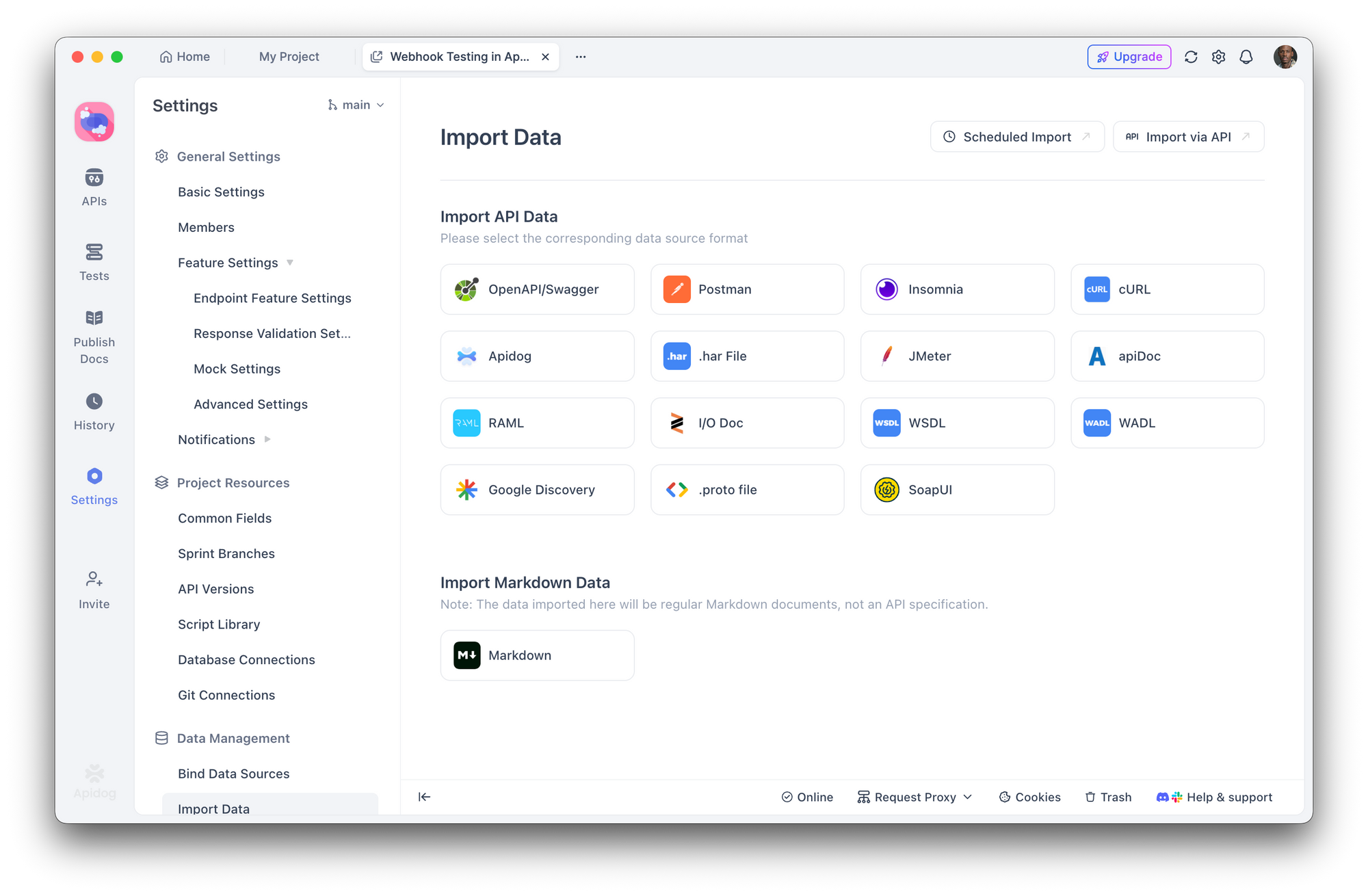
2. Create security test scenarios that check:
- Missing authentication returns 401
- Wrong user accessing resources returns 403
- Invalid input returns 400 with safe error messages
- SQL injection attempts are blocked
- Run automated test suites before each deployment
- Integrate with CI/CD to catch regressions
With Apidog's visual test builder, you don't need to write security tests from scratch. Define assertions like "response should not contain 'password'" or "request without auth token should return 401" and run them across your entire API surface.
Step 3: Penetration Testing Simulation
Test your API like an attacker would:
- Enumerate endpoints - Are there hidden or undocumented routes?
- Test authentication bypass - Can you access protected routes without valid tokens?
- Attempt injection attacks - SQL, NoSQL, command injection on all input fields
- Check for IDOR - Can user A access user B's data by changing IDs?
- Abuse rate limits - What happens with 1000 requests per second?
Apidog's test scenarios let you simulate these attacks systematically, saving results for comparison across deployments.
Step 4: Security Headers Audit
Check your response headers:
curl -I https://your-api.com/endpoint
Look for:
Strict-Transport-SecurityX-Content-Type-Options: nosniffX-Frame-Options: DENYContent-Security-Policy
Building a Security-First Workflow with AI Tools
AI coding assistants aren't going away—they're getting more powerful. The solution isn't to avoid them but to build security into your workflow.
Prompt Engineering for Security
When using AI to generate code, explicitly request security considerations:
Instead of:
"Create a user registration endpoint"
Ask:
"Create a user registration endpoint with input validation, password hashing using bcrypt with cost factor 12, protection against timing attacks, rate limiting, and proper error handling that doesn't leak information about whether emails exist"
Mandatory Review Stages
Establish a workflow where AI-generated code must pass through:
- Human review - Does this code do what we intended?
- Automated linting - ESLint, Pylint with security plugins
- Security scanning - Snyk, npm audit, OWASP dependency check
- API testing - Apidog test suites validating security requirements
- Staging deployment - Run integration tests in realistic environment
Treat AI Code Like Untrusted Input
This is the key mindset shift. Code from AI should be treated with the same skepticism as code from an unknown contributor. Would you deploy code from a random pull request without review? Apply the same standard to AI-generated code.
Conclusion
The server hack that happened one week after deployment wasn't caused by sophisticated attackers or zero-day exploits. It was caused by common vulnerabilities that AI tools routinely introduce and that "vibe coding" practices routinely miss.
AI code generation is powerful. It accelerates development and makes complex tasks accessible. But without systematic security testing, that speed becomes a liability.
Tools like Apidog make security testing practical by letting you define and automate security requirements across your API surface. The goal isn't to slow down AI-assisted development—it's to build the verification layer that AI-generated code requires.
Your server doesn't care whether code was written by a human or an AI. It only cares whether that code is secure.