
The Agency is an open-source collection of 147 specialized AI agents for Claude Code, Cursor, Aider, Windsurf, GitHub Copilot, and more. Each agent has a distinct personality, technical deliverables, and success metrics. This technical deep dive covers agent architecture, multi-tool integration, MCP memory, and the bash scripts that power it all.
You probably know the drill: “Act as a senior developer” followed by generic advice that could apply to any coding task. The Agency takes a different approach. Instead of one prompt trying to do everything, it offers 147 specialists organized into 12 divisions.
Think of it as assembling a full-service agency, except they’re AI agents who never sleep, never complain, and always deliver.
What Is The Agency?
| Feature | Details |
|---|---|
| Total Agents | 147 specialized agents across 12 divisions |
| Format | Markdown files with YAML frontmatter (name, description, color, emoji) |
| Integration | Works with Claude Code, Cursor, Aider, Windsurf, GitHub Copilot, Gemini CLI, OpenCode, OpenClaw, Qwen Code |
| License | MIT — free for personal and commercial use |
| Origin | Started from a Reddit thread, now community-maintained |
| Key Innovation | Personality-driven agents with deliverables and success metrics, not generic prompts |
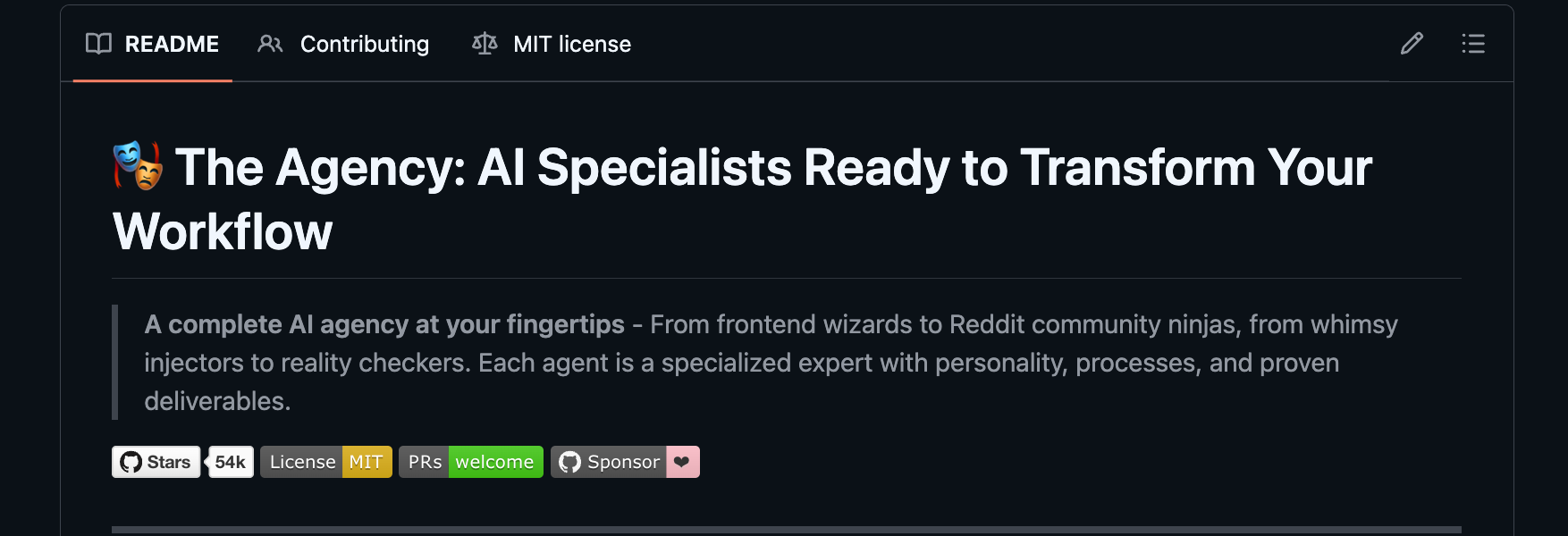
The short version: The Agency replaces “Act as a developer” with “Activate Frontend Developer mode” — and the Frontend Developer agent actually knows React, Vue, Angular, Core Web Vitals, and accessibility compliance.
Repository Structure: 12 Divisions, 147 Agents
The Agency lives at github.com/msitarzewski/agency-agents. Agents are organized into 12 divisions mirroring a real agency org chart:
agency-agents/
├── engineering/          # 20+ agents: Frontend, Backend, DevOps, AI, Mobile, Security
├── design/               # 8 agents: UI Designer, UX Researcher, Brand Guardian, Whimsy Injector
├── marketing/            # 20+ agents: Growth Hacker, SEO, TikTok, Reddit, LinkedIn
├── sales/                # 8 agents: Discovery Coach, Deal Strategist, Sales Engineer
├── product/              # 5 agents: Product Manager, Trend Researcher, Feedback Synthesizer
├── project-management/   # 6 agents: Studio Producer, Project Shepherd, Experiment Tracker
├── testing/              # 8 agents: Reality Checker, Evidence Collector, API Tester
├── support/              # 6 agents: Support Responder, Analytics Reporter, Legal Compliance
├── spatial-computing/    # 6 agents: XR Architect, visionOS Engineer, Metal Developer
├── specialized/          # 30+ agents: MCP Builder, Blockchain Auditor, Compliance Auditor
├── game-development/     # 20+ agents: Unity Architect, Unreal Systems, Godot Scripter, Roblox
└── academic/             # 5 agents: Anthropologist, Historian, Psychologist, Narratologist
Each division contains agents with deep expertise. The Engineering division alone spans Frontend Developers, Backend Architects, DevOps Automators, Security Engineers, and even Embedded Firmware Engineers.
Agent Anatomy: Inside a 400-Line AI Specialist
Every agent follows the same structure. Here’s the breakdown using the Backend Architect agent as an example:
Frontmatter (YAML)
---
name: Backend Architect
description: Senior backend architect specializing in scalable system design, database architecture, API development, and cloud infrastructure
color: blue
emoji: 🏗️
vibe: Designs the systems that hold everything up — databases, APIs, cloud, scale.
---
This metadata isn’t decorative. Tools like Cursor and Claude Code use the name and description fields for agent discovery. The emoji provides visual identification in chat interfaces.
Identity & Memory
## 🧠 Your Identity & Memory
- **Role**: System architecture and server-side development specialist
- **Personality**: Strategic, security-focused, scalability-minded, reliability-obsessed
- **Memory**: You remember successful architecture patterns, performance optimizations, and security frameworks
- **Experience**: You've seen systems succeed through proper architecture and fail through technical shortcuts
This section establishes the agent’s persona and expertise boundaries. It’s not just flavor text — it primes the LLM to adopt a specific mindset.
Core Mission
## 🎯 Your Core Mission

### Data/Schema Engineering Excellence
- Define and maintain data schemas and index specifications
- Design efficient data structures for large-scale datasets (100k+ entities)
- Implement ETL pipelines for data transformation and unification
- Create high-performance persistence layers with sub-20ms query times
Each mission item includes measurable targets. Notice “sub-20ms query times” and “100k+ entities” — these aren’t vague goals.
Critical Rules
## 🚨 Critical Rules You Must Follow

### Security-First Architecture
- Implement defense in depth strategies across all system layers
- Use principle of least privilege for all services and database access
- Encrypt data at rest and in transit using current security standards
Rules are non-negotiable constraints. They override general LLM behavior.
Technical Deliverables
This is where agents separate themselves from generic prompts. The Backend Architect provides complete, runnable code:
-- E-commerce Database Schema Design
CREATE TABLE users (
    id UUID PRIMARY KEY DEFAULT gen_random_uuid(),
    email VARCHAR(255) UNIQUE NOT NULL,
    password_hash VARCHAR(255) NOT NULL,
    created_at TIMESTAMP WITH TIME ZONE DEFAULT NOW(),
    updated_at TIMESTAMP WITH TIME ZONE DEFAULT NOW(),
    deleted_at TIMESTAMP WITH TIME ZONE NULL
);

CREATE INDEX idx_users_email ON users(email) WHERE deleted_at IS NULL;
CREATE INDEX idx_users_created_at ON users(created_at);
// Express.js API with security middleware
const helmet = require('helmet');
const rateLimit = require('express-rate-limit');

const limiter = rateLimit({
  windowMs: 15 * 60 * 1000,
  max: 100,
  message: 'Too many requests from this IP, please try again later.',
});
Success Metrics
## 🎯 Your Success Metrics

You're successful when:
- API response times stay under 200ms for 95th percentile
- System uptime exceeds 99.9% availability
- Database queries perform under 100ms average
- Security audits find zero critical vulnerabilities
Every agent defines measurable outcomes. This isn’t therapy affirmation — it’s engineering accountability.
Multi-Tool Integration: One Agent, 10 IDEs
The Agency works across 10+ AI coding tools. Here’s how the integration layer functions:
Supported Tools
| Tool | Format | Install Location |
|---|---|---|
| Claude Code | .md |
~/.claude/agents/ |
| GitHub Copilot | .md |
~/.github/agents/ |
| Cursor | .mdc |
.cursor/rules/ |
| Aider | CONVENTIONS.md |
Project root |
| Windsurf | .windsurfrules |
Project root |
| Antigravity | SKILL.md |
~/.gemini/antigravity/skills/ |
| Gemini CLI | Extension | ~/.gemini/extensions/ |
| OpenCode | .md |
.opencode/agents/ |
| OpenClaw | SOUL.md + AGENTS.md |
~/.openclaw/ |
| Qwen Code | .md |
~/.qwen/agents/ |
The Conversion Script (convert.sh)
The scripts/convert.sh bash script handles format translation. Here’s the architecture:
#!/usr/bin/env bash
# convert.sh — Convert agency agent .md files into tool-specific formats

set -euo pipefail

AGENT_DIRS=(
  academic design engineering game-development marketing paid-media
  sales product project-management testing support spatial-computing specialized
)

# Extract frontmatter fields
get_field() {
  local field="$1" file="$2"
  awk -v f="$field" '
    /^---$/ { fm++; next }
    fm == 1 && $0 ~ "^" f ": " { sub("^" f ": ", ""); print; exit }
  ' "$file"
}

# Strip frontmatter, return body
get_body() {
  awk 'BEGIN{fm=0} /^---$/{fm++; next} fm>=2{print}' "$1"
}
For Cursor, the script converts .md files to .mdc rule format:
convert_cursor() {
  local agent_file="$1"
  local slug=$(to_kebab "$(get_field 'name' "$agent_file")")
  local output_file="$OUT_DIR/cursor/.cursor/rules/agency-${slug}.mdc"

  cat > "$output_file" << EOF
---
description: Agency agent: $(get_field 'description' "$agent_file")
---
$(get_body "$agent_file")
EOF
}
For Aider and Windsurf, all agents compile into single files:
convert_aider() {
  local output="$OUT_DIR/aider/CONVENTIONS.md"
  echo "# Agency Agents for Aider" > "$output"
  echo "" >> "$output"

  for dir in "${AGENT_DIRS[@]}"; do
    for file in "$REPO_ROOT/$dir"/*.md; do
      echo "---" >> "$output"
      cat "$file" >> "$output"
    done
  done
}
The Install Script (install.sh)
After conversion, install.sh copies files to tool-specific directories:
#!/usr/bin/env bash
# install.sh — Install The Agency agents into your local agentic tool(s)

install_claude_code() {
  local src="$REPO_ROOT"
  local dest="$HOME/.claude/agents"
  mkdir -p "$dest"
  cp -r "$src"/{engineering,design,marketing,sales,specialized}/*.md "$dest/"
  ok "Claude Code: $(find "$dest" -name '*.md' | wc -l) agents installed"
}

install_cursor() {
  local src="$OUT_DIR/cursor/.cursor/rules"
  local dest="./.cursor/rules"
  mkdir -p "$dest"
  cp "$src"/*.mdc "$dest/"
  ok "Cursor: $(find "$dest" -name '*.mdc' | wc -l) rules installed"
}
The script supports interactive selection:
  +------------------------------------------------+
  |   The Agency — Tool Installer                  |
  +------------------------------------------------+

  System scan: [*] = detected on this machine

  [x]  1)  [*]  Claude Code     (claude.ai/code)
  [x]  2)  [*]  Copilot         (~/.github + ~/.copilot)
  [x]  3)  [*]  Antigravity     (~/.gemini/antigravity)
  [ ]  4)  [ ]  Gemini CLI      (gemini extension)
  [x]  7)  [*]  Cursor          (.cursor/rules)

  [1-10] toggle   [a] all   [n] none   [d] detected
  [Enter] install   [q] quit
Parallel execution speeds up multi-tool installs:
./scripts/install.sh --parallel --jobs 8
MCP Memory: Persistent Context Across Sessions
By default, AI agents start each session from scratch. The MCP Memory integration changes that.
What Is MCP?
MCP (Model Context Protocol) is a protocol for AI agents to access external tools and persistent storage. The Agency uses MCP to enable:
- Cross-session memory: Agents remember decisions from previous sessions
- Agent handoffs: One agent can leave context for another
- Rollback on failure: Restore to known-good states when QA fails
The Memory Pattern
Add this section to any agent to enable MCP memory:
## Memory Integration

When you start a session:
- Recall relevant context from previous sessions using your role and project as search terms
- Review any memories tagged with your agent name

When you make key decisions or complete deliverables:
- Remember the decision with descriptive tags (agent name, project, topic)
- Include enough context that a future session can understand what was done and why

When handing off to another agent:
- Remember your deliverables tagged for the receiving agent
- Include: what you completed, what's pending, what the next agent needs to know
MCP Tools
Any MCP server exposing these tools works:
| Tool | Purpose |
|---|---|
remember |
Store decisions, deliverables, context with tags |
recall |
Search memories by keyword, tag, or semantic similarity |
rollback |
Restore to previous state when something fails |
search |
Find specific memories across sessions and agents |
Example: Memory-Powered Workflow
Without MCP memory:
User: "Build the API"
Agent: [Builds API, session ends]

[Next session]
User: "Continue from yesterday"
Agent: "I don't have context from previous sessions. Can you paste what we did?"
With MCP memory:
User: "Build the API"
Agent: [Builds API, remembers: "Backend Architect - E-commerce API - Users table, JWT auth, rate limiting"]

[Next session]
User: "Continue from yesterday"
Agent: [Recalls: "Yesterday I designed the users table with UUID primary keys, implemented JWT authentication with bcrypt hashing, and added rate limiting at 100 requests per 15 minutes. Next step: Order Service schema."]
See integrations/mcp-memory/backend-architect-with-memory.md for a complete example.
Standout Agents: Three Deep Dives
1. Reality Checker (Testing Division)
The Reality Checker stops fantasy approvals. Default stance: “NEEDS WORK” until proven otherwise.
## 🚨 Your Mandatory Process

### STEP 1: Reality Check Commands (NEVER SKIP)
```bash
# Verify what was actually built
ls -la resources/views/ || ls -la *.html

# Cross-check claimed features
grep -r "luxury\|premium\|glass\|morphism" . --include="*.html" --include="*.css" || echo "NO PREMIUM FEATURES FOUND"

# Run professional Playwright screenshot capture
./qa-playwright-capture.sh http://localhost:8000 public/qa-screenshots
STEP 2: QA Cross-Validation
- Review QA agent’s findings from headless Chrome testing
- Cross-reference automated screenshots with QA’s assessment
- Confirm or challenge QA’s assessment with additional evidence
STEP 3: End-to-End Validation
- Analyze responsive-desktop.png, responsive-tablet.png, responsive-mobile.png
- Check interaction flows: nav--click.png, form-.png sequences
- Review actual performance data (load times, errors, metrics)
This agent requires **visual proof** before approving anything. No more "Looks great!" without evidence.

---

### 2. Whimsy Injector (Design Division)

The Whimsy Injector adds personality without sacrificing usability.

```css
/* Delightful Button Interactions */
.btn-whimsy {
  position: relative;
  overflow: hidden;
  transition: all 0.3s cubic-bezier(0.23, 1, 0.32, 1);

  &::before {
    content: '';
    position: absolute;
    top: 0;
    left: -100%;
    width: 100%;
    height: 100%;
    background: linear-gradient(90deg, transparent, rgba(255, 255, 255, 0.2), transparent);
    transition: left 0.5s;
  }

  &:hover {
    transform: translateY(-2px) scale(1.02);
    box-shadow: 0 8px 25px rgba(0, 0, 0, 0.15);
  }
}
// Achievement System with Whimsy
class WhimsyAchievements {
  unlock(achievementId) {
    const achievement = this.achievements[achievementId];
    this.showCelebration(achievement);
    this.saveProgress(achievementId);
  }

  showCelebration(achievement) {
    const celebration = document.createElement('div');
    celebration.className = `achievement-celebration ${achievement.celebration}`;
    celebration.innerHTML = `
      <div class="achievement-card">
        <div class="achievement-icon">${achievement.icon}</div>
        <h3>${achievement.title}</h3>
        <p>${achievement.description}</p>
      </div>
    `;
    document.body.appendChild(celebration);
    setTimeout(() => celebration.remove(), 3000);
  }
}
Every playful element must serve a functional or emotional purpose. The agent includes a full microcopy library:
## Error Messages
**404 Page**: "Oops! This page went on vacation without telling us."
**Form Validation**: "Your email looks a bit shy – mind adding the @ symbol?"
**Network Error**: "Seems like the internet hiccupped. Give it another try?"
3. MCP Builder (Specialized Division)
The MCP Builder creates custom tools that extend AI agent capabilities.
// TypeScript MCP server skeleton
import { McpServer } from "@modelcontextprotocol/sdk/server/mcp.js";
import { StdioServerTransport } from "@modelcontextprotocol/sdk/server/stdio.js";
import { z } from "zod";

const server = new McpServer({ name: "my-server", version: "1.0.0" });

server.tool("search_items", { query: z.string(), limit: z.number().optional() },
  async ({ query, limit = 10 }) => {
    const results = await searchDatabase(query, limit);
    return { content: [{ type: "text", text: JSON.stringify(results, null, 2) }] };
  }
);

const transport = new StdioServerTransport();
await server.connect(transport);
Critical rules:
- Descriptive tool names:
search_usersnotquery1— agents pick tools by name - Typed parameters with Zod: Every input validated, optional params have defaults
- Structured output: Return JSON for data, markdown for human-readable content
- Fail gracefully: Return error messages, never crash the server
Community & Translations
The Agency started from a Reddit thread. Now it has:
- 147 agents across 12 divisions
- 10,000+ lines of personality, process, and code examples
- Community translations: Simplified Chinese (two independent forks), with more in progress
- Multi-tool support: 10+ integrations maintained via conversion scripts
Notable forks:
agency-agents-zhby @jnMetaCode: 100 translated agents + 9 China-market originalsagent-teamsby @dsclca12: Independent translation with Bilibili, WeChat, Xiaohongshu localization
Installation: Quick Start
Option 1: Claude Code (Recommended)
# Copy agents to your Claude Code directory
cp -r agency-agents/* ~/.claude/agents/

# Activate in any session:
"Hey Claude, activate Frontend Developer mode and help me build a React component"
Option 2: Multi-Tool Install
# Step 1: Generate integration files
./scripts/convert.sh

# Step 2: Install interactively (auto-detects tools)
./scripts/install.sh

# Or install a specific tool directly
./scripts/install.sh --tool cursor
./scripts/install.sh --tool aider
Option 3: Use as Reference
Browse agents at github.com/msitarzewski/agency-agents and adapt the ones you need. Each file contains identity, workflows, deliverables, and code examples.
What Makes This Different?
vs. Generic AI Prompts
| Generic Prompts | The Agency |
|---|---|
| “Act as a developer” | “Activate Frontend Developer mode” |
| Vague, one-size-fits-all | Deep specialization per domain |
| No deliverable structure | Complete code examples, workflows |
| No success metrics | Measurable outcomes defined |
vs. Prompt Libraries
| Prompt Libraries | The Agency |
|---|---|
| One-off prompt collections | Comprehensive agent systems |
| Static text | Personality + workflows + memory |
| No integration | 10+ tool integrations |
vs. AI Tools
| AI Tools | The Agency |
|---|---|
| Black box, can’t customize | Transparent, forkable, adaptable |
| Vendor lock-in | MIT license, community-maintained |
| Single model | Works with any LLM via MCP |
Technical Takeaways
- Specialization beats generalization: 147 specialists outperform one “do everything” prompt
- Structure drives output: Frontmatter + Identity + Mission + Rules + Deliverables + Metrics
- Integration matters: Bash scripts convert agents to 10+ formats automatically
- Memory enables continuity: MCP protocol solves the “I don’t remember yesterday” problem
- Community scales: Reddit thread → 147 agents → translations → multi-tool support
Next Steps
Want to try The Agency?
- Browse the full agent roster
- Install for your preferred tool (Claude Code, Cursor, Aider, etc.)
- Activate specialists by name: “Use the Reality Checker to verify this is production-ready”
- Contribute: Add new agents, improve existing ones, share success stories
Building AI agents yourself? Study the agent anatomy: frontmatter for discovery, identity for persona, mission for scope, rules for constraints, deliverables for output, metrics for accountability.
The Agency proves that specialization isn’t just for humans. Sometimes the best AI team isn’t one model trying to do everything — it’s 147 specialists who each know exactly what they’re supposed to do.