
Adyen API powers payment processing for businesses worldwide, enabling developers to handle transactions across online, mobile, and in-person channels. Engineers integrate this API to support over 250 payment methods in more than 150 currencies, ensuring high authorization rates and robust fraud prevention. As you build secure payment systems, tools that simplify testing become essential.
This article provides a technical walkthrough on accessing and using Adyen API. Developers often start with basic setups and progress to advanced features, so the guide follows that progression. First, understand the fundamentals, then move to practical implementation.
What Is Adyen API?
Adyen API serves as a unified interface for payment gateways, allowing applications to process transactions securely. The platform connects directly to card networks and local payment methods, bypassing intermediaries. This direct connection boosts efficiency and reduces costs.
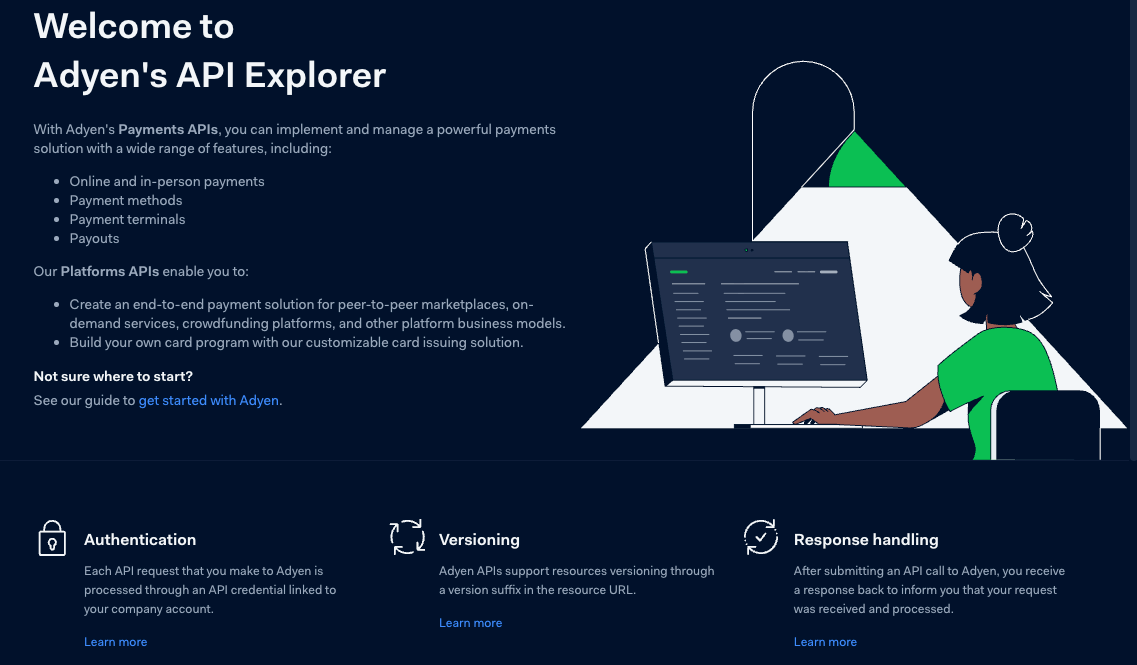
Adyen offers several API categories, including Checkout for online payments, Recurring for subscriptions, Payouts for fund transfers, and In-Person Payments for point-of-sale terminals. Additionally, Platforms APIs support marketplace solutions, while BinLookup helps with fee calculations and 3D Secure checks.
Engineers access these through RESTful endpoints, with requests formatted in JSON. For instance, the Checkout API handles payment initiations, while Webhooks notify systems of status changes. Adyen maintains backward compatibility through versioning, appending suffixes like /v68 to URLs.
Furthermore, Adyen provides client libraries in languages such as Java, Node.js, Python, and .NET, simplifying calls. Developers install these via package managers—for example, using npm for the Node.js library. This setup accelerates development by abstracting low-level HTTP interactions.
However, Adyen API requires proper configuration to function. Without credentials, requests fail with authentication errors. Therefore, account setup forms the foundation.
Why Choose Adyen API for Your Payment Needs?
Businesses select Adyen API for its scalability and global reach. The system processes billions of transactions annually for companies like Uber and eBay. Its RevenueProtect feature employs machine learning to detect fraud, minimizing chargebacks while approving legitimate payments.
Additionally, Adyen optimizes revenue through intelligent routing, retrying failed authorizations automatically. This increases success rates by up to 5%. For marketplaces, MarketPay handles fund splits among sellers, complying with regulations.
Compared to alternatives like Stripe or PayPal, Adyen excels in unified commerce—combining online and offline payments under one contract. Developers appreciate the detailed documentation and API Explorer, which lets them test endpoints interactively.
Nevertheless, integration demands technical expertise. Simple setups take hours, but custom flows require days. Apidog enhances this process by enabling quick mocks and tests, ensuring reliability.
Next, configure your environment to begin.
How Do You Set Up an Adyen Test Account?
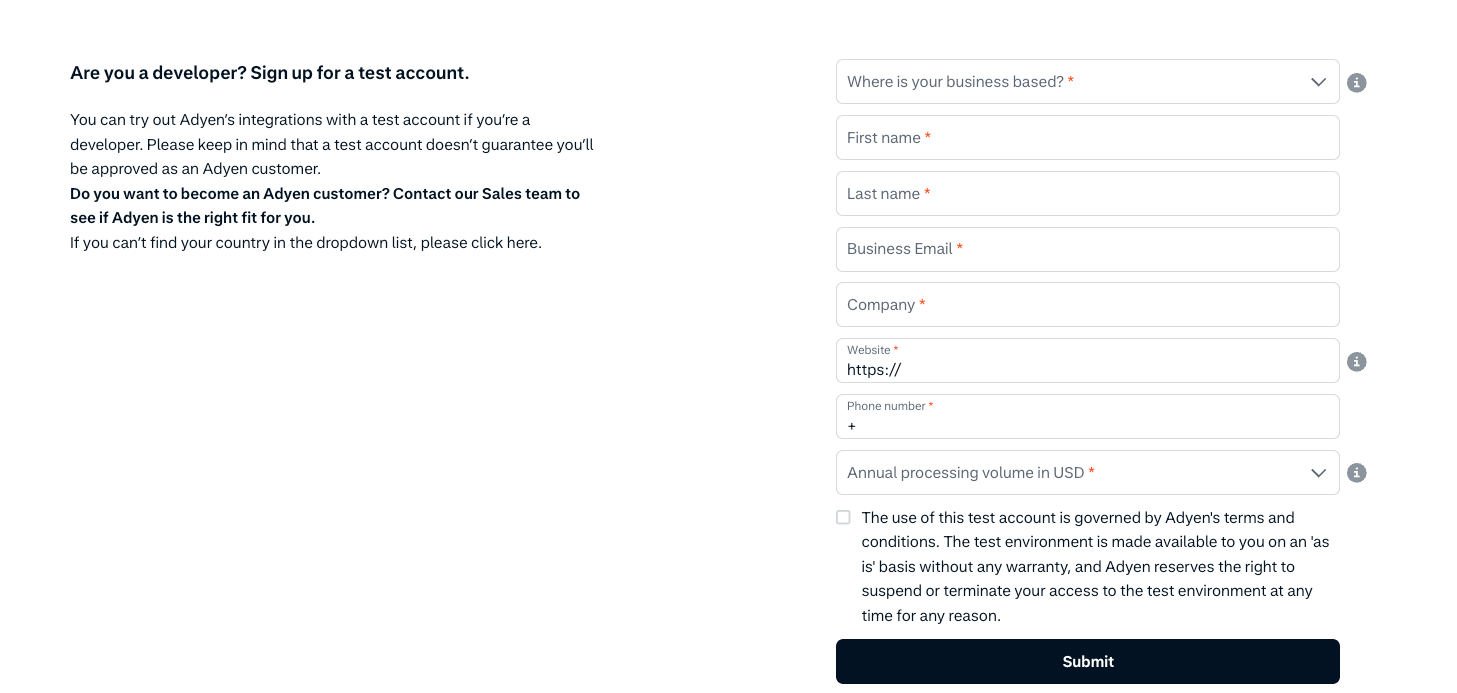
You create a test account to experiment without real funds. Visit the Adyen website and sign up for a developer account. Provide business details, including company name and location. Adyen reviews applications, typically approving within days.
Once approved, log into the Customer Area at ca-test.adyen.com. Here, you manage merchant accounts ending in -ECOM for e-commerce. The test environment simulates transactions, using fake card numbers from Adyen's documentation.
For example, use card 4111 1111 1111 1111 with CVV 737 for Visa tests. Enable payment methods like iDEAL or Klarna in the dashboard. This step ensures your integration supports regional preferences.
Furthermore, distinguish test from live environments. Test URLs use test.adyen.com, while live ones include a unique prefix like [random]-[Company]. Adyen advises starting in test mode to avoid charges.
After setup, obtain credentials to authenticate requests.
How to Obtain API Credentials and Client Key?
You generate API keys in the Customer Area under Developers > API credentials. Select a merchant-level credential, such as ws@Company.[YourCompanyAccount]. Create a new key if none exists.
The API key resembles Aq42_... and grants access to endpoints. Copy it securely, as Adyen does not display it again. Next, generate a Client Key on the same page for client-side authentication, prefixed with test_ or live_.
Add allowed origins, like http://localhost:8080, to prevent CORS issues. Save changes. These keys enable server-side calls and frontend components like Drop-in.
Store keys in environment variables or config files, never in code repositories. For Java apps, inject them via properties files. This practice enhances security.
With credentials ready, explore authentication.
What Are the Authentication Methods for Adyen API?
Adyen employs API keys for basic authentication. Include the key in the X-API-Key header for server-side requests. For example:
curl -H "X-API-Key: YOUR_API_KEY" \
     -H "Content-Type: application/json" \
     https://checkout-test.adyen.com/v68/paymentMethods
Client-side uses the Client Key to initialize libraries like Adyen.Web. This separates concerns, reducing exposure.
Webhooks require HMAC validation. Adyen signs notifications with an HMAC key, which you verify using libraries. Invalid signatures indicate tampering.
Additionally, some endpoints support Bearer tokens for OAuth, but API keys suffice for most integrations. Always use HTTPS to encrypt transmissions.
Misconfigured authentication leads to 401 errors. Therefore, test credentials early.
Now, examine core endpoints.
Exploring Key Endpoints in Adyen API
Adyen API organizes endpoints by function. The /paymentMethods endpoint retrieves available methods based on location and currency. Send a POST with merchantAccount:
{
  "merchantAccount": "YOUR_MERCHANT_ACCOUNT"
}
Response lists methods like cards or iDEAL.
The /payments endpoint initiates transactions. Include amount, paymentMethod, and reference:
{
  "amount": {
    "currency": "EUR",
    "value": 1000
  },
  "reference": "YOUR_REFERENCE",
  "paymentMethod": {
    "type": "scheme",
    "number": "4111111111111111",
    "expiryMonth": "03",
    "expiryYear": "2030",
    "cvc": "737"
  },
  "merchantAccount": "YOUR_MERCHANT_ACCOUNT",
  "returnUrl": "https://your-site.com/return"
}
Successful responses include resultCode like Authorised.
For details, use /payments/details to submit additional data, such as 3DS results.
Recurring API endpoints like /recurring handle stored credentials. Payouts API manages fund transfers.
Apidog simplifies exploring these by importing collections, allowing parameter tweaks and response validation.
Transitioning to implementation, follow these steps.
Step-by-Step Guide: Integrating Adyen API into Your Application
Developers integrate Adyen API using server-side and client-side components. Begin with a backend framework like Java Spring Boot.
First, add the Adyen library. In build.gradle:
implementation 'com.adyen:adyen-java-api-library:31.3.0'
Configure the client:
Config config = new Config();
config.setApiKey("YOUR_API_KEY");
config.setEnvironment(Environment.TEST);
Client client = new Client(config);
PaymentsApi paymentsApi = new PaymentsApi(client);
On the frontend, include Adyen.Web:
<script src="https://checkoutshopper-test.adyen.com/checkoutshopper/sdk/5.0.0/adyen.js"></script>
<link rel="stylesheet" href="https://checkoutshopper-test.adyen.com/checkoutshopper/sdk/5.0.0/adyen.css">
Fetch payment methods:
async function getPaymentMethods() {
  const response = await fetch('/api/paymentMethods', { method: 'POST' });
  return await response.json();
}
Initialize Drop-in:
const configuration = {
  paymentMethodsResponse: await getPaymentMethods(),
  clientKey: "YOUR_CLIENT_KEY",
  locale: "en_US",
  environment: "test",
  onSubmit: (state, dropin) => {
    // Handle submission
  }
};
const checkout = await AdyenCheckout(configuration);
checkout.create('dropin').mount('#dropin-container');
For payments, create a backend endpoint:
PaymentRequest paymentRequest = new PaymentRequest();
paymentRequest.merchantAccount("YOUR_MERCHANT_ACCOUNT");
paymentRequest.amount(new Amount().currency("EUR").value(1000L));
// Set other fields
PaymentResponse response = paymentsApi.payments(paymentRequest);
Handle 3D Secure by adding browserInfo and origin. If action.type is redirect, redirect the user.
For webhooks, set up an endpoint to receive POSTs. Validate HMAC:
HMACValidator hmacValidator = new HMACValidator();
if (hmacValidator.validateHMAC(notificationItem, "YOUR_HMAC_KEY")) {
  // Process event
}
Enable specific methods in the dashboard. For iDEAL:
Add issuer selection in paymentMethod.
For Klarna, include lineItems:
"lineItems": [
  {
    "description": "Item",
    "quantity": 1,
    "amountIncludingTax": 1000
  }
]
Test with Adyen's card extension or manual inputs.
This integration supports basic flows. Expand for tokenization: Store details with /payments, setting storeDetails: true.
Preauthorization captures later via /captures.
Apidog aids by mocking responses, testing edge cases.
How to Use Apidog for Testing Adyen API?
Apidog streamlines Adyen API testing. Download the free version and import the Adyen collection.
For example, paste a cURL for /adjustAuthorisation:
Apidog parses it, filling fields. Send to view responses.
Test flows: Authorize, then capture. Use assertions for status codes.
Apidog mocks endpoints, simulating delays or errors. Integrate with CI/CD for automated runs.
For Adyen, validate security like 3DS by chaining requests.
Additionally, generate docs from specs, sharing with teams.
This tool reduces manual effort, catching issues early.
Best Practices for Using Adyen API
Implement idempotency keys to prevent duplicates: Set UUID in RequestOptions.
Use sessions flow for client-side security, generating sessions server-side.
Monitor performance with webhooks, logging events.
Comply with PCI DSS by avoiding sensitive data storage.
Scale by batching payouts.
Furthermore, update libraries regularly for features.
Common Issues and Troubleshooting
401 Unauthorized: Check API key.
Invalid HMAC: Verify key matches.
Refused payments: Use test cards correctly.
CORS errors: Add origins.
Consult logs in Customer Area.
Advanced Features: 3D Secure, Webhooks, and More
Enable dynamic 3DS: Set attemptAuthentication: always.
Webhooks notify asynchronously—handle AUTHORISATION events.
For platforms, use /transfers.
Integrate BinLookup for fees.
Apidog tests these with scenarios.
Conclusion
You now know how to access and use Adyen API effectively. From setup to advanced integrations, this guide equips developers. Experiment in test mode, then go live. Tools like Apidog accelerate the process.