
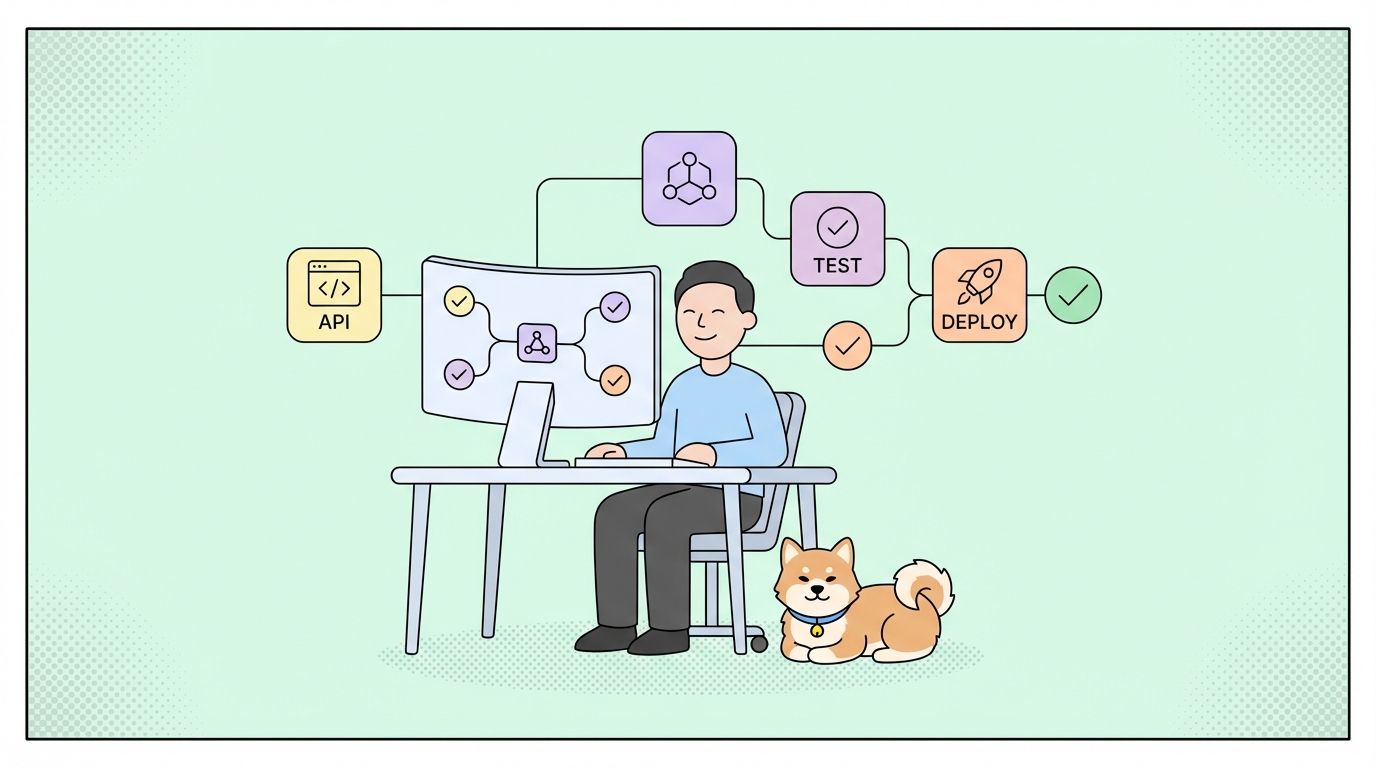
요약 (TL;DR)
HubSpot API는 개발자가 CRM, 마케팅, 영업 및 서비스 허브와 프로그래밍 방식으로 통합할 수 있도록 지원합니다. OAuth 2.0 및 비공개 앱 인증을 사용하며, 구독 등급에 따라 속도 제한이 있는 연락처, 회사, 거래, 티켓 등에 대한 RESTful 엔드포인트를 제공합니다. 이 가이드는 인증 설정, 핵심 엔드포인트, 웹훅 및 프로덕션 통합 전략을 다룹니다.
소개
HubSpot은 194,000개 이상의 고객 계정과 수십억 개의 CRM 레코드를 관리합니다. CRM 통합, 마케팅 자동화 또는 영업 도구를 구축하는 개발자에게 HubSpot API 통합은 선택 사항이 아니라 700만 명 이상의 사용자에게 도달하기 위한 필수 요소입니다.
현실은 다음과 같습니다. 기업들은 시스템 간 수동 데이터 입력에 매주 15-20시간을 낭비합니다. 견고한 HubSpot API 통합은 연락처 동기화, 거래 업데이트, 마케팅 워크플로우 및 플랫폼 전반의 보고를 자동화합니다.
HubSpot API란 무엇입니까?
HubSpot은 CRM 데이터 및 마케팅 자동화 기능에 액세스하기 위한 RESTful API를 제공합니다. 이 API는 다음을 처리합니다:
- 연락처, 회사, 거래, 티켓 및 사용자 지정 객체
- 마케팅 이메일 및 랜딩 페이지
- 영업 파이프라인 및 시퀀스
- 서비스 티켓 및 대화
- 분석 및 보고
- 워크플로우 및 자동화
- 파일 및 자산
주요 기능
| 기능 | 설명 |
|---|---|
| RESTful 설계 | JSON 응답을 사용하는 표준 HTTP 메서드 |
| OAuth 2.0 + 비공개 앱 | 유연한 인증 옵션 |
| 웹훅 | 객체 변경에 대한 실시간 알림 |
| 속도 제한 | 계층 기반 제한 (초당 100-400 요청) |
| CRM 객체 | 표준 및 사용자 지정 객체 지원 |
| 연결 | 객체 연결 (연락처-회사, 거래-연락처) |
| 속성 | 모든 객체 유형에 대한 사용자 지정 필드 |
| 검색 API | 복잡한 필터링 및 정렬 |
API 아키텍처 개요
HubSpot은 버전이 지정된 REST API를 사용합니다:
https://api.hubapi.com/
API 버전 비교
| 버전 | 상태 | 인증 | 사용 사례 |
|---|---|---|---|
| CRM API v3 | 현재 | OAuth 2.0, 비공개 앱 | 모든 새 통합 |
| 자동화 API v4 | 현재 | OAuth 2.0, 비공개 앱 | 워크플로우 등록 |
| 마케팅 이메일 API | 현재 | OAuth 2.0, 비공개 앱 | 이메일 캠페인 |
| 연락처 API v1 | 사용 중단됨 | API 키 (레거시) | v3으로 마이그레이션 |
| 회사 API v1 | 사용 중단됨 | API 키 (레거시) | v3으로 마이그레이션 |
중요: HubSpot은 OAuth 2.0 및 비공개 앱을 선호하여 API 키 인증을 사용 중단했습니다. 모든 통합을 즉시 마이그레이션하세요.
시작하기: 인증 설정
1단계: HubSpot 개발자 계정 생성
API에 액세스하기 전에:
- HubSpot 개발자 포털 방문
- HubSpot 계정으로 로그인 (또는 계정 생성)
- 개발자 대시보드에서 앱(Apps)으로 이동
- 앱 생성(Create app) 클릭
2단계: 인증 방법 선택
HubSpot은 두 가지 인증 방법을 지원합니다:
| 방법 | 최적의 사용 | 보안 수준 |
|---|---|---|
| OAuth 2.0 | 다중 테넌트 앱, 공개 통합 | 높음 (사용자 범위 토큰) |
| 비공개 앱 | 내부 통합, 단일 포털 | 높음 (포털 범위 토큰) |
3단계: 비공개 앱 설정 (내부 통합 권장)
단일 포털 액세스를 위한 비공개 앱을 생성합니다:
- 설정(Settings) > 통합(Integrations) > 비공개 앱(Private Apps)으로 이동
- 비공개 앱 생성(Create a private app) 클릭
- 범위 구성:
contacts
crm.objects.companies
crm.objects.deals
crm.objects.tickets
automation
webhooks
- 액세스 토큰 생성
- 안전하게 복사 및 저장
# .env file
HUBSPOT_ACCESS_TOKEN="pat-na1-xxxxxxxx-xxxx-xxxx-xxxx-xxxxxxxxxxxx"
HUBSPOT_PORTAL_ID="12345678"
4단계: OAuth 2.0 설정 (다중 테넌트 앱용)
다중 포털 액세스를 위한 OAuth를 구성합니다:
- 앱(Apps) > 앱 생성(Create app)으로 이동
- 인증 설정 구성:
const HUBSPOT_CLIENT_ID = process.env.HUBSPOT_CLIENT_ID;
const HUBSPOT_CLIENT_SECRET = process.env.HUBSPOT_CLIENT_SECRET;
const HUBSPOT_REDIRECT_URI = process.env.HUBSPOT_REDIRECT_URI;

// Build authorization URL
const getAuthUrl = (state) => {
  const params = new URLSearchParams({
    client_id: HUBSPOT_CLIENT_ID,
    redirect_uri: HUBSPOT_REDIRECT_URI,
    scope: 'crm.objects.contacts.read crm.objects.contacts.write',
    state: state,
    optional_scope: 'crm.objects.deals.read'
  });

  return `https://app.hubspot.com/oauth/authorize?${params.toString()}`;
};
5단계: 액세스 토큰을 위한 코드 교환
OAuth 콜백 처리:
const exchangeCodeForToken = async (code) => {
  const response = await fetch('https://api.hubapi.com/oauth/v1/token', {
    method: 'POST',
    headers: {
      'Content-Type': 'application/x-www-form-urlencoded'
    },
    body: new URLSearchParams({
      grant_type: 'authorization_code',
      client_id: HUBSPOT_CLIENT_ID,
      client_secret: HUBSPOT_CLIENT_SECRET,
      redirect_uri: HUBSPOT_REDIRECT_URI,
      code: code
    })
  });

  const data = await response.json();

  return {
    accessToken: data.access_token,
    refreshToken: data.refresh_token,
    expiresIn: data.expires_in,
    portalId: data.hub_portal_id
  };
};

// Handle callback
app.get('/oauth/callback', async (req, res) => {
  const { code, state } = req.query;

  try {
    const tokens = await exchangeCodeForToken(code);

    // Store tokens in database
    await db.installations.create({
      portalId: tokens.portalId,
      accessToken: tokens.accessToken,
      refreshToken: tokens.refreshToken,
      tokenExpiry: Date.now() + (tokens.expiresIn * 1000)
    });

    res.redirect('/success');
  } catch (error) {
    console.error('OAuth error:', error);
    res.status(500).send('Authentication failed');
  }
});
6단계: 액세스 토큰 새로 고침
액세스 토큰은 6시간 후에 만료됩니다:
const refreshAccessToken = async (refreshToken) => {
  const response = await fetch('https://api.hubapi.com/oauth/v1/token', {
    method: 'POST',
    headers: {
      'Content-Type': 'application/x-www-form-urlencoded'
    },
    body: new URLSearchParams({
      grant_type: 'refresh_token',
      client_id: HUBSPOT_CLIENT_ID,
      client_secret: HUBSPOT_CLIENT_SECRET,
      refresh_token: refreshToken
    })
  });

  const data = await response.json();

  return {
    accessToken: data.access_token,
    refreshToken: data.refresh_token, // Always save new refresh token
    expiresIn: data.expires_in
  };
};

// Middleware to ensure valid token
const ensureValidToken = async (portalId) => {
  const installation = await db.installations.findByPortalId(portalId);

  // Refresh if expires within 30 minutes
  if (installation.tokenExpiry < Date.now() + 1800000) {
    const newTokens = await refreshAccessToken(installation.refreshToken);

    await db.installations.update(installation.id, {
      accessToken: newTokens.accessToken,
      refreshToken: newTokens.refreshToken,
      tokenExpiry: Date.now() + (newTokens.expiresIn * 1000)
    });

    return newTokens.accessToken;
  }

  return installation.accessToken;
};
7단계: 인증된 API 호출 수행
재사용 가능한 API 클라이언트 생성:
const HUBSPOT_BASE_URL = 'https://api.hubapi.com';

const hubspotRequest = async (endpoint, options = {}, portalId = null) => {
  const accessToken = portalId ? await ensureValidToken(portalId) : process.env.HUBSPOT_ACCESS_TOKEN;

  const response = await fetch(`${HUBSPOT_BASE_URL}${endpoint}`, {
    ...options,
    headers: {
      'Authorization': `Bearer ${accessToken}`,
      'Content-Type': 'application/json',
      ...options.headers
    }
  });

  if (!response.ok) {
    const error = await response.json();
    throw new Error(`HubSpot API Error: ${error.message}`);
  }

  return response.json();
};

// Usage
const contacts = await hubspotRequest('/crm/v3/objects/contacts');
CRM 객체 작업
연락처 생성
연락처 생성 또는 업데이트:
const createContact = async (contactData) => {
  const contact = {
    properties: {
      email: contactData.email,
      firstname: contactData.firstName,
      lastname: contactData.lastName,
      phone: contactData.phone,
      company: contactData.company,
      website: contactData.website,
      lifecyclestage: contactData.lifecycleStage || 'lead'
    }
  };

  const response = await hubspotRequest('/crm/v3/objects/contacts', {
    method: 'POST',
    body: JSON.stringify(contact)
  });

  return response;
};

// Usage
const contact = await createContact({
  email: 'john.doe@example.com',
  firstName: 'John',
  lastName: 'Doe',
  phone: '+1-555-0123',
  company: 'Acme Corp',
  lifecycleStage: 'customer'
});

console.log(`Contact created: ${contact.id}`);
연락처 속성
| 속성 | 유형 | 설명 |
|---|---|---|
email |
문자열 | 기본 이메일 (고유 식별자) |
firstname |
문자열 | 이름 |
lastname |
문자열 | 성 |
phone |
문자열 | 전화번호 |
company |
문자열 | 회사명 |
website |
문자열 | 웹사이트 URL |
lifecyclestage |
열거형 | lead, marketingqualifiedlead, salesqualifiedlead, opportunity, customer, evangelist, subscriber |
createdate |
날짜/시간 | 자동 생성됨 |
lastmodifieddate |
날짜/시간 | 자동 생성됨 |
연락처 가져오기
ID로 연락처 가져오기:
const getContact = async (contactId) => {
  const response = await hubspotRequest(`/crm/v3/objects/contacts/${contactId}`);
  return response;
};

// Usage
const contact = await getContact('12345');
console.log(`${contact.properties.firstname} ${contact.properties.lastname}`);
console.log(`Email: ${contact.properties.email}`);
연락처 검색
필터로 검색:
const searchContacts = async (searchCriteria) => {
  const response = await hubspotRequest('/crm/v3/objects/contacts/search', {
    method: 'POST',
    body: JSON.stringify({
      filterGroups: searchCriteria,
      properties: ['firstname', 'lastname', 'email', 'company'],
      limit: 100
    })
  });

  return response;
};

// Usage - Find contacts at specific company
const results = await searchContacts({
  filterGroups: [
    {
      filters: [
        {
          propertyName: 'company',
          operator: 'EQ',
          value: 'Acme Corp'
        }
      ]
    }
  ]
});

results.results.forEach(contact => {
  console.log(`${contact.properties.email}`);
});
검색 필터 연산자
| 연산자 | 설명 | 예시 |
|---|---|---|
EQ |
같음 | company EQ 'Acme' |
NEQ |
같지 않음 | lifecyclestage NEQ 'subscriber' |
CONTAINS_TOKEN |
포함 | email CONTAINS_TOKEN 'gmail' |
NOT_CONTAINS_TOKEN |
포함하지 않음 | email NOT_CONTAINS_TOKEN 'test' |
GT |
보다 큼 | createdate GT '2026-01-01' |
LT |
보다 작음 | createdate LT '2026-12-31' |
GTE |
크거나 같음 | deal_amount GTE 10000 |
LTE |
작거나 같음 | deal_amount LTE 50000 |
HAS_PROPERTY |
값이 있음 | phone HAS_PROPERTY |
NOT_HAS_PROPERTY |
값이 없음 | phone NOT_HAS_PROPERTY |
회사 생성
회사 기록 생성:
const createCompany = async (companyData) => {
  const company = {
    properties: {
      name: companyData.name,
      domain: companyData.domain,
      industry: companyData.industry,
      numberofemployees: companyData.employees,
      annualrevenue: companyData.revenue,
      city: companyData.city,
      state: companyData.state,
      country: companyData.country
    }
  };

  const response = await hubspotRequest('/crm/v3/objects/companies', {
    method: 'POST',
    body: JSON.stringify(company)
  });

  return response;
};

// Usage
const company = await createCompany({
  name: 'Acme Corporation',
  domain: 'acme.com',
  industry: 'Technology',
  employees: 500,
  revenue: 50000000,
  city: 'San Francisco',
  state: 'CA',
  country: 'USA'
});
객체 연결
연락처를 회사에 연결:
const associateContactWithCompany = async (contactId, companyId) => {
  const response = await hubspotRequest(
    `/crm/v3/objects/contacts/${contactId}/associations/companies/${companyId}`,
    {
      method: 'PUT',
      body: JSON.stringify({
        types: [
          {
            associationCategory: 'HUBSPOT_DEFINED',
            associationTypeId: 1 // Contact to Company
          }
        ]
      })
    }
  );

  return response;
};

// Usage
await associateContactWithCompany('12345', '67890');
연결 유형
| 연결 | 유형 ID | 방향 |
|---|---|---|
| 연락처 → 회사 | 1 | 연락처가 회사와 연결됨 |
| 회사 → 연락처 | 1 | 회사가 연락처와 연결됨 |
| 거래 → 연락처 | 3 | 거래가 연락처와 연결됨 |
| 거래 → 회사 | 5 | 거래가 회사와 연결됨 |
| 티켓 → 연락처 | 16 | 티켓이 연락처와 연결됨 |
| 티켓 → 회사 | 15 | 티켓이 회사와 연결됨 |
거래 생성
영업 기회 생성:
const createDeal = async (dealData) => {
  const deal = {
    properties: {
      dealname: dealData.name,
      amount: dealData.amount.toString(),
      dealstage: dealData.stage || 'appointmentscheduled',
      pipeline: dealData.pipelineId || 'default',
      closedate: dealData.closeDate,
      dealtype: dealData.type || 'newbusiness',
      description: dealData.description
    }
  };

  const response = await hubspotRequest('/crm/v3/objects/deals', {
    method: 'POST',
    body: JSON.stringify(deal)
  });

  return response;
};

// Usage
const deal = await createDeal({
  name: 'Acme Corp - Enterprise License',
  amount: 50000,
  stage: 'qualification',
  closeDate: '2026-06-30',
  type: 'newbusiness',
  description: 'Enterprise annual subscription'
});

// Associate with company and contact
await hubspotRequest(
  `/crm/v3/objects/deals/${deal.id}/associations/companies/${companyId}`,
  { method: 'PUT', body: JSON.stringify({ types: [{ associationCategory: 'HUBSPOT_DEFINED', associationTypeId: 5 }] }) }
);

await hubspotRequest(
  `/crm/v3/objects/deals/${deal.id}/associations/contacts/${contactId}`,
  { method: 'PUT', body: JSON.stringify({ types: [{ associationCategory: 'HUBSPOT_DEFINED', associationTypeId: 3 }] }) }
);
거래 단계 (기본 파이프라인)
| 단계 | 내부 값 |
|---|---|
| 예약된 약속 | appointmentscheduled |
| 구매 자격 | qualifiedtobuy |
| 프레젠테이션 예약됨 | presentationscheduled |
| 의사 결정자 확보 | decisionmakerboughtin |
| 계약서 발송 | contractsent |
| 성공적인 마감 | closedwon |
| 실패적인 마감 | closedlost |
웹훅
웹훅 구성
실시간 알림을 위한 웹훅 설정:
const createWebhook = async (webhookData) => {
  const response = await hubspotRequest('/webhooks/v3/my-app/webhooks', {
    method: 'POST',
    body: JSON.stringify({
      webhookUrl: webhookData.url,
      eventTypes: webhookData.events,
      objectType: webhookData.objectType,
      propertyName: webhookData.propertyName // Optional: filter by property change
    })
  });

  return response;
};

// Usage
const webhook = await createWebhook({
  url: 'https://myapp.com/webhooks/hubspot',
  events: [
    'contact.creation',
    'contact.propertyChange',
    'company.creation',
    'deal.creation',
    'deal.stageChange'
  ],
  objectType: 'contact'
});

console.log(`Webhook created: ${webhook.id}`);
웹훅 이벤트 유형
| 이벤트 유형 | 트리거 |
|---|---|
contact.creation |
새 연락처 생성됨 |
contact.propertyChange |
연락처 속성 업데이트됨 |
contact.deletion |
연락처 삭제됨 |
company.creation |
새 회사 생성됨 |
company.propertyChange |
회사 속성 업데이트됨 |
deal.creation |
새 거래 생성됨 |
deal.stageChange |
거래 단계 변경됨 |
deal.propertyChange |
거래 속성 업데이트됨 |
ticket.creation |
새 티켓 생성됨 |
ticket.propertyChange |
티켓 속성 업데이트됨 |
웹훅 처리
const express = require('express');
const crypto = require('crypto');
const app = express();

app.post('/webhooks/hubspot', express.json(), async (req, res) => {
  const signature = req.headers['x-hubspot-signature'];
  const payload = JSON.stringify(req.body);

  // Verify webhook signature
  const isValid = verifyWebhookSignature(payload, signature, process.env.HUBSPOT_CLIENT_SECRET);

  if (!isValid) {
    console.error('Invalid webhook signature');
    return res.status(401).send('Unauthorized');
  }

  const events = req.body;

  for (const event of events) {
    console.log(`Event: ${event.eventType}`);
    console.log(`Object: ${event.objectType} - ${event.objectId}`);
    console.log(`Property: ${event.propertyName}`);
    console.log(`Value: ${event.propertyValue}`);

    // Route to appropriate handler
    switch (event.eventType) {
      case 'contact.creation':
        await handleContactCreation(event);
        break;
      case 'contact.propertyChange':
        await handleContactUpdate(event);
        break;
      case 'deal.stageChange':
        await handleDealStageChange(event);
        break;
    }
  }

  res.status(200).send('OK');
});

function verifyWebhookSignature(payload, signature, clientSecret) {
  const expectedSignature = crypto
    .createHmac('sha256', clientSecret)
    .update(payload)
    .digest('hex');
  return crypto.timingSafeEqual(
    Buffer.from(signature, 'hex'),
    Buffer.from(expectedSignature, 'hex')
  );
}
속도 제한
속도 제한 이해
HubSpot은 구독 등급에 따라 속도 제한을 적용합니다:
| 등급 | 초당 요청 수 | 일일 요청 수 |
|---|---|---|
| 무료/Starter | 100 | 100,000 |
| Professional | 200 | 500,000 |
| Enterprise | 400 | 1,000,000 |
제한을 초과하면 HTTP 429 (요청 과다) 응답이 발생합니다.
속도 제한 헤더
| 헤더 | 설명 |
|---|---|
X-HubSpot-RateLimit-Second-Limit |
초당 최대 요청 수 |
X-HubSpot-RateLimit-Second-Remaining |
이번 초 남은 요청 수 |
X-HubSpot-RateLimit-Second-Reset |
초당 제한이 재설정될 때까지 남은 시간 (초) |
X-HubSpot-RateLimit-Daily-Limit |
일일 최대 요청 수 |
X-HubSpot-RateLimit-Daily-Remaining |
오늘 남은 요청 수 |
X-HubSpot-RateLimit-Daily-Reset |
일일 제한이 재설정될 때까지 남은 시간 (초) |
속도 제한 처리 구현
const makeRateLimitedRequest = async (endpoint, options = {}, maxRetries = 3) => {
  for (let attempt = 1; attempt <= maxRetries; attempt++) {
    try {
      const response = await hubspotRequest(endpoint, options);

      // Log rate limit info
      const remaining = response.headers.get('X-HubSpot-RateLimit-Second-Remaining');
      if (remaining < 10) {
        console.warn(`Low rate limit remaining: ${remaining}`);
      }

      return response;
    } catch (error) {
      if (error.message.includes('429') && attempt < maxRetries) {
        const delay = Math.pow(2, attempt) * 1000;
        console.log(`Rate limited. Retrying in ${delay}ms...`);
        await new Promise(resolve => setTimeout(resolve, delay));
      } else {
        throw error;
      }
    }
  }
};

// Rate limiter class
class HubSpotRateLimiter {
  constructor(requestsPerSecond = 90) { // Stay under limit
    this.queue = [];
    this.interval = 1000 / requestsPerSecond;
    this.processing = false;
  }

  async add(requestFn) {
    return new Promise((resolve, reject) => {
      this.queue.push({ requestFn, resolve, reject });
      this.process();
    });
  }

  async process() {
    if (this.processing || this.queue.length === 0) return;
    this.processing = true;

    while (this.queue.length > 0) {
      const { requestFn, resolve, reject } = this.queue.shift();
      try {
        const result = await requestFn();
        resolve(result);
      } catch (error) {
        reject(error);
      }
      if (this.queue.length > 0) {
        await new Promise(r => setTimeout(r, this.interval));
      }
    }
    this.processing = false;
  }
}
운영 환경 배포 체크리스트
운영 환경으로 전환하기 전에:
- [ ] 비공개 앱 또는 OAuth 2.0 인증 사용
- [ ] 토큰을 안전하게 저장 (암호화된 데이터베이스)
- [ ] 자동 토큰 새로 고침 구현
- [ ] 속도 제한 및 요청 큐잉 설정
- [ ] HTTPS를 사용하여 웹훅 엔드포인트 구성
- [ ] 포괄적인 오류 처리 구현
- [ ] 모든 API 호출에 대한 로깅 추가
- [ ] 속도 제한 사용량 모니터링
- [ ] 일반적인 문제에 대한 런북 생성
실제 사용 사례
CRM 동기화
SaaS 회사가 고객 데이터를 동기화합니다:
- 문제: 앱과 HubSpot 간의 수동 데이터 입력
- 해결책: 웹훅 및 API를 통한 실시간 동기화
- 결과: 수동 입력 0건, 데이터 정확도 100%
리드 라우팅
마케팅 대행사가 리드 배포를 자동화합니다:
- 문제: 느린 리드 응답 시간
- 해결책: 웹훅 트리거를 통한 영업 담당자에게 라우팅
- 결과: 5분 이내 응답 시간, 전환율 40% 증가
결론
HubSpot API는 포괄적인 CRM 및 마케팅 자동화 기능을 제공합니다. 주요 요점은 다음과 같습니다:
- 다중 테넌트 앱에는 OAuth 2.0을, 내부 통합에는 비공개 앱을 사용하세요.
- 속도 제한은 계층별로 다릅니다 (초당 100-400 요청).
- 웹훅은 실시간 동기화를 가능하게 합니다.
- CRM 객체는 연결 및 사용자 지정 속성을 지원합니다.
- Apidog는 API 테스트 및 팀 협업을 간소화합니다.
FAQ 섹션
HubSpot API로 어떻게 인증합니까?
다중 테넌트 앱에는 OAuth 2.0을 사용하고, 단일 포털 통합에는 비공개 앱을 사용합니다. API 키 인증은 사용 중단되었습니다.
HubSpot 속도 제한은 무엇입니까?
속도 제한은 초당 100개 요청 (무료)부터 초당 400개 요청 (Enterprise)까지 다양하며, 일일 제한은 10만 개에서 100만 개 요청입니다.
HubSpot에서 연락처를 어떻게 생성합니까?
이메일, 이름, 성 및 사용자 지정 필드를 포함한 속성을 사용하여 /crm/v3/objects/contacts에 POST 요청을 보냅니다.
사용자 지정 속성을 생성할 수 있습니까?
예, Properties API를 사용하여 모든 객체 유형에 대한 사용자 지정 필드를 생성할 수 있습니다.
HubSpot에서 웹훅은 어떻게 작동합니까?
앱 설정에서 웹훅을 구성하세요. HubSpot은 지정된 이벤트가 발생할 때 엔드포인트로 POST 요청을 보냅니다.