
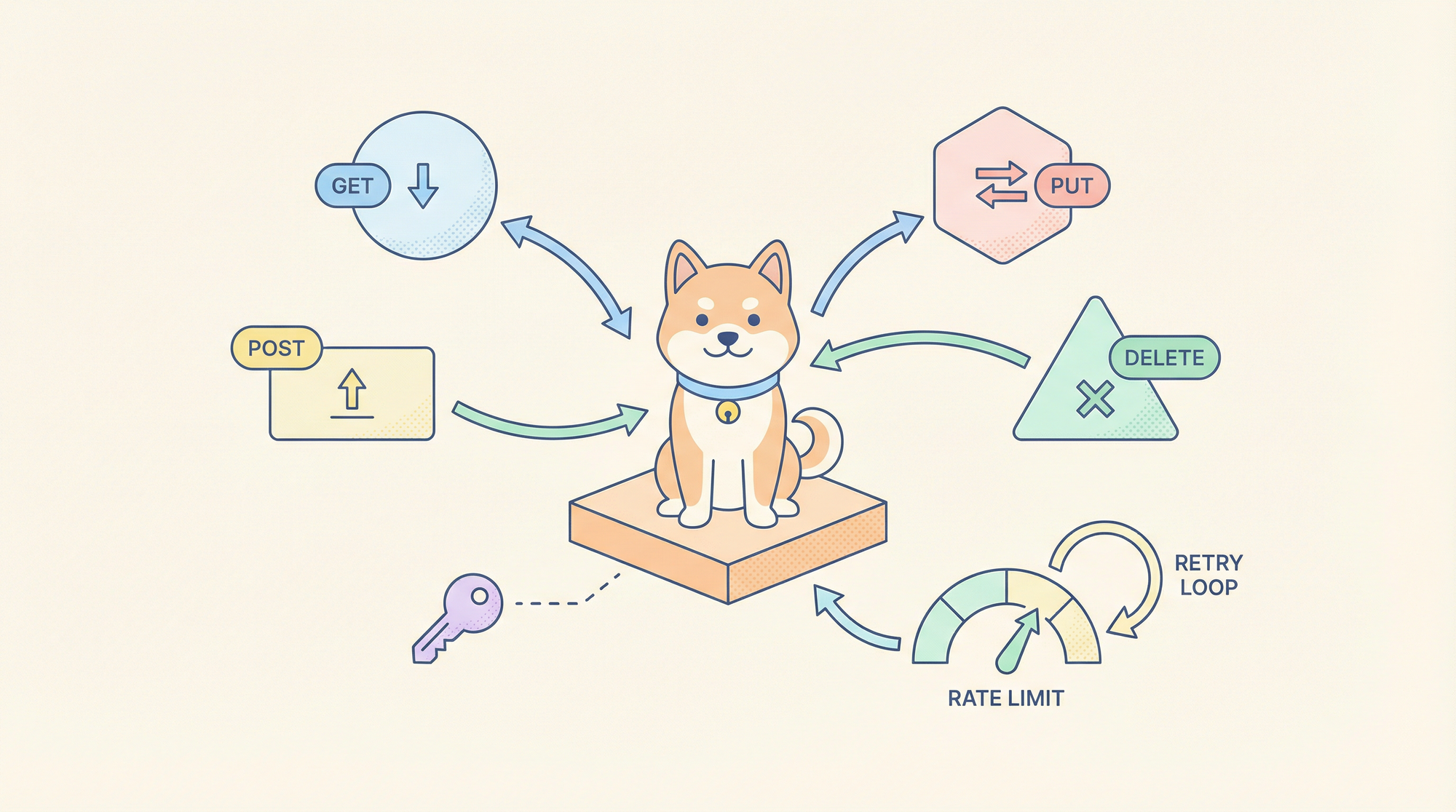
수동으로 fetch 호출을 작성하고, 인증 토큰을 처리하고, 새로운 통합마다 API 응답을 파싱하는 것은 웹 앱을 위한 어셈블리 코드를 작성하는 것과 같은 현대판 작업입니다. 데이터 페칭을 위한 Claude Code Skills는 HTTP 요청을 인증 패턴, 페이지네이션 및 응답 유효성 검사를 이해하는 선언적이고 재사용 가능한 도구로 전환하여 상용구를 제거하고 코드베이스 전반의 일관성을 강화합니다.
개발 워크플로우에서 API 네트워킹 스킬이 중요한 이유
모든 개발자는 반복적인 API 작업을 수행하는 데 많은 시간을 할애합니다: OAuth 2.0을 위한 헤더 설정, 속도 제한 엔드포인트에 대한 지수 백오프 구현, 예측 불가능한 JSON 응답에 대한 타입 가드 작성 등입니다. 이러한 작업은 오류 발생 가능성이 높고 특정 서비스에 긴밀하게 연결되어 있어 테스트 및 유지 관리가 어렵습니다. Claude Code Skills는 이러한 복잡성을 버전 관리되고 테스트 가능한 도구로 추상화하여 AI 어시스턴트가 자연어로 호출할 수 있도록 합니다.
변화는 명령형 API 호출에서 선언형 데이터 페칭으로의 전환입니다. fetch(url, { headers: {...} })를 작성하는 대신, "ENV의 토큰을 사용하여 GitHub API에서 사용자 데이터를 가져와 유형이 지정된 결과를 반환하라." 와 같은 의도를 기술합니다. 이 스킬은 자격 증명 관리, 재시도 로직 및 응답 구문 분석을 처리하여 애플리케이션에서 즉시 사용할 수 있는 강력한 유형의 데이터를 반환합니다.
최대한의 생산성으로 개발팀이 함께 작업할 수 있는 통합된 올인원 플랫폼을 원하십니까?
Apidog는 귀하의 모든 요구 사항을 충족하며 훨씬 저렴한 가격으로 Postman을 대체합니다!
Claude Code에서 데이터 페칭 스킬 설정
1단계: Claude Code 설치 및 MCP 구성
Claude Code CLI를 설치하지 않았다면:
npm install -g @anthropic-ai/claude-code
claude --version  # 2.0.70 이상이어야 합니다
MCP 구성 디렉토리와 파일을 생성합니다:
# macOS/Linux
mkdir -p ~/.config/claude-code
touch ~/.config/claude-code/config.json

# Windows
mkdir %APPDATA%\claude-code
echo {} > %APPDATA%\claude-code\config.json

2단계: 데이터 페칭 스킬 복제 및 빌드
공식 데이터 페칭 스킬은 REST, GraphQL 및 일반 HTTP 요청에 대한 패턴을 제공합니다.
git clone https://github.com/anthropics/skills.git
cd skills/skills/data-fetching
npm install
npm run build
이것은 TypeScript 핸들러를 dist/index.js로 컴파일합니다.
3단계: MCP가 스킬을 로드하도록 구성
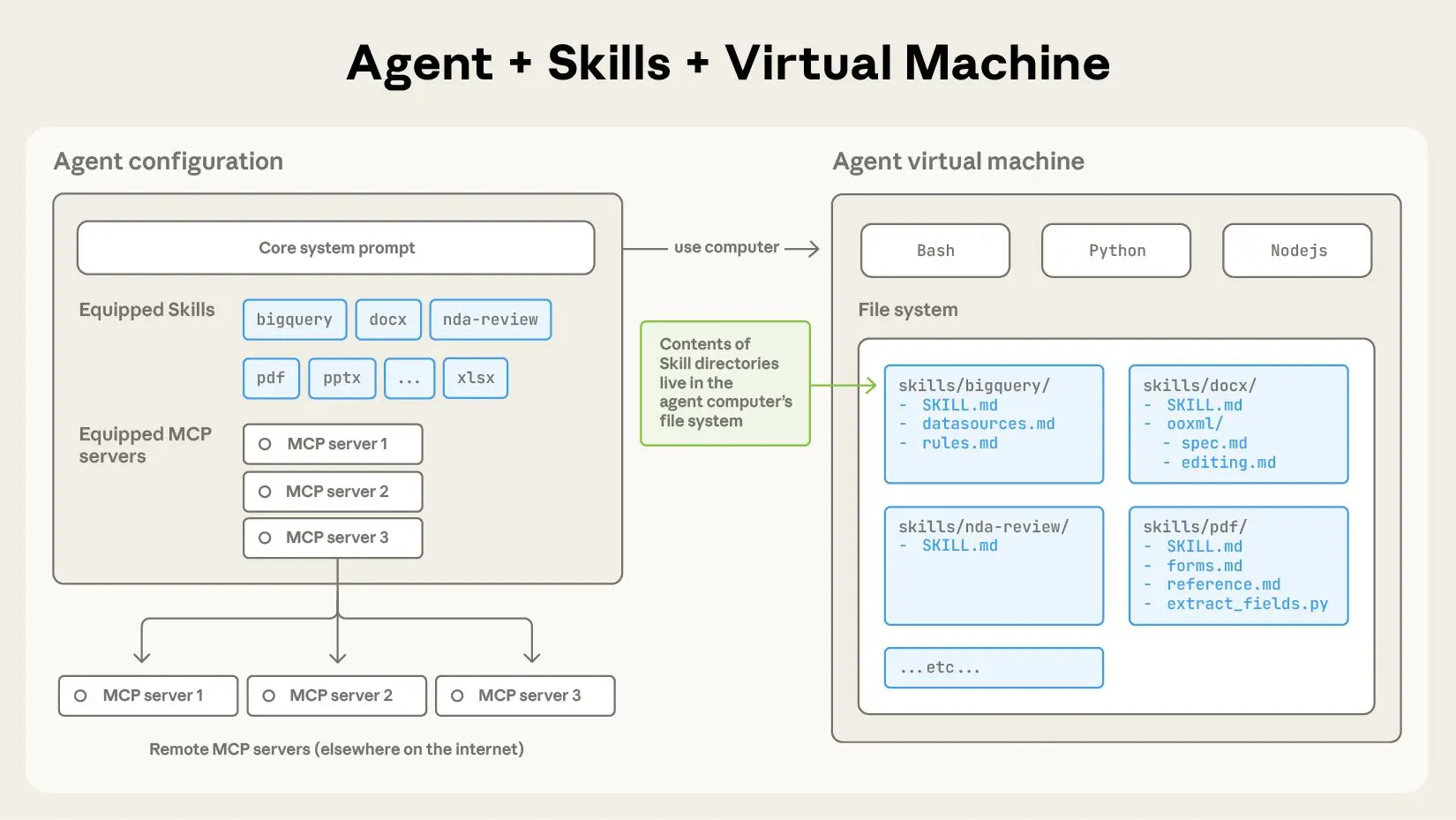
~/.config/claude-code/config.json을 편집합니다:
{
  "mcpServers": {
    "data-fetching": {
      "command": "node",
      "args": ["/absolute/path/to/skills/data-fetching/dist/index.js"],
      "env": {
        "DEFAULT_TIMEOUT": "30000",
        "MAX_RETRIES": "3",
        "RATE_LIMIT_PER_MINUTE": "60",
        "CREDENTIALS_STORE": "~/.claude-credentials.json"
      }
    }
  }
}
중요:
args에 절대 경로를 사용합니다.- 환경 변수를 구성합니다:
DEFAULT_TIMEOUT: 요청 시간 초과(밀리초)MAX_RETRIES: 5xx 오류에 대한 재시도 횟수RATE_LIMIT_PER_MINUTE: 스로틀 임계값CREDENTIALS_STORE: 암호화된 자격 증명 파일 경로
4단계: 자격 증명 저장소 설정
토큰을 하드코딩하는 것을 피하기 위해 자격 증명 파일을 생성합니다:
# 암호화된 자격 증명 저장소 생성
mkdir -p ~/.claude
echo '{}' > ~/.claude/credentials.json
chmod 600 ~/.claude/credentials.json
API 토큰을 추가합니다:
{
  "github": {
    "token": "ghp_your_github_token_here",
    "baseUrl": "https://api.github.com"
  },
  "slack": {
    "token": "xoxb-your-slack-token",
    "baseUrl": "https://slack.com/api"
  },
  "custom-api": {
    "token": "Bearer your-jwt-token",
    "baseUrl": "https://api.yourcompany.com",
    "headers": {
      "X-API-Version": "v2"
    }
  }
}
이 스킬은 시작 시 이 파일을 읽고 요청에 자격 증명을 삽입합니다.
5단계: 설치 확인
claude
로드되면 다음을 실행합니다:
/list-tools
다음과 같이 표시되어야 합니다:
사용 가능한 도구:
- data-fetching:rest-get
- data-fetching:rest-post
- data-fetching:rest-put
- data-fetching:rest-delete
- data-fetching:graphql-query
- data-fetching:graphql-mutation
- data-fetching:raw-http
핵심 API 요청 패턴
1. RESTful GET 요청
도구: data-fetching:rest-get
사용 사례: 인증, 페이지네이션 및 캐싱을 사용하여 REST 엔드포인트에서 데이터 가져오기
매개변수:
service: 자격 증명 저장소와 일치하는 키 (github, slack, custom-api)endpoint: API 경로 (예:/users,/repos/owner/name)params: 쿼리 매개변수 객체cache: TTL(초) (선택 사항)transform: 응답 변환을 위한 JMESPath 표현식
예시: GitHub 사용자 리포지토리 가져오기
Use rest-get to fetch repositories for user "anthropics" from GitHub API, including pagination for 100 items per page, and return only name, description, and stargazers_count.
생성된 실행:
// 핸들러 실행:
const response = await fetch('https://api.github.com/users/anthropics/repos', {
  headers: {
    'Authorization': 'token ghp_your_github_token_here',
    'Accept': 'application/vnd.github.v3+json'
  },
  params: {
    per_page: 100,
    page: 1
  }
});

// JMESPath로 변환
const transformed = jmespath.search(response, '[*].{name: name, description: description, stars: stargazers_count}');
return transformed;
Claude Code 사용법:
claude --skill data-fetching \
  --tool rest-get \
  --params '{"service": "github", "endpoint": "/users/anthropics/repos", "params": {"per_page": 100}, "transform": "[*].{name: name, description: description, stars: stargazers_count}"}'
2. POST/PUT/DELETE 요청
도구: data-fetching:rest-post / rest-put / rest-delete
사용 사례: 리소스 생성, 업데이트 또는 삭제
매개변수:
service: 자격 증명 저장소 키endpoint: API 경로body: 요청 페이로드 (객체 또는 JSON 문자열)headers: 추가 헤더idempotencyKey: 재시도 안전성을 위한 값
예시: GitHub 이슈 생성
Use rest-post to create an issue in the anthorpics/claude repository with title "Feature Request: MCP Tool Caching", body containing the description, and labels ["enhancement", "mcp"].
실행:
await fetch('https://api.github.com/repos/anthropics/claude/issues', {
  method: 'POST',
  headers: {
    'Authorization': 'token ghp_...',
    'Content-Type': 'application/json'
  },
  body: JSON.stringify({
    title: "Feature Request: MCP Tool Caching",
    body: "Description of the feature...",
    labels: ["enhancement", "mcp"]
  })
});
3. GraphQL 쿼리
도구: data-fetching:graphql-query
사용 사례: 중첩된 관계를 가진 복잡한 데이터 페칭
매개변수:
service: 자격 증명 저장소 키query: GraphQL 쿼리 문자열variables: 쿼리 변수 객체operationName: 명명된 작업
예시: 댓글이 있는 리포지토리 이슈 가져오기
Use graphql-query to fetch the 10 most recent open issues from the anthorpics/skills repository, including title, author, comment count, and labels.
query RecentIssues($owner: String!, $repo: String!, $limit: Int!) {
  repository(owner: $owner, name: $repo) {
    issues(first: $limit, states: [OPEN], orderBy: {field: CREATED_AT, direction: DESC}) {
      nodes {
        title
        author { login }
        comments { totalCount }
        labels(first: 5) { nodes { name } }
      }
    }
  }
}
매개변수:
{
  "service": "github",
  "query": "query RecentIssues($owner: String!, $repo: String!, $limit: Int!) { ... }",
  "variables": {
    "owner": "anthropics",
    "repo": "skills",
    "limit": 10
  }
}
4. 원시 HTTP 요청
도구: data-fetching:raw-http
사용 사례: REST/GraphQL 도구로 다루기 힘든 엣지 케이스
매개변수:
url: 전체 URLmethod: HTTP 메서드headers: 헤더 객체body: 요청 본문timeout: 기본 시간 초과 재정의
예시: 사용자 지정 헤더를 사용한 웹훅 전달
Use raw-http to POST to https://hooks.slack.com/services/YOUR/WEBHOOK/URL with a JSON payload containing {text: "Deployment complete"}, and custom header X-Event: deployment-success.
고급 네트워킹 시나리오
페이지네이션 처리
이 스킬은 페이지네이션 패턴을 자동으로 감지합니다:
// GitHub Link 헤더 파싱
const linkHeader = response.headers.get('Link');
if (linkHeader) {
  const nextUrl = parseLinkHeader(linkHeader).next;
  if (nextUrl && currentPage < maxPages) {
    return {
      data: currentData,
      nextPage: currentPage + 1,
      hasMore: true
    };
  }
}
모든 페이지 요청:
Use rest-get to fetch all repositories for user "anthropics", handling pagination automatically until no more pages exist.
이 스킬은 모든 결과의 평면 배열을 반환합니다.
속도 제한 및 재시도 로직
요청별 재시도 동작 구성:
{
  "service": "github",
  "endpoint": "/rate_limit",
  "maxRetries": 5,
  "retryDelay": "exponential",
  "retryOn": [429, 500, 502, 503, 504]
}
이 스킬은 지터가 있는 지수 백오프를 구현합니다:
const delay = Math.min(
  (2 ** attempt) * 1000 + Math.random() * 1000,
  30000
);
await new Promise(resolve => setTimeout(resolve, delay));
동시 요청 관리
여러 API 호출을 효율적으로 일괄 처리합니다:
Use rest-get to fetch details for repositories: ["claude", "skills", "anthropic-sdk"], executing requests concurrently with a maximum of 3 parallel connections.
이 스킬은 p-limit를 사용하여 동시성을 조절합니다:
import pLimit from 'p-limit';
const limit = pLimit(3); // 최대 3개의 동시 요청

const results = await Promise.all(
  repos.map(repo =>
    limit(() => fetchRepoDetails(repo))
  )
);
요청 가로채기 및 모킹
테스트를 위해 실제 API를 호출하지 않고 요청을 가로챕니다:
// 스킬 구성에서
"env": {
  "MOCK_MODE": "true",
  "MOCK_FIXTURES_DIR": "./test/fixtures"
}
이제 요청은 JSON 파일에서 모의 데이터를 반환합니다:
// test/fixtures/github/repos/anthropics.json
[
  {"name": "claude", "description": "AI assistant", "stars": 5000}
]
실용적인 적용: GitHub 대시보드 구축
1단계: 리포지토리 데이터 가져오기
Use rest-get to fetch all repositories from GitHub for organization "anthropics", including full description, star count, fork count, and open issues count. Cache results for 5 minutes.
2단계: 기여자 데이터로 보강
각 리포지토리마다 상위 기여자를 가져옵니다:
Use rest-get to fetch contributor statistics for repository "anthropics/claude", limit to top 10 contributors, and extract login and contributions count.
3단계: 요약 통계 생성
Claude Code에서 데이터 결합:
const repos = await fetchAllRepos('anthropics');
const enrichedRepos = await Promise.all(
  repos.map(async (repo) => {
    const contributors = await fetchTopContributors('anthropics', repo.name);
    return { ...repo, topContributors: contributors };
  })
);

return {
  totalStars: enrichedRepos.reduce((sum, r) => sum + r.stars, 0),
  totalForks: enrichedRepos.reduce((sum, r) => sum + r.forks, 0),
  repositories: enrichedRepos
};
4단계: 대시보드 게시
Use rest-post to create a GitHub Pages site with the dashboard data using the GitHub API to commit to the gh-pages branch.
오류 처리 및 복원력
이 스킬은 적절한 처리를 위해 오류를 분류합니다:
// 4xx 오류: 클라이언트 오류
if (response.status >= 400 && response.status < 500) {
  throw new SkillError('client_error', `Invalid request: ${response.status}`, {
    statusCode: response.status,
    details: await response.text()
  });
}

// 5xx 오류: 서버 오류 (재시도 가능)
if (response.status >= 500) {
  throw new SkillError('server_error', `Server error: ${response.status}`, {
    retryable: true,
    statusCode: response.status
  });
}

// 네트워크 오류: 연결 실패
if (error.code === 'ECONNREFUSED' || error.code === 'ETIMEDOUT') {
  throw new SkillError('network_error', 'Network unreachable', {
    retryable: true,
    originalError: error.message
  });
}
Claude Code는 구조화된 오류를 수신하고 재시도, 중단 또는 사용자 개입 요청을 결정할 수 있습니다.
결론
API 네트워킹을 위한 Claude Code Skills는 임시 HTTP 요청을 안정적이고 타입 안전하며 관측 가능한 데이터 페칭 도구로 전환합니다. 자격 증명 관리를 중앙 집중화하고, 스마트 재시도를 구현하며, 구조화된 오류 처리를 제공함으로써 API 통합 버그의 가장 일반적인 원인을 제거할 수 있습니다. 네 가지 핵심 도구인 rest-get, rest-post, graphql-query, raw-http부터 시작하여 특정 사용 사례에 맞게 확장하십시오. 스킬 구성에 대한 투자는 코드 일관성과 개발 속도 면에서 즉각적인 이점을 제공합니다.
데이터 페칭 스킬이 내부 API와 상호 작용할 때, Apidog로 해당 엔드포인트를 검증하여 AI 기반 통합이 신뢰할 수 있는 계약을 사용하도록 보장하십시오.