
要約
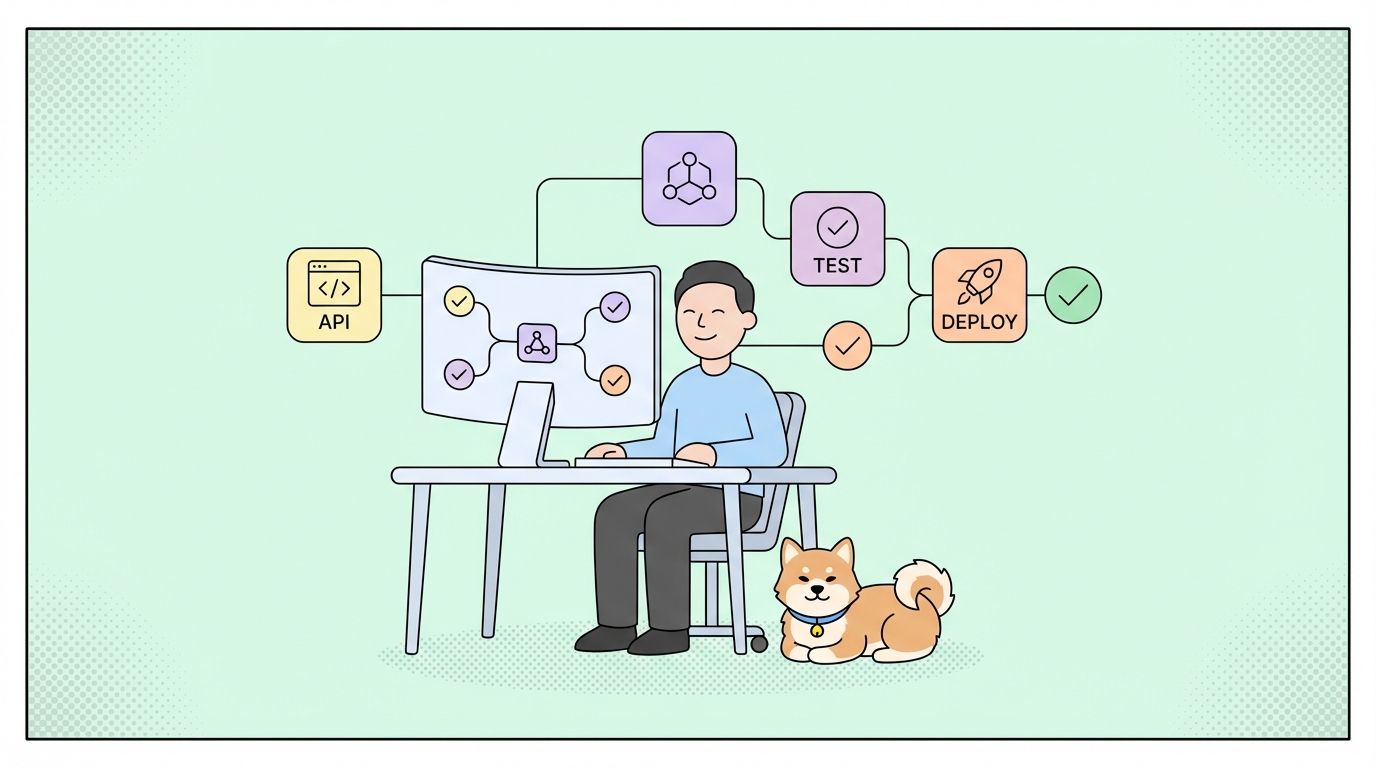
HubSpot APIは、開発者がCRM、マーケティング、セールス、サービスハブとプログラムで連携できるようにします。OAuth 2.0とプライベートアプリ認証を使用し、連絡先、企業、取引、チケットなどのRESTfulエンドポイントを提供し、サブスクリプションティアに基づいてレート制限が設定されています。このガイドでは、認証設定、主要なエンドポイント、Webhook、および本番環境への統合戦略について説明します。
はじめに
HubSpotは194,000を超える顧客アカウントと数十億のCRMレコードを管理しています。CRM連携、マーケティング自動化、または営業ツールを構築する開発者にとって、HubSpot API連携はオプションではなく、700万人以上のユーザーにリーチするために不可欠です。
これが現実です。企業はシステム間の手動データ入力に毎週15~20時間を費やしています。堅牢なHubSpot API連携により、連絡先の同期、取引の更新、マーケティングワークフロー、およびプラットフォーム間のレポート作成が自動化されます。
HubSpot APIとは?
HubSpotは、CRMデータとマーケティング自動化機能にアクセスするためのRESTful APIを提供しています。このAPIは以下の処理を行います。
- 連絡先、企業、取引、チケット、カスタムオブジェクト
- マーケティングメールとランディングページ
- セールスパイプラインとシーケンス
- サービスチケットと会話
- 分析とレポート
- ワークフローと自動化
- ファイルとアセット
主要機能
| 機能 | 説明 |
|---|---|
| RESTfulな設計 | JSONレスポンスを伴う標準的なHTTPメソッド |
| OAuth 2.0 + プライベートアプリ | 柔軟な認証オプション |
| Webhook | オブジェクト変更のリアルタイム通知 |
| レート制限 | ティアベースの制限(1秒あたり100~400リクエスト) |
| CRMオブジェクト | 標準およびカスタムオブジェクトのサポート |
| 関連付け | オブジェクト間のリンク(連絡先-企業、取引-連絡先) |
| プロパティ | 任意のオブジェクトタイプに対するカスタムフィールド |
| 検索API | 複雑なフィルタリングとソート |
APIアーキテクチャ概要
HubSpotはバージョン管理されたREST APIを使用しています。
https://api.hubapi.com/
APIバージョンの比較
| バージョン | ステータス | 認証 | ユースケース |
|---|---|---|---|
| CRM API v3 | 現行 | OAuth 2.0, プライベートアプリ | すべての新規連携 |
| Automation API v4 | 現行 | OAuth 2.0, プライベートアプリ | ワークフロー登録 |
| マーケティングメールAPI | 現行 | OAuth 2.0, プライベートアプリ | メールキャンペーン |
| 連絡先API v1 | 非推奨 | APIキー (レガシー) | v3へ移行 |
| 企業API v1 | 非推奨 | APIキー (レガシー) | v3へ移行 |
重要: HubSpotは、APIキー認証を廃止し、OAuth 2.0とプライベートアプリを推奨しています。すべての連携を直ちに移行してください。
開始する: 認証設定
ステップ1: HubSpot開発者アカウントの作成
APIにアクセスする前に:
- HubSpot開発者ポータルにアクセスします。
- HubSpotアカウントでサインインします(または新規作成します)。
- 開発者ダッシュボードのアプリに移動します。
- アプリを作成をクリックします。
ステップ2: 認証方法の選択
HubSpotは2つの認証方法をサポートしています。
| 方法 | 最適な用途 | セキュリティレベル |
|---|---|---|
| OAuth 2.0 | マルチテナントアプリ、公開連携 | 高 (ユーザーにスコープされたトークン) |
| プライベートアプリ | 内部連携、単一ポータル | 高 (ポータルにスコープされたトークン) |
ステップ3: プライベートアプリのセットアップ (内部連携に推奨)
単一ポータルアクセス用のプライベートアプリを作成します。
- 設定 > 連携 > プライベートアプリ に移動します。
- プライベートアプリを作成 をクリックします。
- スコープを設定します。
contacts
crm.objects.companies
crm.objects.deals
crm.objects.tickets
automation
webhooks
- アクセストークンを生成します。
- 安全にコピーして保存します。
# .env file
HUBSPOT_ACCESS_TOKEN="pat-na1-xxxxxxxx-xxxx-xxxx-xxxx-xxxxxxxxxxxx"
HUBSPOT_PORTAL_ID="12345678"
ステップ4: OAuth 2.0のセットアップ (マルチテナントアプリ向け)
マルチポータルアクセス用のOAuthを設定します。
- アプリ > アプリを作成 に移動します。
- 認証設定を行います。
const HUBSPOT_CLIENT_ID = process.env.HUBSPOT_CLIENT_ID;
const HUBSPOT_CLIENT_SECRET = process.env.HUBSPOT_CLIENT_SECRET;
const HUBSPOT_REDIRECT_URI = process.env.HUBSPOT_REDIRECT_URI;

// Build authorization URL
const getAuthUrl = (state) => {
  const params = new URLSearchParams({
    client_id: HUBSPOT_CLIENT_ID,
    redirect_uri: HUBSPOT_REDIRECT_URI,
    scope: 'crm.objects.contacts.read crm.objects.contacts.write',
    state: state,
    optional_scope: 'crm.objects.deals.read'
  });

  return `https://app.hubspot.com/oauth/authorize?${params.toString()}`;
};
ステップ5: アクセストークンのためにコードを交換
OAuthコールバックを処理します。
const exchangeCodeForToken = async (code) => {
  const response = await fetch('https://api.hubapi.com/oauth/v1/token', {
    method: 'POST',
    headers: {
      'Content-Type': 'application/x-www-form-urlencoded'
    },
    body: new URLSearchParams({
      grant_type: 'authorization_code',
      client_id: HUBSPOT_CLIENT_ID,
      client_secret: HUBSPOT_CLIENT_SECRET,
      redirect_uri: HUBSPOT_REDIRECT_URI,
      code: code
    })
  });

  const data = await response.json();

  return {
    accessToken: data.access_token,
    refreshToken: data.refresh_token,
    expiresIn: data.expires_in,
    portalId: data.hub_portal_id
  };
};

// Handle callback
app.get('/oauth/callback', async (req, res) => {
  const { code, state } = req.query;

  try {
    const tokens = await exchangeCodeForToken(code);

    // Store tokens in database
    await db.installations.create({
      portalId: tokens.portalId,
      accessToken: tokens.accessToken,
      refreshToken: tokens.refreshToken,
      tokenExpiry: Date.now() + (tokens.expiresIn * 1000)
    });

    res.redirect('/success');
  } catch (error) {
    console.error('OAuth error:', error);
    res.status(500).send('Authentication failed');
  }
});
ステップ6: アクセストークンの更新
アクセストークンは6時間後に期限切れになります。
const refreshAccessToken = async (refreshToken) => {
  const response = await fetch('https://api.hubapi.com/oauth/v1/token', {
    method: 'POST',
    headers: {
      'Content-Type': 'application/x-www-form-urlencoded'
    },
    body: new URLSearchParams({
      grant_type: 'refresh_token',
      client_id: HUBSPOT_CLIENT_ID,
      client_secret: HUBSPOT_CLIENT_SECRET,
      refresh_token: refreshToken
    })
  });

  const data = await response.json();

  return {
    accessToken: data.access_token,
    refreshToken: data.refresh_token, // Always save new refresh token
    expiresIn: data.expires_in
  };
};

// Middleware to ensure valid token
const ensureValidToken = async (portalId) => {
  const installation = await db.installations.findByPortalId(portalId);

  // Refresh if expires within 30 minutes
  if (installation.tokenExpiry < Date.now() + 1800000) {
    const newTokens = await refreshAccessToken(installation.refreshToken);

    await db.installations.update(installation.id, {
      accessToken: newTokens.accessToken,
      refreshToken: newTokens.refreshToken,
      tokenExpiry: Date.now() + (newTokens.expiresIn * 1000)
    });

    return newTokens.accessToken;
  }

  return installation.accessToken;
};
ステップ7: 認証済みAPI呼び出しの実行
再利用可能なAPIクライアントを作成します。
const HUBSPOT_BASE_URL = 'https://api.hubapi.com';

const hubspotRequest = async (endpoint, options = {}, portalId = null) => {
  const accessToken = portalId ? await ensureValidToken(portalId) : process.env.HUBSPOT_ACCESS_TOKEN;

  const response = await fetch(`${HUBSPOT_BASE_URL}${endpoint}`, {
    ...options,
    headers: {
      'Authorization': `Bearer ${accessToken}`,
      'Content-Type': 'application/json',
      ...options.headers
    }
  });

  if (!response.ok) {
    const error = await response.json();
    throw new Error(`HubSpot API Error: ${error.message}`);
  }

  return response.json();
};

// Usage
const contacts = await hubspotRequest('/crm/v3/objects/contacts');
CRMオブジェクトの操作
連絡先の作成
連絡先を作成または更新します。
const createContact = async (contactData) => {
  const contact = {
    properties: {
      email: contactData.email,
      firstname: contactData.firstName,
      lastname: contactData.lastName,
      phone: contactData.phone,
      company: contactData.company,
      website: contactData.website,
      lifecyclestage: contactData.lifecycleStage || 'lead'
    }
  };

  const response = await hubspotRequest('/crm/v3/objects/contacts', {
    method: 'POST',
    body: JSON.stringify(contact)
  });

  return response;
};

// Usage
const contact = await createContact({
  email: 'john.doe@example.com',
  firstName: 'John',
  lastName: 'Doe',
  phone: '+1-555-0123',
  company: 'Acme Corp',
  lifecycleStage: 'customer'
});

console.log(`Contact created: ${contact.id}`);
連絡先のプロパティ
| プロパティ | タイプ | 説明 |
|---|---|---|
email |
文字列 | プライマリメール (一意の識別子) |
firstname |
文字列 | 名 |
lastname |
文字列 | 姓 |
phone |
文字列 | 電話番号 |
company |
文字列 | 会社名 |
website |
文字列 | ウェブサイトURL |
lifecyclestage |
Enum | リード、マーケティング適格リード、セールス適格リード、商談、顧客、エバンジェリスト、購読者 |
createdate |
DateTime | 自動生成 |
lastmodifieddate |
DateTime | 自動生成 |
連絡先の取得
IDで連絡先を取得します。
const getContact = async (contactId) => {
  const response = await hubspotRequest(`/crm/v3/objects/contacts/${contactId}`);
  return response;
};

// Usage
const contact = await getContact('12345');
console.log(`${contact.properties.firstname} ${contact.properties.lastname}`);
console.log(`Email: ${contact.properties.email}`);
連絡先の検索
フィルターを使用して検索します。
const searchContacts = async (searchCriteria) => {
  const response = await hubspotRequest('/crm/v3/objects/contacts/search', {
    method: 'POST',
    body: JSON.stringify({
      filterGroups: searchCriteria,
      properties: ['firstname', 'lastname', 'email', 'company'],
      limit: 100
    })
  });

  return response;
};

// Usage - Find contacts at specific company
const results = await searchContacts({
  filterGroups: [
    {
      filters: [
        {
          propertyName: 'company',
          operator: 'EQ',
          value: 'Acme Corp'
        }
      ]
    }
  ]
});

results.results.forEach(contact => {
  console.log(`${contact.properties.email}`);
});
検索フィルター演算子
| 演算子 | 説明 | 例 |
|---|---|---|
EQ |
等しい | company EQ 'Acme' |
NEQ |
等しくない | lifecyclestage NEQ 'subscriber' |
CONTAINS_TOKEN |
含む | email CONTAINS_TOKEN 'gmail' |
NOT_CONTAINS_TOKEN |
含まない | email NOT_CONTAINS_TOKEN 'test' |
GT |
より大きい | createdate GT '2026-01-01' |
LT |
より小さい | createdate LT '2026-12-31' |
GTE |
以上 | deal_amount GTE 10000 |
LTE |
以下 | deal_amount LTE 50000 |
HAS_PROPERTY |
値を持つ | phone HAS_PROPERTY |
NOT_HAS_PROPERTY |
値がない | phone NOT_HAS_PROPERTY |
企業の作成
企業レコードを作成します。
const createCompany = async (companyData) => {
  const company = {
    properties: {
      name: companyData.name,
      domain: companyData.domain,
      industry: companyData.industry,
      numberofemployees: companyData.employees,
      annualrevenue: companyData.revenue,
      city: companyData.city,
      state: companyData.state,
      country: companyData.country
    }
  };

  const response = await hubspotRequest('/crm/v3/objects/companies', {
    method: 'POST',
    body: JSON.stringify(company)
  });

  return response;
};

// Usage
const company = await createCompany({
  name: 'Acme Corporation',
  domain: 'acme.com',
  industry: 'Technology',
  employees: 500,
  revenue: 50000000,
  city: 'San Francisco',
  state: 'CA',
  country: 'USA'
});
オブジェクトの関連付け
連絡先と企業をリンクします。
const associateContactWithCompany = async (contactId, companyId) => {
  const response = await hubspotRequest(
    `/crm/v3/objects/contacts/${contactId}/associations/companies/${companyId}`,
    {
      method: 'PUT',
      body: JSON.stringify({
        types: [
          {
            associationCategory: 'HUBSPOT_DEFINED',
            associationTypeId: 1 // Contact to Company
          }
        ]
      })
    }
  );

  return response;
};

// Usage
await associateContactWithCompany('12345', '67890');
関連付けタイプ
| 関連付け | タイプID | 方向 |
|---|---|---|
| 連絡先 → 企業 | 1 | 連絡先は企業に関連付けられています |
| 企業 → 連絡先 | 1 | 企業は連絡先に関連付けられています |
| 取引 → 連絡先 | 3 | 取引は連絡先に関連付けられています |
| 取引 → 企業 | 5 | 取引は企業に関連付けられています |
| チケット → 連絡先 | 16 | チケットは連絡先に関連付けられています |
| チケット → 企業 | 15 | チケットは企業に関連付けられています |
取引の作成
営業案件を作成します。
const createDeal = async (dealData) => {
  const deal = {
    properties: {
      dealname: dealData.name,
      amount: dealData.amount.toString(),
      dealstage: dealData.stage || 'appointmentscheduled',
      pipeline: dealData.pipelineId || 'default',
      closedate: dealData.closeDate,
      dealtype: dealData.type || 'newbusiness',
      description: dealData.description
    }
  };

  const response = await hubspotRequest('/crm/v3/objects/deals', {
    method: 'POST',
    body: JSON.stringify(deal)
  });

  return response;
};

// Usage
const deal = await createDeal({
  name: 'Acme Corp - Enterprise License',
  amount: 50000,
  stage: 'qualification',
  closeDate: '2026-06-30',
  type: 'newbusiness',
  description: 'Enterprise annual subscription'
});

// Associate with company and contact
await hubspotRequest(
  `/crm/v3/objects/deals/${deal.id}/associations/companies/${companyId}`,
  { method: 'PUT', body: JSON.stringify({ types: [{ associationCategory: 'HUBSPOT_DEFINED', associationTypeId: 5 }] }) }
);

await hubspotRequest(
  `/crm/v3/objects/deals/${deal.id}/associations/contacts/${contactId}`,
  { method: 'PUT', body: JSON.stringify({ types: [{ associationCategory: 'HUBSPOT_DEFINED', associationTypeId: 3 }] }) }
);
取引ステージ (デフォルトパイプライン)
| ステージ | 内部値 |
|---|---|
| アポイントメント設定済み | appointmentscheduled |
| 購入適格 | qualifiedtobuy |
| プレゼンテーション設定済み | presentationscheduled |
| 意思決定者の承諾済み | decisionmakerboughtin |
| 契約書送付済み | contractsent |
| 成約 | closedwon |
| 失注 | closedlost |
Webhook
Webhookの設定
リアルタイム通知のためにWebhookを設定します。
const createWebhook = async (webhookData) => {
  const response = await hubspotRequest('/webhooks/v3/my-app/webhooks', {
    method: 'POST',
    body: JSON.stringify({
      webhookUrl: webhookData.url,
      eventTypes: webhookData.events,
      objectType: webhookData.objectType,
      propertyName: webhookData.propertyName // Optional: filter by property change
    })
  });

  return response;
};

// Usage
const webhook = await createWebhook({
  url: 'https://myapp.com/webhooks/hubspot',
  events: [
    'contact.creation',
    'contact.propertyChange',
    'company.creation',
    'deal.creation',
    'deal.stageChange'
  ],
  objectType: 'contact'
});

console.log(`Webhook created: ${webhook.id}`);
Webhookイベントタイプ
| イベントタイプ | トリガー |
|---|---|
contact.creation |
新規連絡先が作成されました |
contact.propertyChange |
連絡先プロパティが更新されました |
contact.deletion |
連絡先が削除されました |
company.creation |
新規企業が作成されました |
company.propertyChange |
企業プロパティが更新されました |
deal.creation |
新規取引が作成されました |
deal.stageChange |
取引ステージが変更されました |
deal.propertyChange |
取引プロパティが更新されました |
ticket.creation |
新規チケットが作成されました |
ticket.propertyChange |
チケットプロパティが更新されました |
Webhookの処理
const express = require('express');
const crypto = require('crypto');
const app = express();

app.post('/webhooks/hubspot', express.json(), async (req, res) => {
  const signature = req.headers['x-hubspot-signature'];
  const payload = JSON.stringify(req.body);

  // Verify webhook signature
  const isValid = verifyWebhookSignature(payload, signature, process.env.HUBSPOT_CLIENT_SECRET);

  if (!isValid) {
    console.error('Invalid webhook signature');
    return res.status(401).send('Unauthorized');
  }

  const events = req.body;

  for (const event of events) {
    console.log(`Event: ${event.eventType}`);
    console.log(`Object: ${event.objectType} - ${event.objectId}`);
    console.log(`Property: ${event.propertyName}`);
    console.log(`Value: ${event.propertyValue}`);

    // Route to appropriate handler
    switch (event.eventType) {
      case 'contact.creation':
        await handleContactCreation(event);
        break;
      case 'contact.propertyChange':
        await handleContactUpdate(event);
        break;
      case 'deal.stageChange':
        await handleDealStageChange(event);
        break;
    }
  }

  res.status(200).send('OK');
});

function verifyWebhookSignature(payload, signature, clientSecret) {
  const expectedSignature = crypto
    .createHmac('sha256', clientSecret)
    .update(payload)
    .digest('hex');
  return crypto.timingSafeEqual(
    Buffer.from(signature, 'hex'),
    Buffer.from(expectedSignature, 'hex')
  );
}
レート制限
レート制限の理解
HubSpotは、サブスクリプションティアに基づいてレート制限を適用します。
| ティア | 1秒あたりのリクエスト数 | 1日あたりのリクエスト数 |
|---|---|---|
| 無料/Starter | 100 | 100,000 |
| Professional | 200 | 500,000 |
| Enterprise | 400 | 1,000,000 |
制限を超えると、HTTP 429 (Too Many Requests) レスポンスが返されます。
レート制限ヘッダー
| ヘッダー | 説明 |
|---|---|
X-HubSpot-RateLimit-Second-Limit |
1秒あたりの最大リクエスト数 |
X-HubSpot-RateLimit-Second-Remaining |
この秒に残りのリクエスト数 |
X-HubSpot-RateLimit-Second-Reset |
秒間制限がリセットされるまでの秒数 |
X-HubSpot-RateLimit-Daily-Limit |
1日あたりの最大リクエスト数 |
X-HubSpot-RateLimit-Daily-Remaining |
本日残りのリクエスト数 |
X-HubSpot-RateLimit-Daily-Reset |
日間制限がリセットされるまでの秒数 |
レート制限処理の実装
const makeRateLimitedRequest = async (endpoint, options = {}, maxRetries = 3) => {
  for (let attempt = 1; attempt <= maxRetries; attempt++) {
    try {
      const response = await hubspotRequest(endpoint, options);

      // Log rate limit info
      const remaining = response.headers.get('X-HubSpot-RateLimit-Second-Remaining');
      if (remaining < 10) {
        console.warn(`Low rate limit remaining: ${remaining}`);
      }

      return response;
    } catch (error) {
      if (error.message.includes('429') && attempt < maxRetries) {
        const delay = Math.pow(2, attempt) * 1000;
        console.log(`Rate limited. Retrying in ${delay}ms...`);
        await new Promise(resolve => setTimeout(resolve, delay));
      } else {
        throw error;
      }
    }
  }
};

// Rate limiter class
class HubSpotRateLimiter {
  constructor(requestsPerSecond = 90) { // Stay under limit
    this.queue = [];
    this.interval = 1000 / requestsPerSecond;
    this.processing = false;
  }

  async add(requestFn) {
    return new Promise((resolve, reject) => {
      this.queue.push({ requestFn, resolve, reject });
      this.process();
    });
  }

  async process() {
    if (this.processing || this.queue.length === 0) return;
    this.processing = true;

    while (this.queue.length > 0) {
      const { requestFn, resolve, reject } = this.queue.shift();
      try {
        const result = await requestFn();
        resolve(result);
      } catch (error) {
        reject(error);
      }
      if (this.queue.length > 0) {
        await new Promise(r => setTimeout(r, this.interval));
      }
    }
    this.processing = false;
  }
}
本番環境デプロイメントチェックリスト
公開する前に:
- [ ] プライベートアプリまたはOAuth 2.0認証を使用する
- [ ] トークンを安全に保存する(暗号化されたデータベース)
- [ ] 自動トークン更新を実装する
- [ ] レート制限とリクエストキューを設定する
- [ ] HTTPSでWebhookエンドポイントを設定する
- [ ] 包括的なエラー処理を実装する
- [ ] すべてのAPI呼び出しにログを追加する
- [ ] レート制限の使用状況を監視する
- [ ] 一般的な問題に対するランブックを作成する
現実世界のユースケース
CRM同期
SaaS企業が顧客データを同期する事例:
- 課題: アプリとHubSpot間の手動データ入力
- 解決策: WebhookとAPIによるリアルタイム同期
- 結果: 手動入力ゼロ、データ精度100%
リードルーティング
マーケティング代理店がリード配布を自動化する事例:
- 課題: リードへの対応が遅い
- 解決策: Webhookトリガーによる営業担当者へのルーティング
- 結果: 5分以内の対応時間、コンバージョン率40%向上
結論
HubSpot APIは、包括的なCRMおよびマーケティング自動化機能を提供します。主なポイント:
- マルチテナントアプリにはOAuth 2.0を、内部連携にはプライベートアプリを使用します
- レート制限はティアによって異なります(1秒あたり100〜400リクエスト)
- Webhookによりリアルタイム同期が可能になります
- CRMオブジェクトは関連付けとカスタムプロパティをサポートします
- ApidogはAPIテストとチームコラボレーションを効率化します
よくある質問
HubSpot APIで認証するにはどうすればよいですか?
マルチテナントアプリにはOAuth 2.0を、単一ポータル連携にはプライベートアプリを使用します。APIキー認証は非推奨です。
HubSpotのレート制限とは何ですか?
レート制限は、1秒あたり100リクエスト(無料)から400リクエスト(Enterprise)の範囲で、1日あたりの制限は10万から100万リクエストです。
HubSpotで連絡先を作成するにはどうすればよいですか?
/crm/v3/objects/contactsに、メールアドレス、名、姓、および任意のカスタムフィールドを含むプロパティを付けてPOSTリクエストを送信します。
カスタムプロパティを作成できますか?
はい、Properties APIを使用して、任意のオブジェクトタイプにカスタムフィールドを作成できます。
HubSpotでWebhookはどのように機能しますか?
アプリの設定でWebhookを設定します。指定されたイベントが発生すると、HubSpotはエンドポイントにPOSTリクエストを送信します。