
Intisari
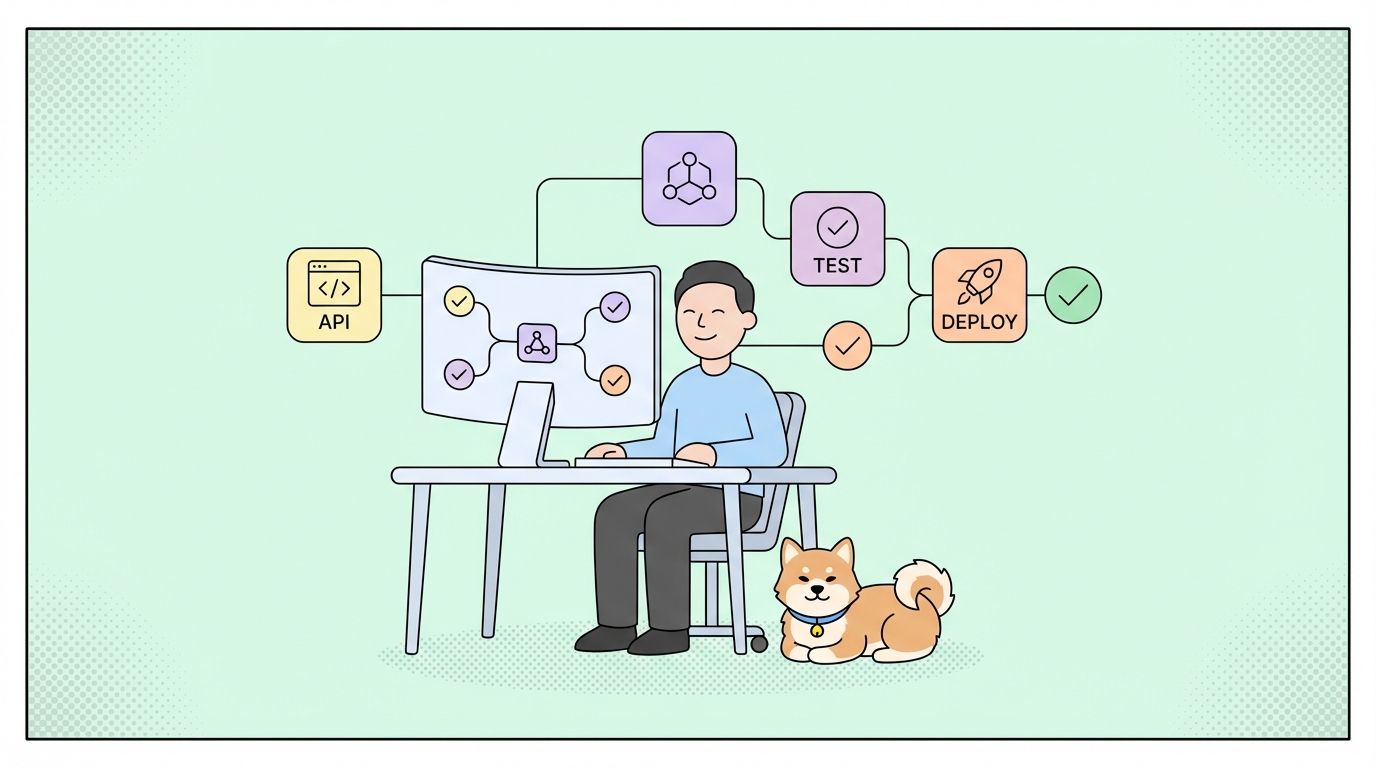
HubSpot API memungkinkan pengembang untuk berintegrasi dengan hub CRM, pemasaran, penjualan, dan layanan secara terprogram. Ini menggunakan otentikasi OAuth 2.0 dan aplikasi pribadi, endpoint RESTful untuk kontak, perusahaan, penawaran (deals), tiket, dan lainnya, dengan batasan laju (rate limits) berdasarkan tingkat langganan. Panduan ini mencakup pengaturan otentikasi, endpoint inti, webhook, dan strategi integrasi produksi.
Pendahuluan
HubSpot mengelola lebih dari 194.000 akun pelanggan dan miliaran catatan CRM. Bagi pengembang yang membangun integrasi CRM, otomatisasi pemasaran, atau alat penjualan, integrasi HubSpot API bukanlah pilihan—ini penting untuk menjangkau lebih dari 7 juta pengguna.
Inilah kenyataannya: bisnis kehilangan 15-20 jam setiap minggu karena entri data manual antar sistem. Integrasi HubSpot API yang solid mengotomatiskan sinkronisasi kontak, pembaruan penawaran, alur kerja pemasaran, dan pelaporan di berbagai platform.
Apa Itu HubSpot API?
HubSpot menyediakan API RESTful untuk mengakses data CRM dan fitur otomatisasi pemasaran. API ini menangani:
- Kontak, perusahaan, penawaran (deals), tiket, dan objek kustom
- Email pemasaran dan halaman arahan
- Saluran penjualan dan urutan
- Tiket layanan dan percakapan
- Analitik dan pelaporan
- Alur kerja dan otomatisasi
- File dan aset
Fitur Utama
| Fitur | Deskripsi |
|---|---|
| Desain RESTful | Metode HTTP standar dengan respons JSON |
| OAuth 2.0 + Aplikasi Pribadi | Opsi otentikasi yang fleksibel |
| Webhook | Notifikasi real-time untuk perubahan objek |
| Pembatasan Laju (Rate Limiting) | Batas berbasis tingkatan (100-400 permintaan/detik) |
| Objek CRM | Dukungan objek standar dan kustom |
| Asosiasi | Menghubungkan objek (kontak-perusahaan, penawaran-kontak) |
| Properti | Bidang kustom untuk semua jenis objek |
| API Pencarian | Penyaringan dan pengurutan yang kompleks |
Ikhtisar Arsitektur API
HubSpot menggunakan API REST yang memiliki versi:
https://api.hubapi.com/
Perbandingan Versi API
| Versi | Status | Otentikasi | Kasus Penggunaan |
|---|---|---|---|
| CRM API v3 | Saat Ini | OAuth 2.0, Aplikasi Pribadi | Semua integrasi baru |
| Automation API v4 | Saat Ini | OAuth 2.0, Aplikasi Pribadi | Pendaftaran alur kerja |
| Marketing Email API | Saat Ini | OAuth 2.0, Aplikasi Pribadi | Kampanye email |
| Contacts API v1 | Usang | Kunci API (lama) | Migrasi ke v3 |
| Companies API v1 | Usang | Kunci API (lama) | Migrasi ke v3 |
Penting: HubSpot menghentikan otentikasi kunci API dan beralih ke OAuth 2.0 serta aplikasi pribadi. Segera migrasikan semua integrasi.
Memulai: Pengaturan Otentikasi
Langkah 1: Buat Akun Pengembang HubSpot Anda
Sebelum mengakses API:
- Kunjungi Portal Pengembang HubSpot
- Masuk dengan akun HubSpot Anda (atau buat satu)
- Arahkan ke Aplikasi di dasbor pengembang
- Klik Buat aplikasi
Langkah 2: Pilih Metode Otentikasi
HubSpot mendukung dua metode otentikasi:
| Metode | Terbaik Untuk | Tingkat Keamanan |
|---|---|---|
| OAuth 2.0 | Aplikasi multi-tenant, integrasi publik | Tinggi (token cakupan pengguna) |
| Aplikasi Pribadi | Integrasi internal, portal tunggal | Tinggi (token cakupan portal) |
Langkah 3: Siapkan Aplikasi Pribadi (Direkomendasikan untuk Integrasi Internal)
Buat aplikasi pribadi untuk akses portal tunggal:
- Buka Pengaturan > Integrasi > Aplikasi Pribadi
- Klik Buat aplikasi pribadi
- Konfigurasi lingkup (scopes):
contacts
crm.objects.companies
crm.objects.deals
crm.objects.tickets
automation
webhooks
- Buat token akses
- Salin dan simpan dengan aman
# .env file
HUBSPOT_ACCESS_TOKEN="pat-na1-xxxxxxxx-xxxx-xxxx-xxxx-xxxxxxxxxxxx"
HUBSPOT_PORTAL_ID="12345678"
Langkah 4: Siapkan OAuth 2.0 (Untuk Aplikasi Multi-Tenant)
Konfigurasi OAuth untuk akses multi-portal:
- Buka Aplikasi > Buat aplikasi
- Konfigurasi pengaturan otentikasi:
const HUBSPOT_CLIENT_ID = process.env.HUBSPOT_CLIENT_ID;
const HUBSPOT_CLIENT_SECRET = process.env.HUBSPOT_CLIENT_SECRET;
const HUBSPOT_REDIRECT_URI = process.env.HUBSPOT_REDIRECT_URI;

// Build authorization URL
const getAuthUrl = (state) => {
  const params = new URLSearchParams({
    client_id: HUBSPOT_CLIENT_ID,
    redirect_uri: HUBSPOT_REDIRECT_URI,
    scope: 'crm.objects.contacts.read crm.objects.contacts.write',
    state: state,
    optional_scope: 'crm.objects.deals.read'
  });

  return `https://app.hubspot.com/oauth/authorize?${params.toString()}`;
};
Langkah 5: Tukar Kode untuk Token Akses
Tangani callback OAuth:
const exchangeCodeForToken = async (code) => {
  const response = await fetch('https://api.hubapi.com/oauth/v1/token', {
    method: 'POST',
    headers: {
      'Content-Type': 'application/x-www-form-urlencoded'
    },
    body: new URLSearchParams({
      grant_type: 'authorization_code',
      client_id: HUBSPOT_CLIENT_ID,
      client_secret: HUBSPOT_CLIENT_SECRET,
      redirect_uri: HUBSPOT_REDIRECT_URI,
      code: code
    })
  });

  const data = await response.json();

  return {
    accessToken: data.access_token,
    refreshToken: data.refresh_token,
    expiresIn: data.expires_in,
    portalId: data.hub_portal_id
  };
};

// Handle callback
app.get('/oauth/callback', async (req, res) => {
  const { code, state } = req.query;

  try {
    const tokens = await exchangeCodeForToken(code);

    // Store tokens in database
    await db.installations.create({
      portalId: tokens.portalId,
      accessToken: tokens.accessToken,
      refreshToken: tokens.refreshToken,
      tokenExpiry: Date.now() + (tokens.expiresIn * 1000)
    });

    res.redirect('/success');
  } catch (error) {
    console.error('OAuth error:', error);
    res.status(500).send('Authentication failed');
  }
});
Langkah 6: Segarkan Token Akses
Token akses kedaluwarsa setelah 6 jam:
const refreshAccessToken = async (refreshToken) => {
  const response = await fetch('https://api.hubapi.com/oauth/v1/token', {
    method: 'POST',
    headers: {
      'Content-Type': 'application/x-www-form-urlencoded'
    },
    body: new URLSearchParams({
      grant_type: 'refresh_token',
      client_id: HUBSPOT_CLIENT_ID,
      client_secret: HUBSPOT_CLIENT_SECRET,
      refresh_token: refreshToken
    })
  });

  const data = await response.json();

  return {
    accessToken: data.access_token,
    refreshToken: data.refresh_token, // Always save new refresh token
    expiresIn: data.expires_in
  };
};

// Middleware to ensure valid token
const ensureValidToken = async (portalId) => {
  const installation = await db.installations.findByPortalId(portalId);

  // Refresh if expires within 30 minutes
  if (installation.tokenExpiry < Date.now() + 1800000) {
    const newTokens = await refreshAccessToken(installation.refreshToken);

    await db.installations.update(installation.id, {
      accessToken: newTokens.accessToken,
      refreshToken: newTokens.refreshToken,
      tokenExpiry: Date.now() + (newTokens.expiresIn * 1000)
    });

    return newTokens.accessToken;
  }

  return installation.accessToken;
};
Langkah 7: Melakukan Panggilan API Terotentikasi
Buat klien API yang dapat digunakan kembali:
const HUBSPOT_BASE_URL = 'https://api.hubapi.com';

const hubspotRequest = async (endpoint, options = {}, portalId = null) => {
  const accessToken = portalId ? await ensureValidToken(portalId) : process.env.HUBSPOT_ACCESS_TOKEN;

  const response = await fetch(`${HUBSPOT_BASE_URL}${endpoint}`, {
    ...options,
    headers: {
      'Authorization': `Bearer ${accessToken}`,
      'Content-Type': 'application/json',
      ...options.headers
    }
  });

  if (!response.ok) {
    const error = await response.json();
    throw new Error(`HubSpot API Error: ${error.message}`);
  }

  return response.json();
};

// Usage
const contacts = await hubspotRequest('/crm/v3/objects/contacts');
Bekerja dengan Objek CRM
Membuat Kontak
Buat atau perbarui kontak:
const createContact = async (contactData) => {
  const contact = {
    properties: {
      email: contactData.email,
      firstname: contactData.firstName,
      lastname: contactData.lastName,
      phone: contactData.phone,
      company: contactData.company,
      website: contactData.website,
      lifecyclestage: contactData.lifecycleStage || 'lead'
    }
  };

  const response = await hubspotRequest('/crm/v3/objects/contacts', {
    method: 'POST',
    body: JSON.stringify(contact)
  });

  return response;
};

// Usage
const contact = await createContact({
  email: 'john.doe@example.com',
  firstName: 'John',
  lastName: 'Doe',
  phone: '+1-555-0123',
  company: 'Acme Corp',
  lifecycleStage: 'customer'
});

console.log(`Contact created: ${contact.id}`);
Properti Kontak
| Properti | Tipe | Deskripsi |
|---|---|---|
email |
String | Email utama (pengidentifikasi unik) |
firstname |
String | Nama depan |
lastname |
String | Nama belakang |
phone |
String | Nomor telepon |
company |
String | Nama perusahaan |
website |
String | URL Situs Web |
lifecyclestage |
Enum | lead, marketingqualifiedlead, salesqualifiedlead, opportunity, customer, evangelist, subscriber |
createdate |
DateTime | Dihasilkan secara otomatis |
lastmodifieddate |
DateTime | Dihasilkan secara otomatis |
Mendapatkan Kontak
Ambil kontak berdasarkan ID:
const getContact = async (contactId) => {
  const response = await hubspotRequest(`/crm/v3/objects/contacts/${contactId}`);
  return response;
};

// Usage
const contact = await getContact('12345');
console.log(`${contact.properties.firstname} ${contact.properties.lastname}`);
console.log(`Email: ${contact.properties.email}`);
Mencari Kontak
Cari dengan filter:
const searchContacts = async (searchCriteria) => {
  const response = await hubspotRequest('/crm/v3/objects/contacts/search', {
    method: 'POST',
    body: JSON.stringify({
      filterGroups: searchCriteria,
      properties: ['firstname', 'lastname', 'email', 'company'],
      limit: 100
    })
  });

  return response;
};

// Usage - Find contacts at specific company
const results = await searchContacts({
  filterGroups: [
    {
      filters: [
        {
          propertyName: 'company',
          operator: 'EQ',
          value: 'Acme Corp'
        }
      ]
    }
  ]
});

results.results.forEach(contact => {
  console.log(`${contact.properties.email}`);
});
Operator Filter Pencarian
| Operator | Deskripsi | Contoh |
|---|---|---|
EQ |
Sama dengan | company EQ 'Acme' |
NEQ |
Tidak sama dengan | lifecyclestage NEQ 'subscriber' |
CONTAINS_TOKEN |
Mengandung | email CONTAINS_TOKEN 'gmail' |
NOT_CONTAINS_TOKEN |
Tidak mengandung | email NOT_CONTAINS_TOKEN 'test' |
GT |
Lebih besar dari | createdate GT '2026-01-01' |
LT |
Lebih kecil dari | createdate LT '2026-12-31' |
GTE |
Lebih besar atau sama dengan | deal_amount GTE 10000 |
LTE |
Lebih kecil atau sama dengan | deal_amount LTE 50000 |
HAS_PROPERTY |
Memiliki nilai | phone HAS_PROPERTY |
NOT_HAS_PROPERTY |
Nilai tidak ada | phone NOT_HAS_PROPERTY |
Membuat Perusahaan
Buat catatan perusahaan:
const createCompany = async (companyData) => {
  const company = {
    properties: {
      name: companyData.name,
      domain: companyData.domain,
      industry: companyData.industry,
      numberofemployees: companyData.employees,
      annualrevenue: companyData.revenue,
      city: companyData.city,
      state: companyData.state,
      country: companyData.country
    }
  };

  const response = await hubspotRequest('/crm/v3/objects/companies', {
    method: 'POST',
    body: JSON.stringify(company)
  });

  return response;
};

// Usage
const company = await createCompany({
  name: 'Acme Corporation',
  domain: 'acme.com',
  industry: 'Technology',
  employees: 500,
  revenue: 50000000,
  city: 'San Francisco',
  state: 'CA',
  country: 'USA'
});
Menghubungkan Objek
Hubungkan kontak ke perusahaan:
const associateContactWithCompany = async (contactId, companyId) => {
  const response = await hubspotRequest(
    `/crm/v3/objects/contacts/${contactId}/associations/companies/${companyId}`,
    {
      method: 'PUT',
      body: JSON.stringify({
        types: [
          {
            associationCategory: 'HUBSPOT_DEFINED',
            associationTypeId: 1 // Contact to Company
          }
        ]
      })
    }
  );

  return response;
};

// Usage
await associateContactWithCompany('12345', '67890');
Jenis Asosiasi
| Asosiasi | ID Tipe | Arah |
|---|---|---|
| Kontak → Perusahaan | 1 | Kontak terkait dengan Perusahaan |
| Perusahaan → Kontak | 1 | Perusahaan memiliki Kontak terkait |
| Penawaran → Kontak | 3 | Penawaran terkait dengan Kontak |
| Penawaran → Perusahaan | 5 | Penawaran terkait dengan Perusahaan |
| Tiket → Kontak | 16 | Tiket terkait dengan Kontak |
| Tiket → Perusahaan | 15 | Tiket terkait dengan Perusahaan |
Membuat Penawaran (Deal)
Buat peluang penjualan:
const createDeal = async (dealData) => {
  const deal = {
    properties: {
      dealname: dealData.name,
      amount: dealData.amount.toString(),
      dealstage: dealData.stage || 'appointmentscheduled',
      pipeline: dealData.pipelineId || 'default',
      closedate: dealData.closeDate,
      dealtype: dealData.type || 'newbusiness',
      description: dealData.description
    }
  };

  const response = await hubspotRequest('/crm/v3/objects/deals', {
    method: 'POST',
    body: JSON.stringify(deal)
  });

  return response;
};

// Usage
const deal = await createDeal({
  name: 'Acme Corp - Enterprise License',
  amount: 50000,
  stage: 'qualification',
  closeDate: '2026-06-30',
  type: 'newbusiness',
  description: 'Enterprise annual subscription'
});

// Associate with company and contact
await hubspotRequest(
  `/crm/v3/objects/deals/${deal.id}/associations/companies/${companyId}`,
  { method: 'PUT', body: JSON.stringify({ types: [{ associationCategory: 'HUBSPOT_DEFINED', associationTypeId: 5 }] }) }
);

await hubspotRequest(
  `/crm/v3/objects/deals/${deal.id}/associations/contacts/${contactId}`,
  { method: 'PUT', body: JSON.stringify({ types: [{ associationCategory: 'HUBSPOT_DEFINED', associationTypeId: 3 }] }) }
);
Tahap Penawaran (Pipeline Default)
| Tahap | Nilai Internal |
|---|---|
| Janji Temu Terjadwal | appointmentscheduled |
| Memenuhi Syarat untuk Membeli | qualifiedtobuy |
| Presentasi Terjadwal | presentationscheduled |
| Pengambil Keputusan Setuju | decisionmakerboughtin |
| Kontrak Terkirim | contractsent |
| Ditutup Menang | closedwon |
| Ditutup Kalah | closedlost |
Webhook
Mengonfigurasi Webhook
Siapkan webhook untuk notifikasi real-time:
const createWebhook = async (webhookData) => {
  const response = await hubspotRequest('/webhooks/v3/my-app/webhooks', {
    method: 'POST',
    body: JSON.stringify({
      webhookUrl: webhookData.url,
      eventTypes: webhookData.events,
      objectType: webhookData.objectType,
      propertyName: webhookData.propertyName // Optional: filter by property change
    })
  });

  return response;
};

// Usage
const webhook = await createWebhook({
  url: 'https://myapp.com/webhooks/hubspot',
  events: [
    'contact.creation',
    'contact.propertyChange',
    'company.creation',
    'deal.creation',
    'deal.stageChange'
  ],
  objectType: 'contact'
});

console.log(`Webhook created: ${webhook.id}`);
Jenis Event Webhook
| Jenis Event | Pemicu |
|---|---|
contact.creation |
Kontak baru dibuat |
contact.propertyChange |
Properti kontak diperbarui |
contact.deletion |
Kontak dihapus |
company.creation |
Perusahaan baru dibuat |
company.propertyChange |
Properti perusahaan diperbarui |
deal.creation |
Penawaran baru dibuat |
deal.stageChange |
Tahap penawaran berubah |
deal.propertyChange |
Properti penawaran diperbarui |
ticket.creation |
Tiket baru dibuat |
ticket.propertyChange |
Properti tiket diperbarui |
Menangani Webhook
const express = require('express');
const crypto = require('crypto');
const app = express();

app.post('/webhooks/hubspot', express.json(), async (req, res) => {
  const signature = req.headers['x-hubspot-signature'];
  const payload = JSON.stringify(req.body);

  // Verify webhook signature
  const isValid = verifyWebhookSignature(payload, signature, process.env.HUBSPOT_CLIENT_SECRET);

  if (!isValid) {
    console.error('Invalid webhook signature');
    return res.status(401).send('Unauthorized');
  }

  const events = req.body;

  for (const event of events) {
    console.log(`Event: ${event.eventType}`);
    console.log(`Object: ${event.objectType} - ${event.objectId}`);
    console.log(`Property: ${event.propertyName}`);
    console.log(`Value: ${event.propertyValue}`);

    // Route to appropriate handler
    switch (event.eventType) {
      case 'contact.creation':
        await handleContactCreation(event);
        break;
      case 'contact.propertyChange':
        await handleContactUpdate(event);
        break;
      case 'deal.stageChange':
        await handleDealStageChange(event);
        break;
    }
  }

  res.status(200).send('OK');
});

function verifyWebhookSignature(payload, signature, clientSecret) {
  const expectedSignature = crypto
    .createHmac('sha256', clientSecret)
    .update(payload)
    .digest('hex');
  return crypto.timingSafeEqual(
    Buffer.from(signature, 'hex'),
    Buffer.from(expectedSignature, 'hex')
  );
}
Pembatasan Laju (Rate Limiting)
Memahami Pembatasan Laju
HubSpot memberlakukan batasan laju berdasarkan tingkat langganan:
| Tingkat | Permintaan/Detik | Permintaan/Hari |
|---|---|---|
| Gratis/Pemula | 100 | 100.000 |
| Profesional | 200 | 500.000 |
| Perusahaan | 400 | 1.000.000 |
Melebihi batas akan menghasilkan respons HTTP 429 (Too Many Requests).
Header Batasan Laju
| Header | Deskripsi |
|---|---|
X-HubSpot-RateLimit-Second-Limit |
Permintaan maks per detik |
X-HubSpot-RateLimit-Second-Remaining |
Sisa permintaan detik ini |
X-HubSpot-RateLimit-Second-Reset |
Detik hingga batas detik direset |
X-HubSpot-RateLimit-Daily-Limit |
Permintaan maks per hari |
X-HubSpot-RateLimit-Daily-Remaining |
Sisa permintaan hari ini |
X-HubSpot-RateLimit-Daily-Reset |
Detik hingga batas harian direset |
Menerapkan Penanganan Batasan Laju
const makeRateLimitedRequest = async (endpoint, options = {}, maxRetries = 3) => {
  for (let attempt = 1; attempt <= maxRetries; attempt++) {
    try {
      const response = await hubspotRequest(endpoint, options);

      // Log rate limit info
      const remaining = response.headers.get('X-HubSpot-RateLimit-Second-Remaining');
      if (remaining < 10) {
        console.warn(`Low rate limit remaining: ${remaining}`);
      }

      return response;
    } catch (error) {
      if (error.message.includes('429') && attempt < maxRetries) {
        const delay = Math.pow(2, attempt) * 1000;
        console.log(`Rate limited. Retrying in ${delay}ms...`);
        await new Promise(resolve => setTimeout(resolve, delay));
      } else {
        throw error;
      }
    }
  }
};

// Rate limiter class
class HubSpotRateLimiter {
  constructor(requestsPerSecond = 90) { // Stay under limit
    this.queue = [];
    this.interval = 1000 / requestsPerSecond;
    this.processing = false;
  }

  async add(requestFn) {
    return new Promise((resolve, reject) => {
      this.queue.push({ requestFn, resolve, reject });
      this.process();
    });
  }

  async process() {
    if (this.processing || this.queue.length === 0) return;
    this.processing = true;

    while (this.queue.length > 0) {
      const { requestFn, resolve, reject } = this.queue.shift();
      try {
        const result = await requestFn();
        resolve(result);
      } catch (error) {
        reject(error);
      }
      if (this.queue.length > 0) {
        await new Promise(r => setTimeout(r, this.interval));
      }
    }
    this.processing = false;
  }
}
Daftar Periksa Deployment Produksi
Sebelum tayang (go live):
- [ ] Gunakan aplikasi pribadi atau otentikasi OAuth 2.0
- [ ] Simpan token dengan aman (basis data terenkripsi)
- [ ] Terapkan penyegaran token otomatis
- [ ] Siapkan pembatasan laju dan antrean permintaan
- [ ] Konfigurasi endpoint webhook dengan HTTPS
- [ ] Terapkan penanganan kesalahan yang komprehensif
- [ ] Tambahkan logging untuk semua panggilan API
- [ ] Pantau penggunaan batasan laju
- [ ] Buat runbook untuk masalah umum
Kasus Penggunaan Dunia Nyata
Sinkronisasi CRM
Perusahaan SaaS menyinkronkan data pelanggan:
- Tantangan: Entri data manual antara aplikasi dan HubSpot
- Solusi: Sinkronisasi real-time melalui webhook dan API
- Hasil: Nol entri manual, akurasi data 100%
Perutean Prospek
Agen pemasaran mengotomatiskan distribusi prospek:
- Tantangan: Waktu respons prospek yang lambat
- Solusi: Perutean ke tim penjualan yang dipicu webhook
- Hasil: Waktu respons 5 menit, peningkatan konversi 40%
Kesimpulan
HubSpot API menyediakan kemampuan CRM dan otomatisasi pemasaran yang komprehensif. Poin-poin penting:
- Gunakan OAuth 2.0 untuk aplikasi multi-tenant, aplikasi pribadi untuk integrasi internal
- Batasan laju bervariasi berdasarkan tingkat (100-400 permintaan/detik)
- Webhook memungkinkan sinkronisasi real-time
- Objek CRM mendukung asosiasi dan properti kustom
- Apidog menyederhanakan pengujian API dan kolaborasi tim
Bagian FAQ
Bagaimana cara melakukan otentikasi dengan HubSpot API?
Gunakan OAuth 2.0 untuk aplikasi multi-tenant atau aplikasi pribadi untuk integrasi portal tunggal. Otentikasi kunci API sudah usang.
Apa saja batasan laju HubSpot?
Batasan laju berkisar dari 100 permintaan/detik (Gratis) hingga 400 permintaan/detik (Enterprise), dengan batas harian dari 100 ribu hingga 1 juta permintaan.
Bagaimana cara membuat kontak di HubSpot?
Lakukan permintaan POST ke /crm/v3/objects/contacts dengan properti termasuk email, nama depan, nama belakang, dan bidang kustom lainnya.
Bisakah saya membuat properti kustom?
Ya, gunakan API Properti untuk membuat bidang kustom untuk semua jenis objek.
Bagaimana cara kerja webhook di HubSpot?
Konfigurasi webhook di pengaturan aplikasi Anda. HubSpot akan mengirim permintaan POST ke endpoint Anda ketika event yang ditentukan terjadi.