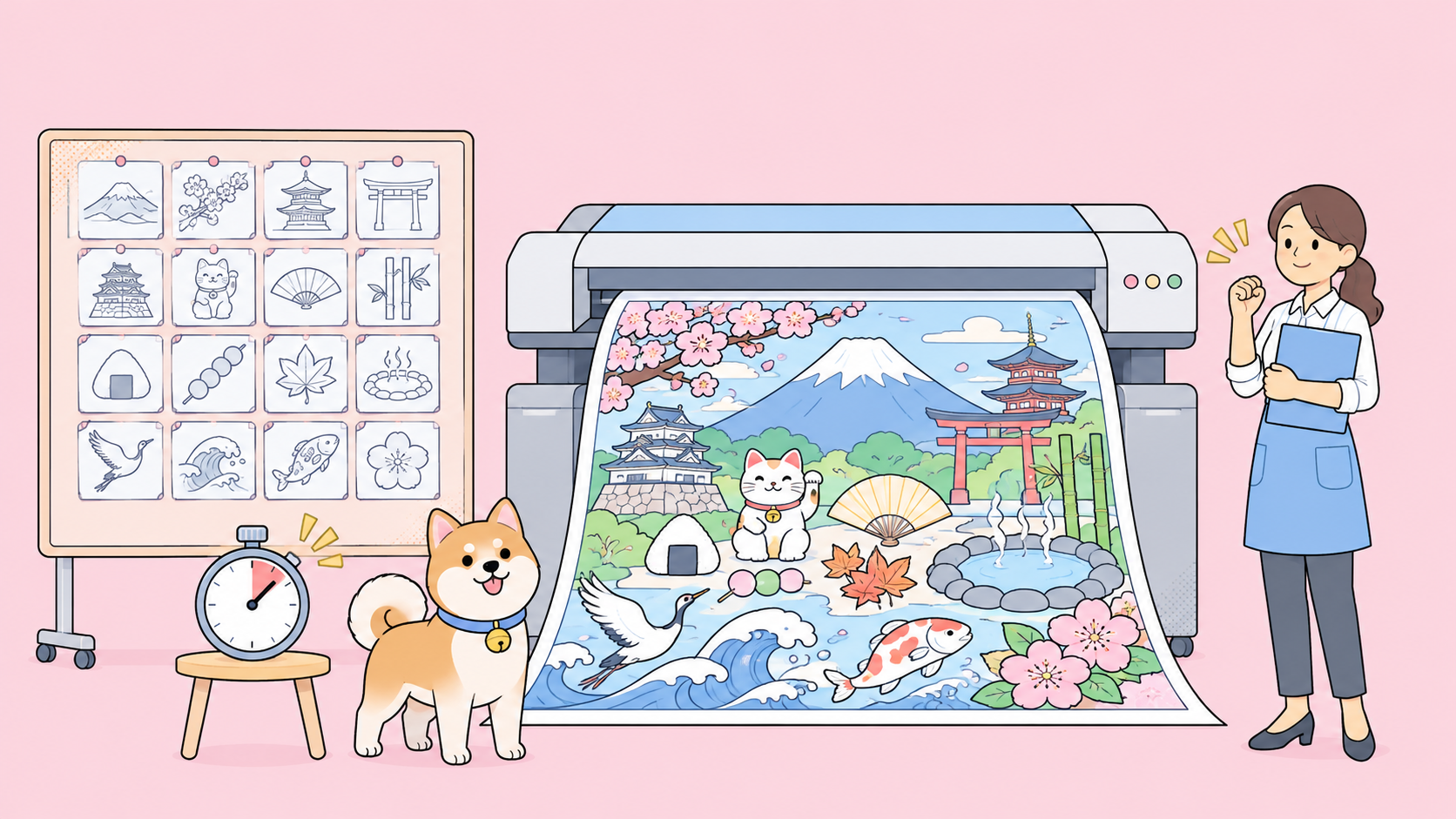
MiniMax H3-Image is an open-weight image model from MiniMax, released on November 10, 2026, that generates and edits images at about 16 megapixels (4096 x 4096) without an upscaler. MiniMax says a 4K image takes about 10 seconds. You can call it through the MiniMax API, use it in Hailuo AI and MiniMax Code, or download the weights from Hugging Face.
This guide explains what MiniMax H3-Image is, what MiniMax actually claims, what “open-weight” means under its license, what it costs during the launch-week discount, and how to test the API from your coding agent.
What is MiniMax H3-Image?
MiniMax H3-Image is a text-to-image and image-editing model in the MiniMax H3 family. One checkpoint handles both jobs: it creates images from a prompt and edits up to 16 reference images. It outputs about 16 megapixels at any aspect ratio, from 4096 x 4096 (1:1) to 6272 x 2688 (21:9), and its weights are published under a community license.
In MiniMax’s launch post on X, the pitch is short: “4K image generation in 10 seconds,” 16 million pixels, realism, precise prompt following and editing, up to 16 reference images, and open weights.
H3-Image is separate from MiniMax’s coding model, covered in the MiniMax M3 explainer, and has its own API endpoints.
What MiniMax claims about H3-Image
Here’s what MiniMax publishes on the Hugging Face model card and in the announcement. Treat speed and quality lines as MiniMax’s claims; nobody outside the company had published independent measurements when this was written.
| Claim | What MiniMax says | Where |
|---|---|---|
| Resolution | About 16 MP, 4096 x 4096 at 1:1, up to 6272 x 2688 at 21:9, no upscaler | Model card |
| Speed | A 4K image in about 10 seconds | Launch post |
| Sampling | Distilled to 6 sampling steps, no classifier-free guidance | Model card |
| References | Up to 16 reference images per edit | Model card, API guide |
| Instruction following | “The strongest instruction following among open-source models” | Model card |
| Working range | About 4 MP to 20 MP, best results around 16 MP | Model card |
The speed claim rests on 6 distilled steps and no classifier-free guidance, which normally doubles the work per step. MiniMax doesn’t name the hardware behind the 10-second figure, so don’t read it as a promise for your own GPU.
The model card publishes no benchmark table behind the instruction-following line. Our sibling post, MiniMax H3-Image vs Nano Banana 2.1, puts the two side by side.
What’s inside the model
The model card is unusually specific about architecture:
- Diffusion transformer: 33.1B parameters, a dense single-stream transformer with 50 layers, stored in BF16 (68.65 GB).
- Text encoder: the MiniMax-H3 text encoder, unchanged, loaded from the separate MiniMax-H3 repository (66.7 GB).
- Image VAE: 16x spatial downsampling and 24 latent channels (2.34 GB).
- Optional prompt expander: MiniMax-H3-Image-PE (17.9 GB, NVFP4), which turns a short prompt into the detailed English description the model expects.
Add those up and a full local setup downloads roughly 137 GB before the optional expander.
What “open-weight” means for MiniMax H3-Image
MiniMax H3-Image is open-weight, not open-source in the OSI sense. You can download and run the weights, but the MiniMax-H3-Image Community License sets real limits. Read it before you build on it. The points that affect most teams:
- Territory. The license grants rights worldwide except in the “Excluded Territories”: the European Union, the United Kingdom, the Republic of Korea and the United States. Teams there need to contact MiniMax about a separate license.
- Revenue and hosting. You need prior written authorization from MiniMax if you and your affiliates earn more than $1 million in annualized revenue, or if you offer the model as a hosted service to third parties. Requests go through MiniMax’s license console.
- Attribution. Commercial products must display “MiniMax-H3-Image” prominently in the user interface.
- No training other models. You can’t use the model or its outputs to improve any other AI model.
- Disclosure. The acceptable use policy bans publishing generated content publicly without clearly disclosing that it’s machine-generated.
MiniMax claims no rights over the images you generate. If you only call the hosted API, read MiniMax’s platform terms for that use too.
Where you can use MiniMax H3-Image
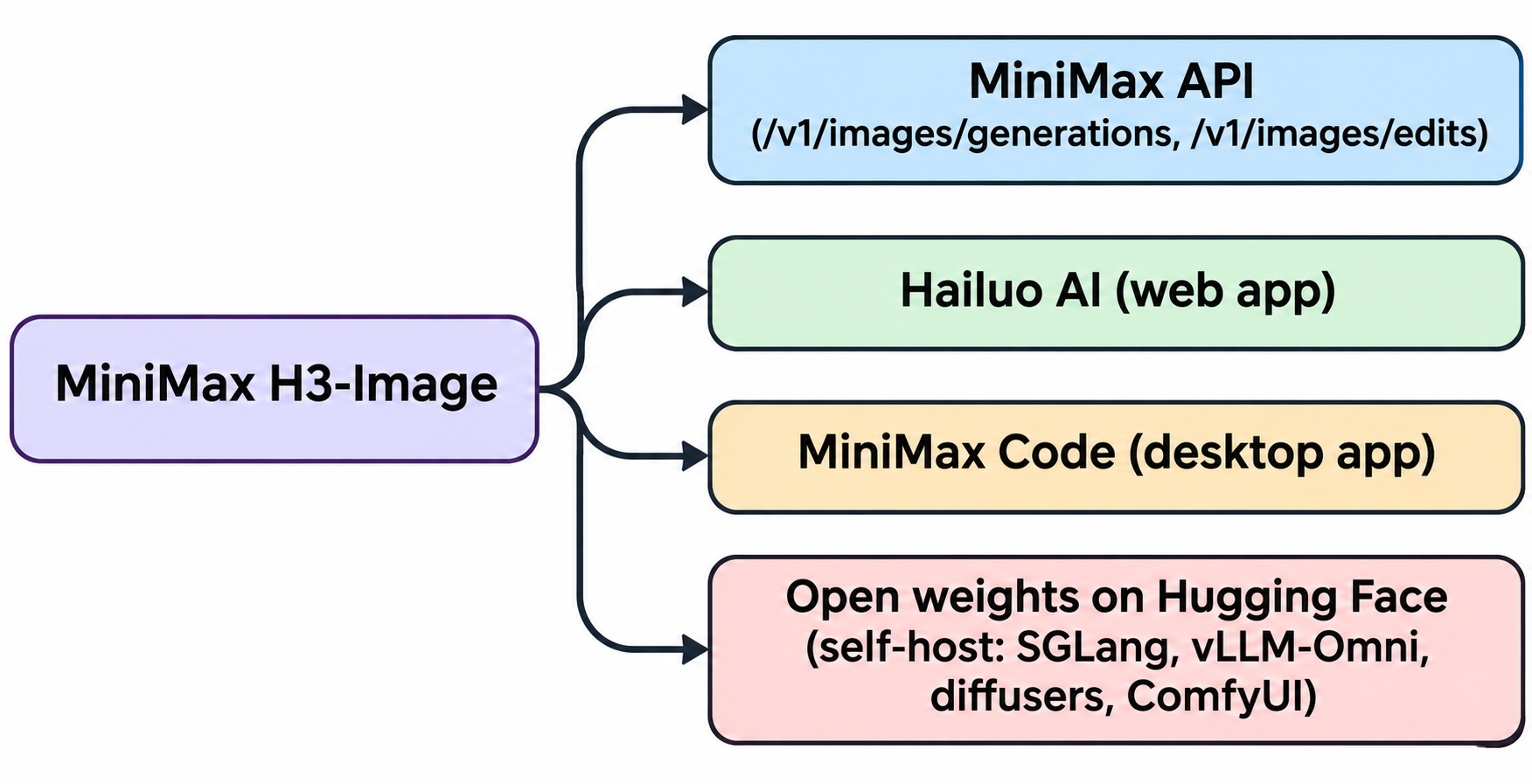
You have four routes:
- MiniMax API. Text-to-image at
POST https://api.minimax.io/v1/images/generationsand editing at/v1/images/edits, both with the model IDMiniMax-H3-Imageor the fasterMiniMax-H3-Image-Highspeed. The full walkthrough is in our MiniMax H3-Image API guide. - Hailuo AI. MiniMax’s web app, no code needed.
- MiniMax Code. MiniMax’s desktop app for macOS and Windows, named in the launch post as a place to use H3-Image.
- Self-hosting. MiniMax recommends SGLang, vLLM-Omni, diffusers or ComfyUI, and lists NVIDIA H200, RTX PRO 6000 Blackwell and AMD Instinct MI350X among supported accelerators. The model card doesn’t state a minimum VRAM figure.
If you’re looking for zero-cost routes, the MiniMax H3-Image for free post covers them.
How the MiniMax H3-Image API works
The API follows an OpenAI-style images shape, so the request is short:
curl https://api.minimax.io/v1/images/generations \
  -H "Authorization: Bearer $MINIMAX_API_KEY" \
  -H "Content-Type: application/json" \
  -d '{
    "model": "MiniMax-H3-Image",
    "prompt": "An orange cat on a sunny windowsill, film texture",
    "aspect_ratio": "16:9",
    "area": "4K",
    "response_format": "url"
  }'
The parameters worth knowing, from the API reference:
sizetakesWIDTHxHEIGHT(655,360 to 20,000,000 pixels, aspect ratio between 1:3 and 3:1) orauto. Withauto, you setaspect_ratioandarea(1K,2Kor4K, default4K) instead. Mixing the two forms returns a 400.nasks for 1 to 10 images per request.output_formatisjpegby default, orpngorwebp.response_formatisurl(download it yourself, since the URL isn’t guaranteed to last) orb64_json.stream: truepushes each image over server-sent events as it finishes.- Prompt enhancement is on by default. Each result carries a
revised_promptshowing what the model actually used. Setdisable_prompt_enhanced: trueto send your prompt as-is.
One behavior trips people up: if at least one image succeeds, the call returns HTTP 200 even when others failed the content safety check. Check data[].error on every item. Only successful images are billed.
The guide also lists what isn’t supported: preview images, masked edits and transparent backgrounds.
For editing, you pass 1 to 16 reference images as public URLs, uploaded file IDs or data URIs, up to 64 MiB in total per request. Your prompt refers to them as <Picture 1>, <Picture 2> and so on, in upload order.
MiniMax H3-Image pricing and the launch-week discount
MiniMax bills H3-Image per million tokens, split into text input, image input and image output. From the MiniMax pricing page, checked on November 11, 2026:
| Model | Input text / M tokens | Input image / M tokens | Output image / M tokens |
|---|---|---|---|
| MiniMax-H3-Image | $2.30 | $1.50 | $3.80 |
| MiniMax-H3-Image-Highspeed | $2.30 | $3.00 | $7.60 |
MiniMax’s own example costs per text-to-image result on the standard model are $0.02179 at 1K, $0.02333 at 2K and $0.06879 at 4K. The Highspeed 4K example is $0.13001.
The launch discount is 50% off the total request cost on both models when the delivered image has at least 16,600,000 pixels. It runs until November 17, 2026, at 16:00 UTC. During that window, MiniMax lists a standard 4K text-to-image result at $0.03439 and a Highspeed one at $0.06501. Smaller images don’t qualify, so a 2K render costs the same as before.
Test the MiniMax H3-Image API with Apidog CLI
Before you wire H3-Image into an app, prove your request shape, auth and error handling work, including the “200 with a failed item” case. Let your coding agent build and run that check with Apidog CLI instead of clicking through requests by hand.
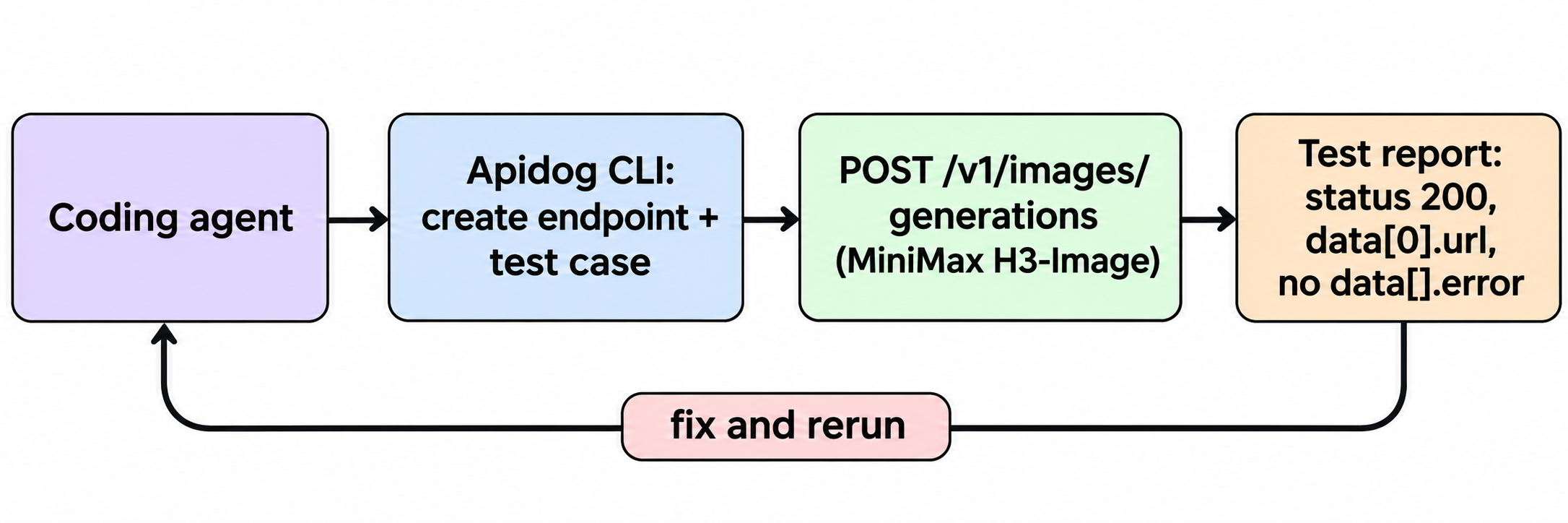
Set up the CLI once:
npm install -g apidog-cli@latest
apidog login --with-token <YOUR_APIDOG_TOKEN>
apidog skill install
The skill teaches your agent (Claude Code, Codex, Cursor or another) the CLI’s commands. Then give it one prompt:
In Apidog project <projectId>, add the MiniMax H3-Image endpoint
POST /v1/images/generations from https://platform.minimax.io/docs/api-reference/image-generation-h3-generations
with Bearer auth from {{MINIMAX_API_KEY}}. Create an environment with base URL
https://api.minimax.io. Write a test case that sends model MiniMax-H3-Image,
area 1K, n 1, and asserts status 200, data[0].url exists, data[0].error is absent
and usage.generated_images equals 1. Run it and summarize the result.
The agent turns that into a short run of apidog commands. Every flag below comes from apidog <command> --help on Apidog CLI 2.2.12:
apidog environment create --project <projectId> --base-url https://api.minimax.io
apidog cli-schema get endpoint-create
apidog cli-schema validate endpoint-create --file ./h3-endpoint.json
apidog endpoint create --project <projectId> --file ./h3-endpoint.json
apidog test-case category --project <projectId>
apidog cli-schema validate test-case-create --file ./h3-case.json
apidog test-case create --project <projectId> --file ./h3-case.json
apidog run --test-case <caseId> --project <projectId> -e <envId> \
  --env-var "MINIMAX_API_KEY=$MINIMAX_API_KEY" -r cli,json
cli-schema get hands the agent the exact JSON shape, and cli-schema validate checks each file before anything is written. test-case category gives it a valid category ID so the case shows up in the app. The run prints a pass or fail summary in your terminal and writes a JSON report the agent reads to decide what to fix. Add --upload-report to view the same run in Apidog.
Using area: 1K keeps each test call at MiniMax’s lowest listed example price. For more on the pattern, see the Apidog CLI agent workflow and Apidog CLI in Claude Code. Apidog’s Free plan covers up to 4 users.
Should you try MiniMax H3-Image?
Try it if you need large, detailed images and want an open-weight option, or if multi-reference editing (product shots, room layouts, character sheets) is your use case. The launch discount makes 4K tests cheap until November 17.
Think twice before self-hosting: roughly 137 GB of weights, data-center GPUs and a license that excludes the EU, UK, Republic of Korea and US. For most teams, the API is the practical path. If you’re comparing image APIs, our guides to the GPT Image 2.6 API, the Nano Banana 2.1 API and Qwen-Image 2.1 cover the alternatives.
FAQ
Is MiniMax H3-Image free? The weights are royalty-free to download and run inside the license’s territory, under its revenue and hosting limits. The API is paid per token. See our free access guide for zero-cost routes.
Is MiniMax H3-Image open-source? MiniMax calls it open-source on Hugging Face, but it ships under a custom community license with territory, revenue, attribution and no-training restrictions. “Open-weight” is the more accurate term.
How fast is MiniMax H3-Image? MiniMax says a 4K image takes about 10 seconds. That’s the company’s figure; it doesn’t name the hardware, and no independent benchmark existed when this was written.
What’s the difference between MiniMax-H3-Image and MiniMax-H3-Image-Highspeed? Both take the same parameters and limits. Highspeed is the faster tier and costs more: $7.60 per million output image tokens versus $3.80.
How many reference images can MiniMax H3-Image use? Up to 16 per edit request, each 128 to 8,192 pixels per side, with the whole request body capped at 64 MiB.
When does the MiniMax H3-Image launch discount end? November 17, 2026, at 16:00 UTC. It applies only to images of at least 16,600,000 pixels.