Google launched Nano Banana 2.1 on October 6, 2026, and it is already callable through the Gemini API as gemini-nano-banana-2.1. It is an update to Nano Banana 2 (Gemini 3.1 Flash Image) with better visual quality, mask-style editing and stronger character consistency across turns. It also costs half as much per image as Nano Banana 2 at every resolution they share.
This guide takes you from an empty terminal to a saved image, then covers aspect ratios, 2K and 4K output, editing, multi-turn changes, reference images, search grounding and cost. Every request below can be saved and replayed in Apidog so you can compare 2.1 with the model you use today.
Want the background first? Read What Is Nano Banana 2.1 for what changed and what Google has not published yet.
What you need
| Item | Value |
|---|---|
| Base URL | https://generativelanguage.googleapis.com/v1beta |
| Auth header | x-goog-api-key: $GEMINI_API_KEY |
| Model ID | gemini-nano-banana-2.1 |
| Endpoint | POST /v1beta/interactions |
| Resolutions | 1K (default), 2K, 4K |
| Inputs | Text, images (up to 14 references), video |
| Python SDK | pip install google-genai |
| JavaScript SDK | npm install @google/genai |
All examples use the Interactions API, which is what Google’s image generation docs use for 2.1.
Step 1: Get a Gemini API key
- Open Google AI Studio and sign in.
- Go to Get API key and create a key in a Google Cloud project.
- Turn on billing for that project. Google’s pricing page lists the free tier for Nano Banana 2.1 as “Not available”, so API calls need a paid project.
- Export the key:
export GEMINI_API_KEY="your-key-here"
Google links 2.1 to the AI Studio playground, which is handy for testing prompts, but it has not published how much a free account can generate there. Our guide on how to use Nano Banana 2.1 for free covers that route, and getting a Gemini API key walks through key setup in more detail.
Step 2: Generate your first image
curl
curl -s -X POST "https://generativelanguage.googleapis.com/v1beta/interactions" \
  -H "x-goog-api-key: $GEMINI_API_KEY" \
  -H "Content-Type: application/json" \
  -d '{
    "model": "gemini-nano-banana-2.1",
    "input": [
      {"type": "text", "text": "Create a picture of a nano banana dish in a fancy restaurant with a Gemini theme"}
    ]
  }'
The response is JSON. The image arrives as base64 data inside an image content block, so you will want an SDK (or a script) to decode it.
Python
from google import genai
import base64

client = genai.Client()  # reads GEMINI_API_KEY

interaction = client.interactions.create(
    model="gemini-nano-banana-2.1",
    input="Create a picture of a nano banana dish in a fancy restaurant with a Gemini theme",
)

with open("generated_image.png", "wb") as f:
    f.write(base64.b64decode(interaction.output_image.data))
interaction.output_image returns the last generated image block. Its data field is base64, so decode it before writing the file.
JavaScript
import { GoogleGenAI } from "@google/genai";
import * as fs from "node:fs";

const ai = new GoogleGenAI({});

const interaction = await ai.interactions.create({
  model: "gemini-nano-banana-2.1",
  input: "Create a picture of a nano banana dish in a fancy restaurant with a Gemini theme",
});

const image = interaction.output_image;
if (image) {
  fs.writeFileSync("nano-banana.png", Buffer.from(image.data, "base64"));
}
Gemini 3 image models think before they draw. The model may produce up to two interim “thought images” while it plans the composition. You are not charged for those, and thinking cannot be switched off in the API.
Step 3: Set aspect ratio, resolution and image-only output
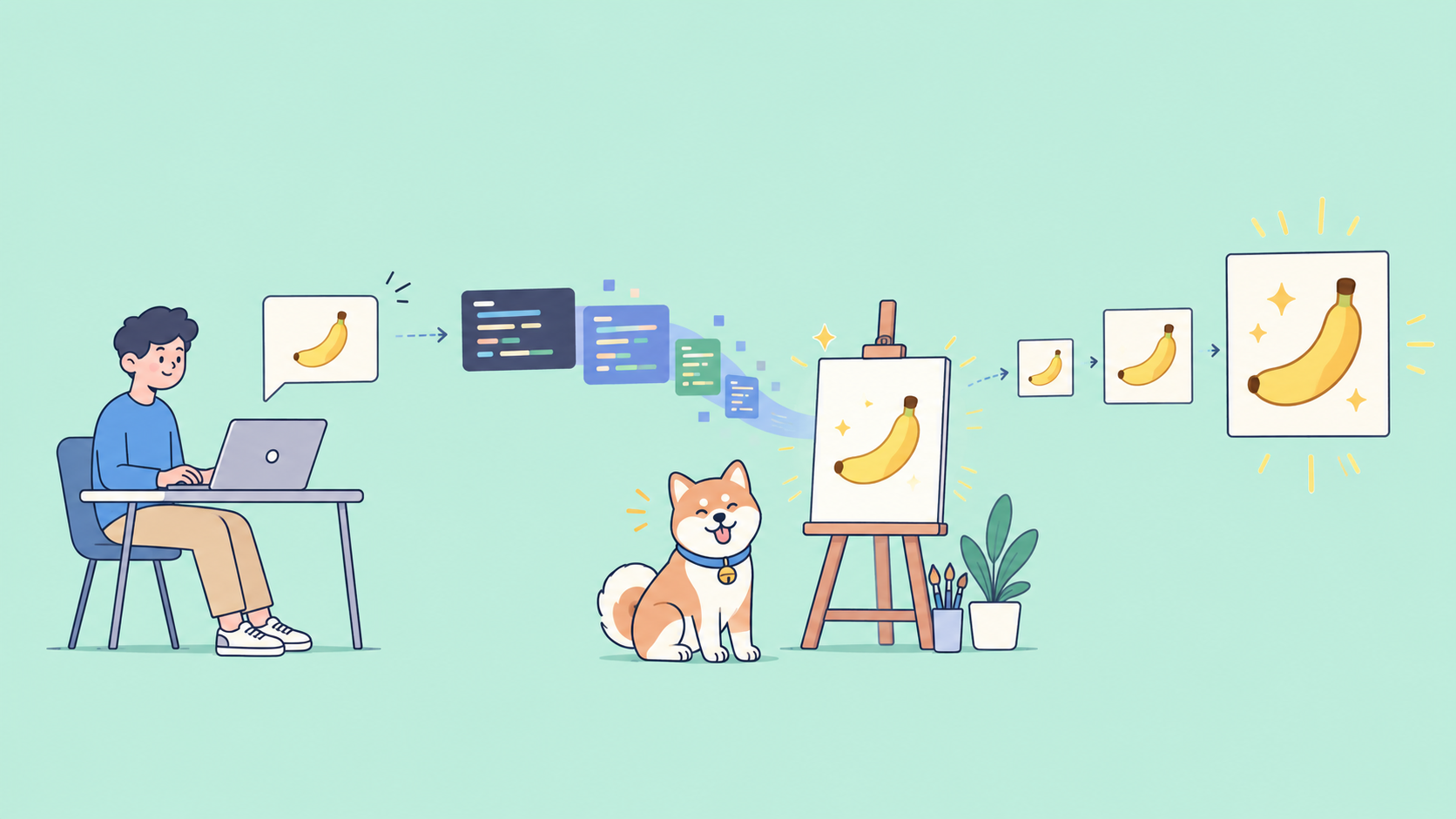
Use response_format to control the output. Setting "type": "image" returns only the image and drops the conversational text, which keeps responses smaller and parsing simpler.
interaction = client.interactions.create(
    model="gemini-nano-banana-2.1",
    input="A product shot of a matte black coffee grinder on a marble counter",
    response_format={
        "type": "image",
        "mime_type": "image/png",
        "aspect_ratio": "16:9",
        "image_size": "2K",
    },
)
Things to know:
image_sizeaccepts1K,2Kand4K. Use an uppercaseK; lowercase values like2kare rejected.- 2.1 has no 512px tier. That one belongs to Nano Banana 2.
- Supported ratios include
1:1,2:3,3:2,3:4,4:3,4:5,5:4,9:16,16:9,21:9, plus the extreme1:4,4:1,1:8and8:1. A 16:9 image at 2K is 2752x1536; at 4K it is 5504x3072. - If you want both text and an image, pass a list:
response_format=[{"type": "text"}, {"type": "image"}].
Step 4: Edit an existing image
Send your image as a base64 image block next to the text instruction:
with open("living_room.png", "rb") as f:
    image_b64 = base64.b64encode(f.read()).decode("utf-8")

interaction = client.interactions.create(
    model="gemini-nano-banana-2.1",
    input=[
        {"type": "text", "text": "Using the provided image of a living room, change only the blue sofa to be a vintage, brown leather chesterfield sofa. Keep the rest of the room, including the pillows on the sofa and the lighting, unchanged."},
        {"type": "image", "data": image_b64, "mime_type": "image/png"},
    ],
)
Mask-style inpainting without a mask file
There is no separate mask upload. You define the mask in words. Google’s template:
Using the provided image, change only the [specific element] to [new element/description]. Keep everything else in the image exactly the same, preserving the original style, lighting, and composition.
Name one element, describe the replacement concretely, and repeat what must stay fixed. Vague prompts like “make the sofa nicer” invite the model to redraw the whole room.
Step 5: Iterate with multi-turn editing
Multi-turn is Google’s recommended way to refine an image. Pass the previous interaction’s id as previous_interaction_id and send only the change you want:
interaction_2 = client.interactions.create(
    model="gemini-nano-banana-2.1",
    input="Update this infographic to be in Spanish. Do not change any other elements of the image.",
    previous_interaction_id=interaction.id,
    response_format={"type": "image", "mime_type": "image/png", "aspect_ratio": "16:9", "image_size": "2K"},
)
Over REST, the same field goes in the body: "previous_interaction_id": "<PREVIOUS_INTERACTION_ID>". This is where 2.1’s improved multi-turn character consistency matters: a character or product should stay recognizable across several rounds of edits.
Step 6: Combine up to 14 reference images
Add more image blocks to the input list. For 2.1, Google documents up to 10 high-fidelity object images and up to 4 character images, 14 in total:
interaction = client.interactions.create(
    model="gemini-nano-banana-2.1",
    input=[
        {"type": "text", "text": "An office group photo of these people, they are making funny faces."},
        {"type": "image", "data": person_1_b64, "mime_type": "image/png"},
        {"type": "image", "data": person_2_b64, "mime_type": "image/png"},
        {"type": "image", "data": person_3_b64, "mime_type": "image/png"},
    ],
    response_format={"type": "image", "aspect_ratio": "5:4", "image_size": "2K"},
)
Reference images are input tokens, and 2.1 input costs three times what Nano Banana 2 charges. Heavy reference workflows narrow the price gap, so measure before you switch.
Step 7: Ground images with Google Search
For images that depend on current facts, such as a weather chart or a recent event, add the search tool:
interaction = client.interactions.create(
    model="gemini-nano-banana-2.1",
    input="A detailed painting of a Timareta butterfly resting on a flower",
    tools=[{"type": "google_search", "search_types": ["web_search", "image_search"]}],
)
{"type": "google_search"} alone gives you web search. Adding image_search lets the model use web images as visual context, which only 2.1 and Nano Banana 2 support. Grounding cannot use real-world images of people from search. If you show grounded results to users, Google requires you to display the search_suggestions returned in the google_search_result step.
Step 8: Test it in Apidog
Scripts are fine for generation. For checking that a prompt, a key and a model still behave, a saved request is faster. In Apidog:
- Create an environment and add a variable
GEMINI_API_KEYwith your key. - Create a request:
POST https://generativelanguage.googleapis.com/v1beta/interactions. - Add the header
x-goog-api-key: {{GEMINI_API_KEY}}. - Paste a JSON body with
model,inputandresponse_format, then click Send. - Add a post-response script with two assertions:
pm.test("status is 200", () => {
  pm.response.to.have.status(200);
});

pm.test("response contains an image block", () => {
  const steps = pm.response.json().steps || [];
  const hasImage = steps.some(s =>
    s.type === "model_output" &&
    (s.content || []).some(c => c.type === "image" && c.data)
  );
  pm.expect(hasImage).to.be.true;
});
- Duplicate the request and change
modeltogemini-3.1-flash-image. Send both with the same prompt.
You now have a side-by-side check of 2.1 against Nano Banana 2, with status, timing and response size shown for each run. For a broader feature comparison, see Nano Banana 2.1 vs Nano Banana 2 vs Pro.
What it costs
Paid tier, per Google’s pricing page on October 7, 2026:
| Model | Input / 1M | 1K image | 2K image | 4K image | Batch 1K |
|---|---|---|---|---|---|
| Nano Banana 2.1 | $1.50 | $0.0336 | $0.0504 | $0.0756 | $0.0168 |
| Nano Banana 2 | $0.50 | $0.067 | $0.101 | $0.151 | $0.034 |
| Nano Banana Pro | $2.00 | $0.134 | $0.134 | $0.24 | $0.067 |
Image output for 2.1 is $30 per 1M tokens. A 1K image is 1,120 tokens, 2K is 1,680 and 4K is 2,520, which is where the per-image prices come from. Text and thinking output is $7.50 per 1M. Search grounding includes 5,000 free requests a month shared across Gemini 3.x models, then $14 per 1,000.
Worked example: 1,000 product images at 2K from short text prompts (about 100 input tokens each).
- Output: 1,000 x $0.0504 = $50.40
- Input: 100,000 tokens x $1.50 / 1M = $0.15
- Total: about $50.55, plus any thinking text tokens
The same job on Nano Banana 2 costs about $101. Through the Batch API, 2.1’s 2K price drops to $0.0252, so the output side falls to $25.20 if you can wait. Batch jobs trade a turnaround of up to 24 hours for higher rate limits. More detail on Nano Banana 2 pricing is in our Nano Banana 2 API pricing breakdown.
Common errors
These are generic Gemini API behaviors, not documented 2.1-specific errors:
| Error | Likely cause | Fix |
|---|---|---|
400 INVALID_ARGUMENT |
Lowercase image_size, unsupported ratio, malformed input |
Use 2K not 2k; check the ratio list |
403 PERMISSION_DENIED |
Bad key, or project without billing | Check the key and enable billing |
404 NOT_FOUND |
Typo in model ID | Use gemini-nano-banana-2.1 exactly |
429 RESOURCE_EXHAUSTED |
Rate limit hit | Back off and retry, or use Batch |
500 / 503 |
Temporary server issue | Retry with exponential backoff |
| 200 but no image | Prompt blocked or text-only answer | Set "type": "image" and rephrase |
FAQ
Is there a free tier for the Nano Banana 2.1 API? No. Google lists the API free tier as “Not available”. The AI Studio playground links to 2.1, but Google has not published a free limit for it.
Is 2.1 a drop-in replacement for Nano Banana 2? Mostly. Swap the model ID to gemini-nano-banana-2.1. You lose the 512px tier, and input tokens cost more, so reference-heavy edits need a cost check.
Do generated images carry a watermark? Yes. All outputs include a SynthID watermark.
Can I generate an image from a video? Yes. 2.1 accepts a video input block, such as a YouTube URL, alongside your text prompt.
Does the old Nano Banana 2 API guide still apply? The concepts do. See our Nano Banana 2 API guide for the earlier model.
Wrap-up
Nano Banana 2.1 promises better images at half of Nano Banana 2’s per-image price, with the same Interactions API shape. Get a billed key, generate one image, then save the request in Apidog with status and image assertions. Duplicate it with the old model ID, and you will know within an afternoon whether 2.1 earns the switch for your prompts.