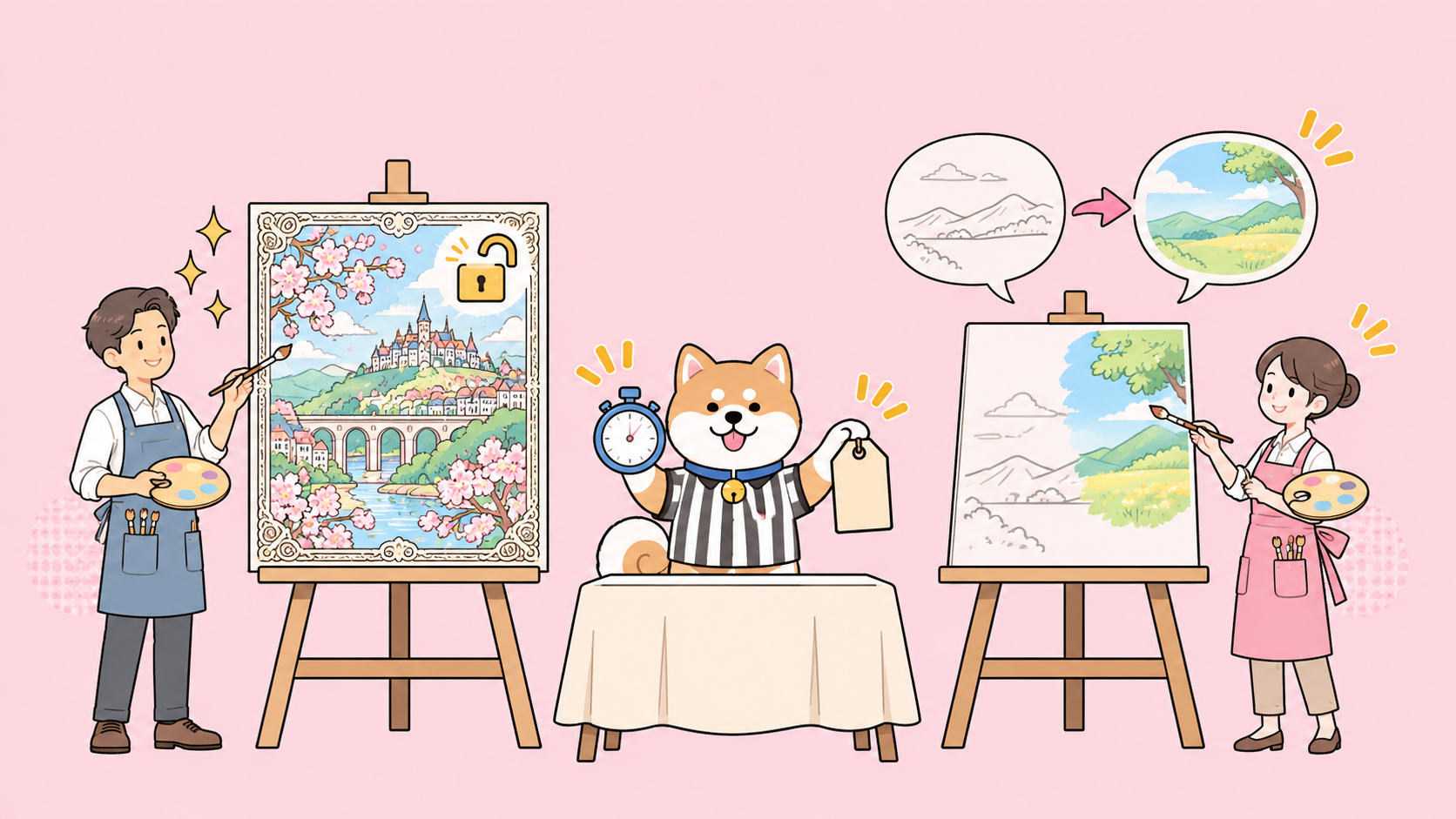
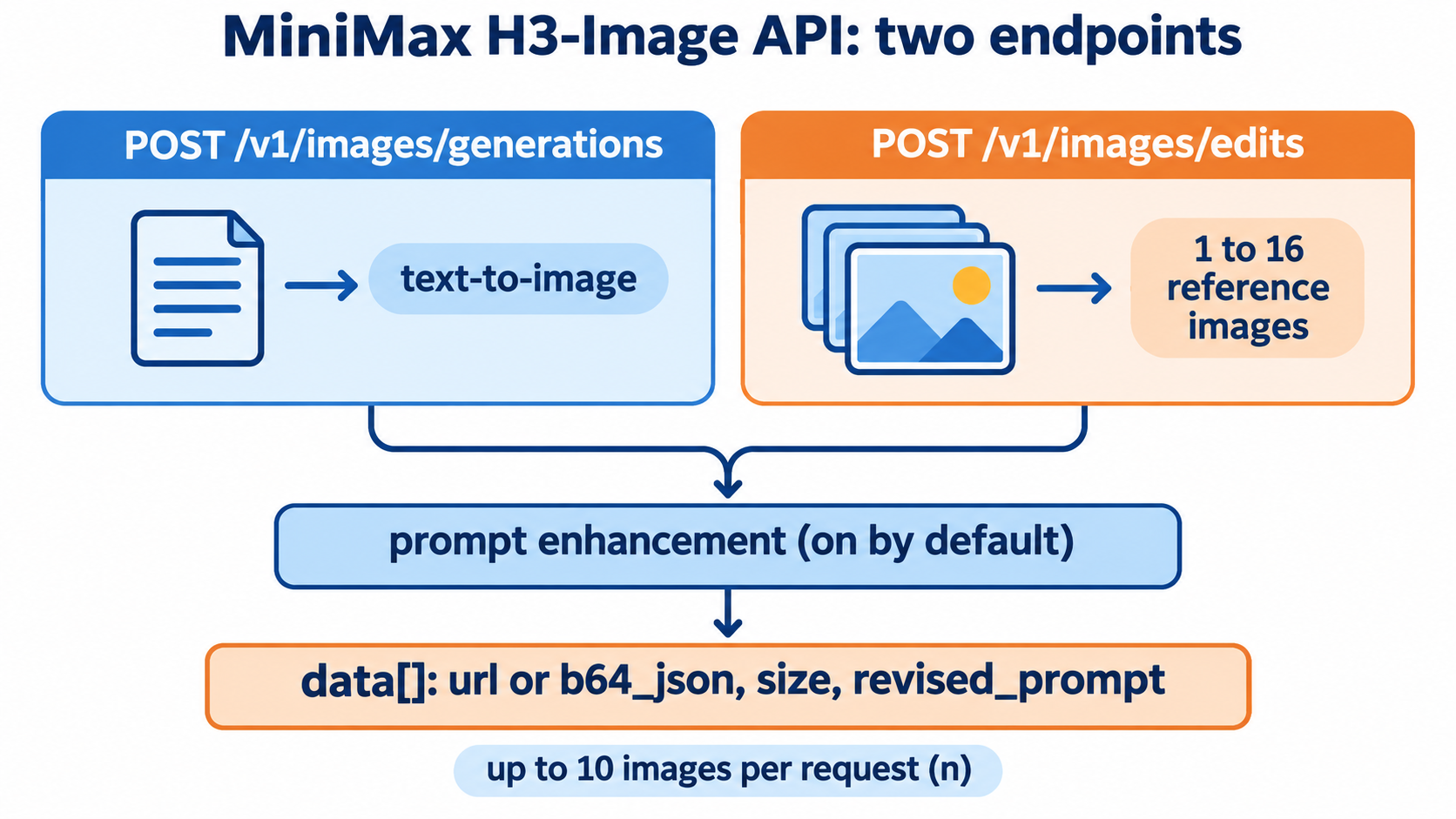
The MiniMax H3-Image API generates and edits images over two REST endpoints: POST /v1/images/generations for text-to-image and POST /v1/images/edits for editing with 1 to 16 reference images. You send a Bearer key, the model ID MiniMax-H3-Image (or MiniMax-H3-Image-Highspeed), a prompt and a size, and you get back image URLs or base64 data. It sits on the same MiniMax developer platform as the MiniMax M3 API. Output goes up to about 16 megapixels without an upscaler.
Below: the key, the fields that matter, editing, pricing with the launch discount, and an agent-run test with Apidog CLI. New to the model? Start with what MiniMax H3-Image is.
What is the MiniMax H3-Image API?
The MiniMax H3-Image API is MiniMax’s hosted endpoint for its open-weight H3-Image model, which handles both text-to-image and multi-reference image editing in one checkpoint. It’s served at https://api.minimax.io, takes JSON requests, and is compatible with the OpenAI SDK’s images.generate and images.edit calls, so most existing image code needs only a new base URL and model name.
The weights are public too: the Hugging Face model card lists a 33.1B-parameter diffusion transformer under the MiniMax-H3-Image Community License. Self-hosting needs about 69 GB for the checkpoint plus a 66.7 GB text encoder, so the API is the practical route for most teams.
The hosted side, from MiniMax’s API reference on 2026-11-11:
| Item | Value |
|---|---|
| Base URL | https://api.minimax.io |
| Model IDs | MiniMax-H3-Image, MiniMax-H3-Image-Highspeed (same parameters and limits) |
| Text-to-image | POST /v1/images/generations |
| Image editing | POST /v1/images/edits, 1 to 16 reference images |
| Images per request | n from 1 to 10 |
| Output formats | jpeg (default), png, webp |
| Return types | url (default) or b64_json |
| Max server wait | 600 seconds |
Get your MiniMax API key
- Sign in at the MiniMax developer platform.
- Open Account Management, then API Keys, and create a key.
- Add balance. A request with no funds fails with HTTP 402 and error code
1008(insufficient balance). - Export the key so your code and your agent read it from the environment, never from a file you commit:
export MINIMAX_API_KEY="your-key-here"
Every call sends it as Authorization: Bearer $MINIMAX_API_KEY.
Your first text-to-image request
The smallest useful call needs model, prompt and either a size or an area tier:
curl https://api.minimax.io/v1/images/generations \
  -H "Authorization: Bearer $MINIMAX_API_KEY" \
  -H "Content-Type: application/json" \
  --max-time 600 \
  -d '{
    "model": "MiniMax-H3-Image",
    "prompt": "An orange cat lying on a windowsill basking in the sun, warm afternoon light, film texture",
    "aspect_ratio": "16:9",
    "area": "2K",
    "n": 1,
    "response_format": "url"
  }'
With the OpenAI Python SDK, point base_url at MiniMax and turn off retries:
import os
from openai import OpenAI

client = OpenAI(
    base_url="https://api.minimax.io/v1",
    api_key=os.environ["MINIMAX_API_KEY"],
    timeout=600,
    max_retries=0,
)

result = client.images.generate(
    model="MiniMax-H3-Image",
    prompt="An orange cat lying on a windowsill basking in the sun, warm afternoon light",
    size="2720x1536",
    response_format="url",
)
for item in result.data:
    print(item.url)  # None for an image that failed
The max_retries=0 line matters. The endpoint isn’t idempotent: the server finishes and charges for a job even if your client times out, so an automatic retry bills twice. Set a 600-second timeout instead.
Request parameters that matter
You control output size one of two ways, and you can’t mix them.
Exact pixels. Set size to WIDTHxHEIGHT, for example 4096x4096. The total area must be between 655,360 and 20,000,000 pixels and the aspect ratio between 1:3 and 3:1. Don’t send aspect_ratio or area in this mode, not even as auto, or you get a 400.
Tier plus ratio. Leave size as auto and set area (1K, 2K or 4K, default 4K) and aspect_ratio (any X:Y from 1:3 to 3:1). The server works out the pixels; 2K at 16:9 returns 2720 x 1536.
The other fields:
| Field | Default | What it does |
|---|---|---|
prompt |
required | Up to 32,000 characters |
disable_prompt_enhanced |
false |
Prompt enhancement rewrites short prompts into a detailed description; the result comes back as revised_prompt |
n |
1 | 1 to 10 images |
output_format |
jpeg |
png, jpeg or webp |
output_compression |
95 | 0 to 100, JPEG and WebP only |
response_format |
url |
url or b64_json |
stream |
false |
Server-sent events, one per finished image, url only |
Two rules catch people. First, if you turn prompt enhancement off, you must give an exact size or an explicit aspect_ratio; auto returns a 400. Second, b64_json caps the total output area: 20,000,000 pixels for PNG (one image of any size) and 80,000,000 for JPEG or WebP (four 4K images or ten 2K images). For larger batches, use URLs.
The model card says H3-Image works best around 16 MP: 4096x4096 (1:1), 5472x3072 (16:9) or 6272x2688 (21:9).
Edit images with up to 16 references
Editing uses the same fields plus an images array. Refer to inputs by position in the prompt (“image 1”, “image 2”):
import os, requests

resp = requests.post(
    "https://api.minimax.io/v1/images/edits",
    headers={"Authorization": f"Bearer {os.environ['MINIMAX_API_KEY']}"},
    json={
        "model": "MiniMax-H3-Image",
        "prompt": "Replace the cat in image 1 with the Shiba Inu in image 2, keep the background unchanged",
        "images": [
            {"image_url": "https://example.com/cat.jpg"},
            {"image_url": "https://example.com/dog.png"},
        ],
        "size": "auto",
        "response_format": "url",
    },
    timeout=600,
)
resp.raise_for_status()
print(resp.json()["data"])
The endpoint also accepts multipart/form-data, which is what the OpenAI SDK’s images.edit sends when you upload files. Limits from the edits reference:
- 1 to 16 images in JPG, PNG, WebP, HEIC or HEIF
- Each side between 128 and 8,192 pixels, long-to-short ratio no more than 4:1
- Total request body up to 64 MiB; base64 adds about a third, so switch to public URLs for big inputs
Read the response and handle errors
A successful call returns one data item per requested image, in order:
{
  "data": [
    {"url": "https://.../output-0.jpg", "size": "2720x1536", "revised_prompt": "Warm afternoon light streams through..."},
    {"error": {"code": "1027", "message": "output image failed content safety check"}}
  ],
  "output_format": "jpeg",
  "usage": {"generated_images": 1, "input_tokens": 3174, "output_tokens": 4080, "total_tokens": 7254},
  "request_id": "0217..."
}
Three habits keep your integration honest:
- Check every item for
error. The HTTP status is 200 if at least one image succeeds, so a 200 doesn’t mean allnimages came back. If every image fails, you get 402, 422 or 500 instead. - Download URLs right away. MiniMax says the URL is not guaranteed to stay available, so copy the file to your own storage.
- Log
request_id. It’s the trace ID support asks for.
Rate limits return 429. Code 1002 means you passed the images-per-minute limit, and each request counts as n images, so a batch of 10 uses 10 of your quota at once.
MiniMax H3-Image pricing and the launch discount
Billing is per token, and you only pay for images that succeed. From MiniMax’s pricing page, read on 2026-11-11:
| Model | Input text / 1M tokens | Input image / 1M tokens | Output image / 1M tokens |
|---|---|---|---|
| MiniMax-H3-Image | $2.30 | $1.50 | $3.80 |
| MiniMax-H3-Image-Highspeed | $2.30 | $3.00 | $7.60 |
MiniMax also publishes example costs per image for the standard model:
| Task | Output | Example cost per image |
|---|---|---|
| Text-to-image | 1K (1024 x 1024) | $0.02179 |
| Text-to-image | 2K (2048 x 2048) | $0.02333 |
| Text-to-image | 4K (4096 x 4096) | $0.06879, $0.03439 during the launch offer |
Highspeed costs roughly 1.6 to 2 times as much per image ($0.13001 for 4K, $0.06501 discounted). Prompt length shifts the input side, so treat these as estimates.
Launch offer: until November 17, 2026 at 16:00 UTC, MiniMax takes 50% off the total request cost for both models when the delivered image has at least 16,600,000 pixels. A 4096x4096 image (16,777,216 pixels) qualifies; a 2K image doesn’t. Looking for $0 routes instead? See how to use MiniMax H3-Image for free.
Let your coding agent test it with Apidog CLI
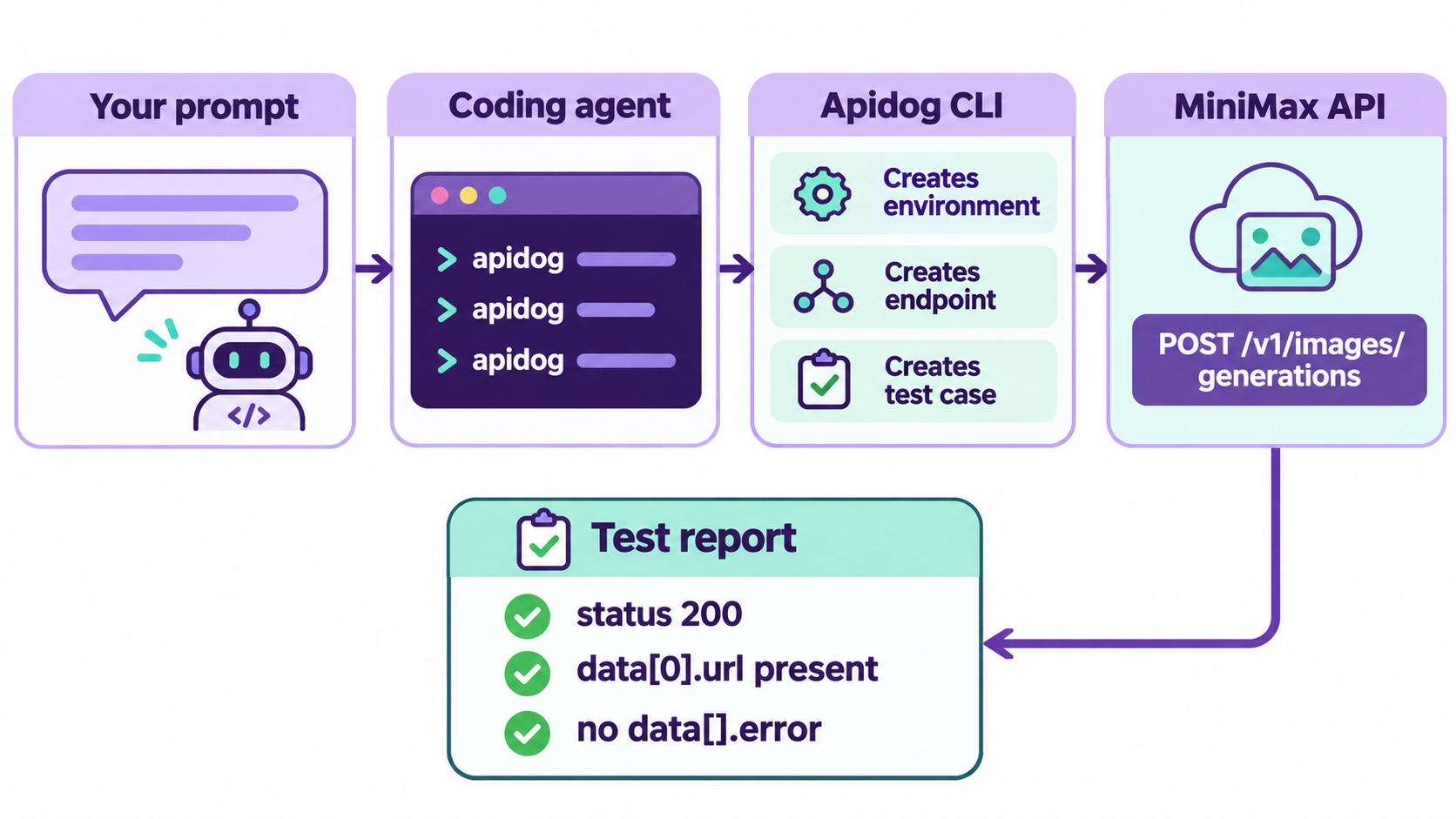
Image APIs fail quietly: a 200 with half the images missing, a size rule you forgot. Let your coding agent (Claude Code, Codex, Cursor) build a repeatable test with Apidog CLI instead of hand-checking responses.
Set up once:
npm install -g apidog-cli@latest
apidog auth login --with-token <YOUR_APIDOG_TOKEN>
apidog skill install
Then give your agent one prompt:
In Apidog project <projectId>, create an environment "MiniMax Global" with base URL
https://api.minimax.io. Add the endpoint POST /v1/images/generations from the MiniMax
H3-Image API reference, with Bearer auth from the {{MINIMAX_API_KEY}} variable.
Create a test case that sends model MiniMax-H3-Image, area 1K, aspect_ratio 1:1, n 1,
and asserts HTTP 200, data[0].url exists, and no item in data has an error field.
Run it and summarize any failures.
The agent reads each payload schema, validates its JSON, creates the resources and runs the case:
apidog environment create "MiniMax Global" --project <projectId> --base-url https://api.minimax.io
apidog cli-schema get endpoint-create
apidog cli-schema validate endpoint-create --file endpoint.json
apidog endpoint create --project <projectId> --file endpoint.json
apidog cli-schema get test-case-create
apidog cli-schema validate test-case-create --file case.json
apidog test-case create --project <projectId> --file case.json
apidog run --test-case <caseId> --project <projectId> -e <envId> \
  --env-var "MINIMAX_API_KEY=$MINIMAX_API_KEY" -r cli,json
--env-var passes your key at run time, so it never lands in a saved file. The cli reporter prints each assertion as pass or fail; json writes a report your agent reads back. Keep the test at 1K: every run is a real, billed generation. The same line runs in CI with -r junit (see the Apidog CLI CI/CD guide and Apidog CLI in Claude Code). Apidog’s Free plan covers up to 4 users.
Standard or Highspeed: which model ID?
Both IDs take identical parameters, so switching is one string. Use MiniMax-H3-Image for final assets and cost-sensitive batches, and MiniMax-H3-Image-Highspeed for interactive previews where latency beats price. The API reference gives no latency figure, so time it on your own prompts. Evaluating alternatives? Read MiniMax H3-Image vs Nano Banana 2.1, the Nano Banana 2.1 API guide or the GPT Image 2.6 API guide.
FAQ
What is the MiniMax H3-Image model ID? Use MiniMax-H3-Image for the standard model or MiniMax-H3-Image-Highspeed for the faster, pricier version. Both work on /v1/images/generations and /v1/images/edits with the same parameters.
Does the MiniMax H3-Image API work with the OpenAI SDK? Yes. Set base_url="https://api.minimax.io/v1" and call images.generate or images.edit. Set max_retries=0, because retries create new billed generations.
How many reference images can I use for editing? From 1 to 16 per request, each 128 to 8,192 pixels per side, with the whole request body under 64 MiB.
How much does one MiniMax H3-Image image cost? MiniMax’s examples put a standard text-to-image call at about $0.022 for 1K and $0.069 for 4K, with 4K halved to about $0.034 until November 17, 2026, 16:00 UTC.
Why did I get a 200 but fewer images than I asked for? Partial success returns 200. Failed items, including ones blocked by the safety check, carry an error object instead of a url, and you aren’t charged for them.