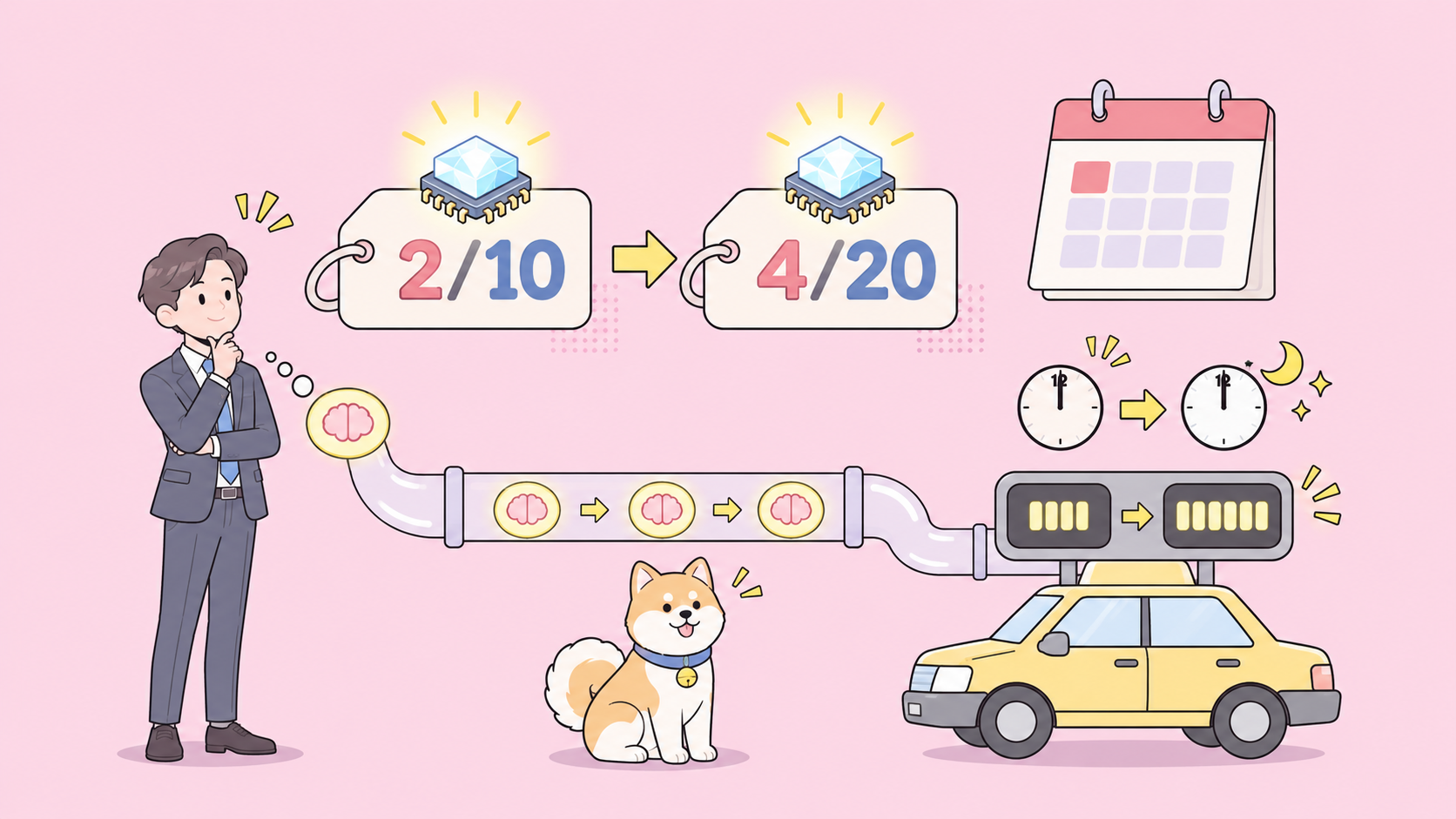
As of November 11, 2026, Google’s Gemini 4 Carbon API uses the model ID gemini-4-carbon and costs $2 per million input tokens and $10 per million output tokens until November 30, 2026, then $4 and $20. Google made it generally available on November 10, 2026, on the paid tier of the Gemini API only.
This guide takes you from a fresh key to your first request, shows you which usage numbers decide your bill, and hands the testing to your coding agent.
What is the Gemini 4 Carbon model ID?
The Gemini 4 Carbon model ID is gemini-4-carbon. You pass it as the model field in a request to the Gemini API’s Interactions endpoint, in the Python or JavaScript SDK, or in a Google AI Studio prompt. Google calls Carbon its strongest reasoning model and recommends it for hard tasks, while Gemini 4 Argon stays the default for everyday work.
For background on the model itself, start with what Gemini 4 Carbon is.
| Item | Value | Source |
|---|---|---|
| Model ID | gemini-4-carbon |
Google AI Studio docs |
| Available since | November 10, 2026 | Google launch post |
| Where | Gemini API paid tier, Google AI Studio, Android Studio | Google launch post |
| Free tier | Not available | Google AI Studio docs |
| Context window | 1,048,576 tokens, shared by input, thinking and output | Google AI Studio docs |
| Max output per synchronous response | 65,536 tokens | Google AI Studio docs |
| Long decode | Up to 1M tokens minus your input, with background: true |
Google AI Studio docs |
| Thinking levels | low, medium (default), high |
Google AI Studio docs |
| Price until Nov 30, 2026 | $2 input, $10 output per 1M tokens | Google launch post |
| Price from Dec 1, 2026 | $4 input, $20 output per 1M tokens | Google launch post |
| Cached input (implicit caching) | $0.10 per 1M, then $0.20 from Dec 1 | Google AI Studio docs |
How do you get a Gemini API key for Gemini 4 Carbon?
Carbon only runs on the paid tier, so a key alone isn’t enough. You need a key on a project with Cloud Billing attached:
- Open the API keys page in Google AI Studio. New users get a project and key created for them; otherwise click Create API key.
- Click Set up billing on the API keys or Projects page.
- Create or link a Cloud Billing account, add a payment method and prepay at least $5 in credits, per Google’s quickstart.
- Export the key in your shell:
export GEMINI_API_KEY="YOUR_API_KEY".
The Gemini 4 Carbon free options post covers the routes that don’t need an API key at all.
How do you send your first Gemini 4 Carbon API request?
Google’s quickstart for Carbon uses the Interactions API: a POST to /v1beta/interactions with model and input in the body. Put the model name in a variable so switching between Carbon and Argon later is a one-line change.
With curl:
export GEMINI_MODEL="gemini-4-carbon"

curl "https://generativelanguage.googleapis.com/v1beta/interactions" \
  -H "x-goog-api-key: $GEMINI_API_KEY" \
  -H 'Content-Type: application/json' \
  -X POST \
  -d '{
    "model": "'"$GEMINI_MODEL"'",
    "input": "Find the race condition in this retry loop and rewrite the lock safely.",
    "generation_config": {
      "thinking_level": "medium"
    }
  }'
With the Python SDK (pip install -U google-genai):
import os
from google import genai

MODEL = os.environ.get("GEMINI_MODEL", "gemini-4-carbon")

client = genai.Client()  # reads GEMINI_API_KEY from the environment

interaction = client.interactions.create(
    model=MODEL,
    input="Find the race condition in this retry loop and rewrite the lock safely.",
    generation_config={"thinking_level": "medium"},
)

print(interaction.output_text)
print(interaction.usage)
Both snippets follow the examples in Google’s docs. We didn’t run them for this article, since we don’t hold a paid Carbon key on this machine, so check the response shape against your own first call.
Three details from Google’s migration notes save you a debugging session:
- Drop sampling parameters.
temperature,top_pandtop_kare ignored by Carbon, so remove them. - Raise timeouts. Hard prompts can take several minutes. Google suggests background execution or HTTP timeouts of at least 15 minutes.
- Keep state on the server. Pass
previous_interaction_idfor multi-turn chats and function calling instead of resending the history.
Already on Argon? Our Gemini 4 Argon API guide uses the same request structure.
How do you read usage and thinking tokens in the response?
Every interaction returns a usage object. These are the fields that matter for cost:
total_input_tokens: what you sent, including system instructions and tool declarations.total_thought_tokens: tokens the model spent thinking before it answered.total_output_tokens: the visible answer.total_tokens: the sum.
The one to watch is total_thought_tokens. Google’s thinking guide says response pricing is the sum of output tokens and thinking tokens, so thinking is billed at the $10 output rate. Google also states that Carbon “spends more thinking tokens” per turn than Argon to explore and verify its work. On a hard prompt, thinking can be most of the bill.
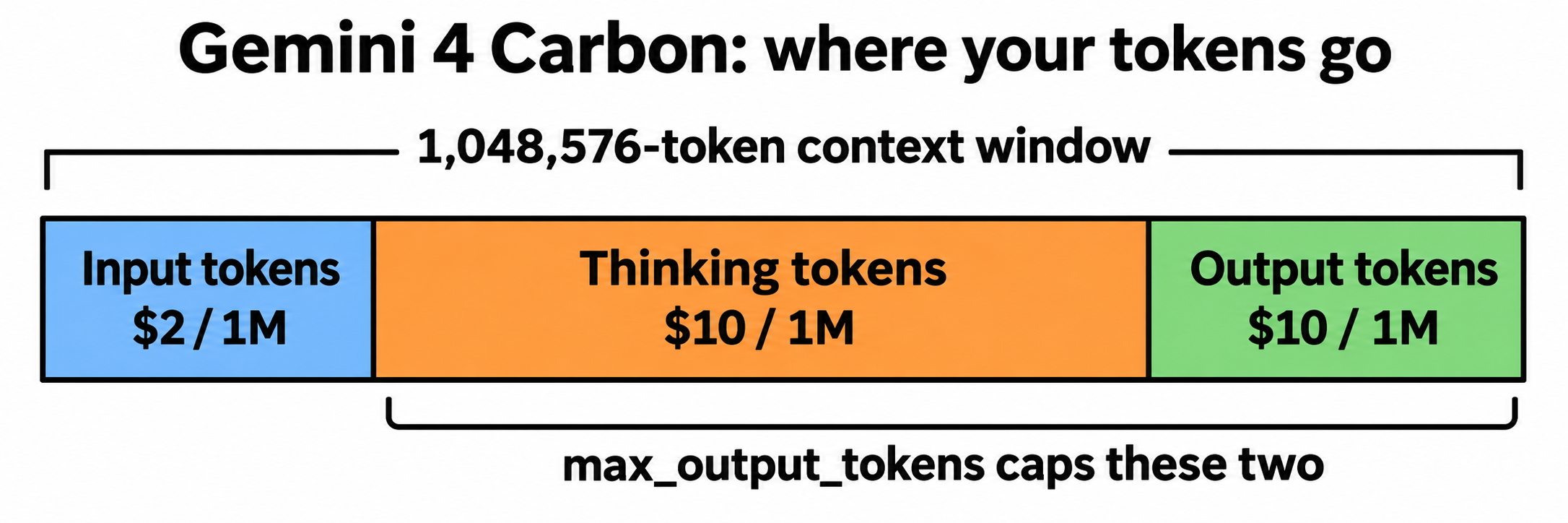
max_output_tokens caps thinking and output combined. If you set it too low, Carbon can use the budget thinking and cut the answer short. Google’s starting points:
- Standard tasks: keep the default of 65,536.
- Apps with a limit under 32K: raise it to at least 32,768.
- Complex reasoning and coding: set
background: trueand 131,072 or 262,144 tokens.
With background: true, Google’s servers continue the response in 64K-token hops. You poll the interaction until its status leaves in_progress or queued, then join the text from every model_output step.
Which Gemini 4 Carbon thinking level should you use?
The thinking level is your main control over quality, latency and spend. Google’s guidance, from the thinking guide and the Carbon docs:
| Thinking level | Token use | Use it for |
|---|---|---|
low |
Fewest tokens, lowest latency | Simple and cost-sensitive tasks, light analysis and writing |
medium (default) |
Balanced | Most tasks, including complex code and agent work |
high |
Most tokens, slowest first token | Hard math, science, and the hardest code or agent tasks |
Google recommends running your evaluations at all three levels and keeping the lowest one that meets your quality bar. On Carbon, the gap between low and high is where your budget goes.
When should you send a task to Gemini 4 Carbon instead of Argon?
Google is direct about this: “Argon remains the ideal choice for the majority of software engineering and knowledge work.” The two models share the 1M context window, built-in tools and the same introductory per-token price, so the difference is how many tokens each spends per turn. Use Carbon for complex root-cause debugging, architecture design, dense multimodal synthesis, proofs and security audits. Keep Argon for interactive coding, day-to-day features and fast production loops. Our Gemini 4 Carbon vs Argon comparison goes deeper, and if you’re weighing Carbon against Anthropic’s newest model, see Gemini 4 Carbon vs Claude Fable 5.2 and the Claude Fable 5.2 API guide.
How much does a Gemini 4 Carbon API call cost?
Gemini 4 Carbon costs $2 per 1M input tokens and $10 per 1M output tokens (thinking included) through November 30, 2026, then $4 and $20, per Google.
To put that on one call, take an illustrative request with 2,000 input tokens, 6,000 thinking tokens and 1,500 output tokens. These are example numbers, not a measurement:
- Input: 2,000 x $2 / 1M = $0.004
- Thinking plus output: 7,500 x $10 / 1M = $0.075
- Total: about $0.079 today, about $0.158 from December 1
Thinking varies a lot by prompt, so read your own usage object. For the full price math, the December jump and cost per task, see Gemini 4 Carbon pricing.
Let your coding agent test the Carbon API with Apidog CLI
You’ll change thinking levels, output limits and prompts many times. Instead of eyeballing JSON after each change, let your coding agent (Claude Code, Codex, Cursor) write a repeatable test and run it with Apidog CLI.
Set it up once:
npm install -g apidog-cli@latest
apidog login --with-token <YOUR_TOKEN>
npx -y skills add https://apidog.com   # pick your agent when prompted
Then give your agent one prompt:
In Apidog project <projectId>, add an endpoint for
POST https://generativelanguage.googleapis.com/v1beta/interactions
with the x-goog-api-key header read from the GEMINI_API_KEY variable in
environment <envId>. Create a test case that sends model "gemini-4-carbon",
a short prompt and thinking_level "low", and asserts: HTTP 200, status is
"completed", usage.total_thought_tokens exists, and usage.total_tokens is
below 20000. Run it and summarize any failures.
Using low in the test keeps each run cheap. The agent reads the schemas, validates its payloads and runs the case:
apidog cli-schema get endpoint-create
apidog cli-schema validate endpoint-create --file endpoint.json
apidog endpoint create --project <projectId> --file endpoint.json
apidog test-case category --project <projectId>
apidog cli-schema get test-case-create
apidog cli-schema validate test-case-create --file case.json
apidog test-case create --project <projectId> --file case.json
apidog run --test-case <caseId> --project <projectId> -e <envId> -r cli,json
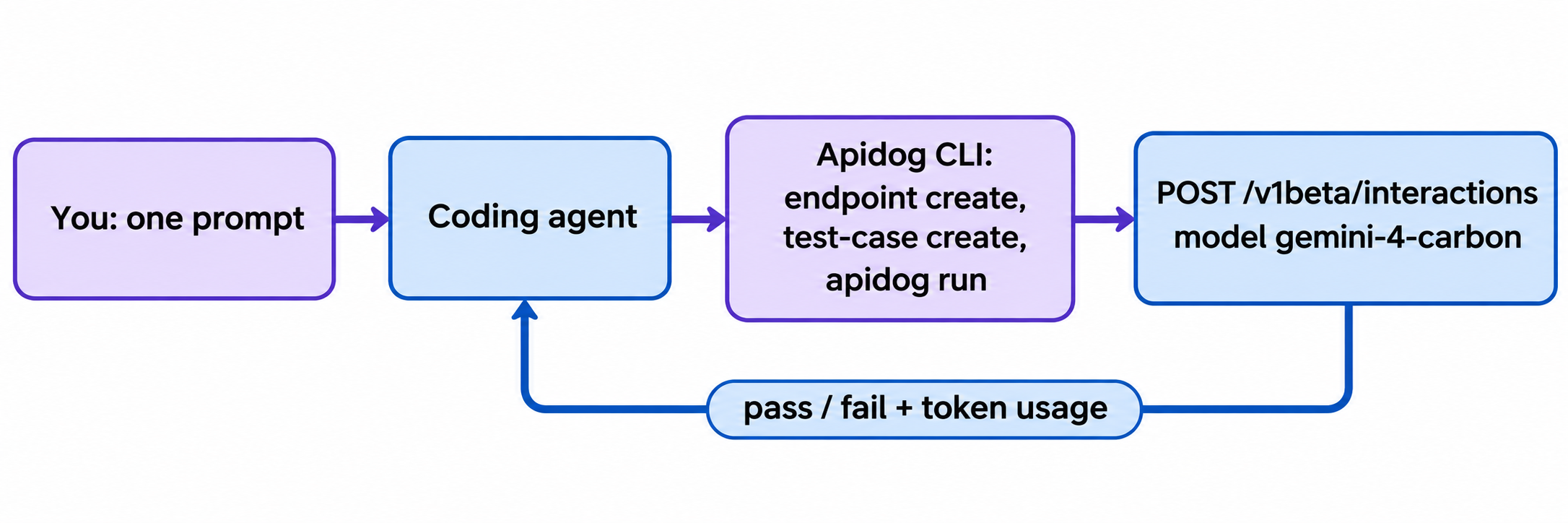
The token-budget assertion is the useful one. If a prompt change pushes thinking past your limit, the test fails before the bill grows. Swap -r cli,json for -r junit and the same command runs in CI; the Apidog CLI CI/CD guide shows the pipeline, and Apidog CLI in Claude Code walks through the agent setup. Apidog’s Free plan covers up to 4 users.
If you want the agent to set everything up from scratch, tell it: “Read https://apidog.com/apidog-cli-installation-guide.md and set up Apidog CLI.”
FAQ
Is the Gemini 4 Carbon API free? No. Google’s docs say Gemini 4 Carbon is not available on the Free tier of the Gemini API. You need a paid-tier project with Cloud Billing and at least $5 in prepaid credits. On the consumer side, Google is rolling Carbon out to Google AI Ultra subscribers in the Gemini app, AI Mode and Antigravity.
Is Gemini 4 Carbon on Vertex AI? Google’s launch post names the Gemini API, Google AI Studio, Android Studio, Gemini for business, Antigravity and CodeMender. It doesn’t name Vertex AI, so check Google Cloud’s model list before you plan around it.
What is the Gemini 4 Carbon context window? 1,048,576 tokens, shared by input, thinking and output. A synchronous response stops at 65,536 tokens; with background execution a response can run up to 1M tokens minus your input.
Can I use generateContent instead of the Interactions API? Google’s Carbon quickstart uses the Interactions API, and its docs mention the GenerateContent API for client-side long-decode continuation. If your app already uses generateContent, test the model ID swap there before you migrate.
How do I switch from Gemini 4 Argon to Carbon? Change the model string from gemini-4-argon to gemini-4-carbon. Google says no request schema changes are needed. Raise max_output_tokens and your HTTP timeouts, since Carbon thinks longer, and keep thinking_level at medium unless a task needs high.