
Anthropic says your existing Fable 5 prompts should perform well on Claude Fable 5.1 without changes. That is true for the answers. It is less true for everything around them: how many tool calls the model batches per turn, how much it narrates, how dense its prose runs, how much it formats in chat, whether it rewrites a whole file to change one line, and whether it stops to ask permission for work you already requested. Each of those shifted between Fable 5 and Fable 5.1, and each has a specific fix in Anthropic’s prompting guide for Claude Fable 5.1.
This guide collects every shift with its fix, quoting the official snippets where the exact wording matters, plus the placement rule that matters more on this model than on any previous one: where you put a per-turn instruction now determines whether it invalidates your thinking blocks and restarts your cache. For the model overview, see what Claude Fable 5.1 is.
Start with effort, not prompts
Effort is the primary control for trading intelligence, latency, and cost on Fable 5.1, and it should be tuned before any prompt change. Start at the default, high, then test the other four levels against your own evals. Re-run the sweep even if you ran one on Fable 5: level names do not correspond to the same amount of thinking across models.
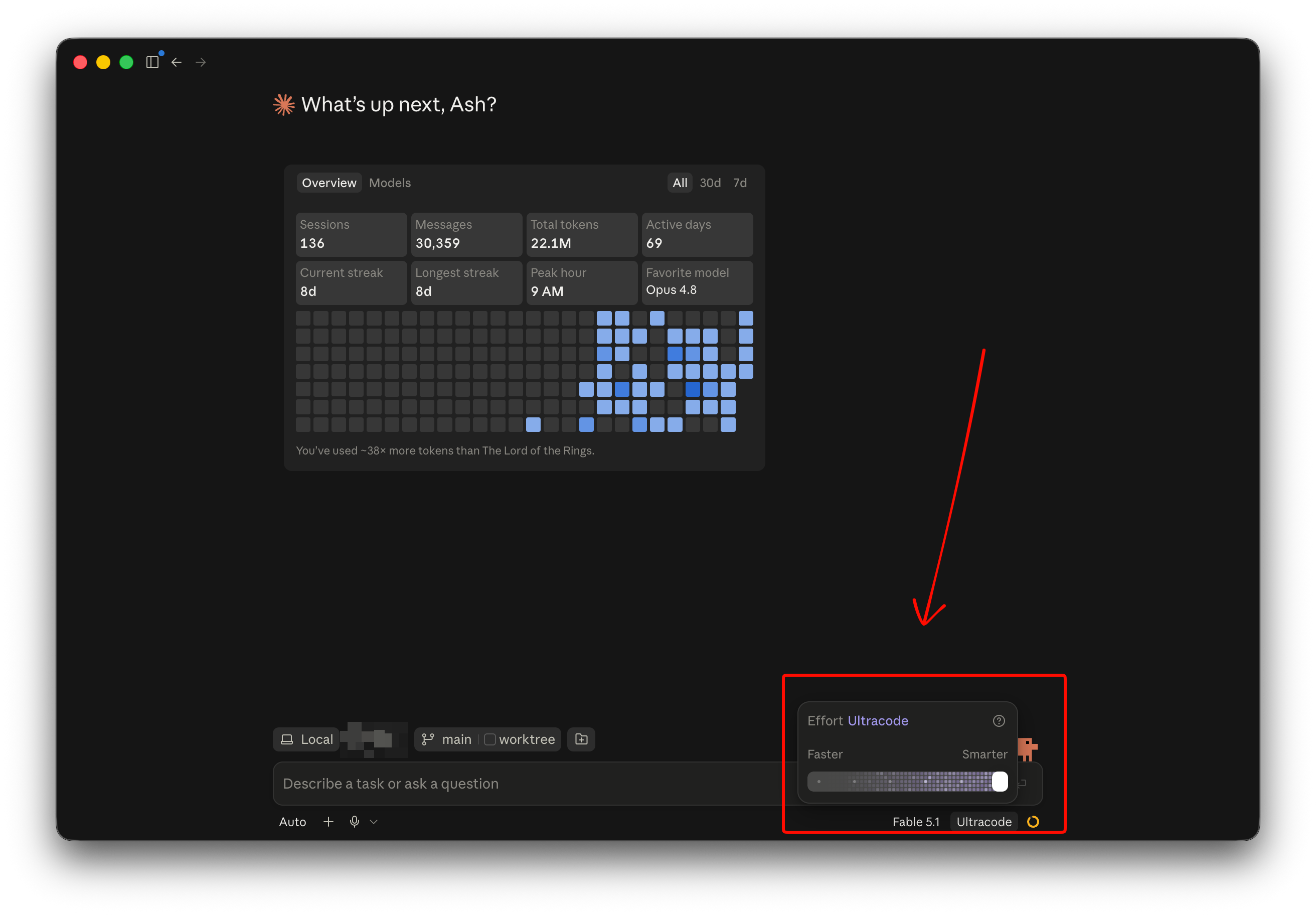
Anthropic’s claims to test: at medium, results roughly match Fable 5 at lower cost; at low, Fable 5.1 is often competitive with Opus and Sonnet on cost per task while scoring higher; the gains over Fable 5 are largest at xhigh and max. On Fable 5.1 you can change effort mid-conversation without a cache reset, using an empty-content role: "system" message with output_config (beta header mid-conversation-output-config-2026-07-01). The API walkthrough shows the request shape.
Placement matters more than wording
Fable 5.1 thinking blocks are valid only in the exact conversation that produced them (preserved thinking). Injecting a reminder into an earlier turn and deleting it next request is a history edit: it restarts the prompt cache and, on accounts created on or after August 31, 2026, invalidates every later thinking block.
So per-turn instructions go in one of two places. With the mid-conversation-system-clear-at-2026-08-21 beta, append them as a turn-scoped system message: {"role": "system", "clear_at": "next_user_message", "content": "..."} after the tool-result message, and leave every earlier copy in the array. Once a later user message exists the API clears the earlier copies, so the model reads only the newest one, and cleared copies cost no tokens. Without the beta, put the sentence in a text block after the tool_result blocks in the same user message, earlier copies kept. Never delete or rewrite a copy already sent. The preserved thinking guide explains why.
Session-level instructions go in the system prompt or the first user turn. Anthropic notes that style instructions in the first user turn hold better than the same text in the system prompt.
One tool call per turn in agent loops
The shift. When a request names several things to fetch, Fable 5.1 issues the calls in parallel. In coding and computer-use loops where the next independent reads are only implied, it may issue one per turn where Fable 5 batched several. Answers are unaffected; each extra turn costs tokens, a round trip, and wall-clock.
Measure first. Track the share of assistant turns with more than one tool call, and add the fix only if that share dropped. The fix, appended after each tool-result message as a turn-scoped system message:
First privately list what you need next; then request every item that doesn't depend on another's result in this one response.
Keep the word “privately.” Without it the model sometimes answers the reminder instead of the user. One sentence near the end of the current request moves the number far more than the same text in the system prompt.
Little or no text between tool calls
The shift. Fable 5.1 writes fewer user-facing updates during long tool-calling turns than Fable 5, more so at higher effort. Users see the agent go quiet for minutes, or a final message that covers only the last step.
Three fixes, in order. First, check that you receive progress updates at all: the model’s between-tool notes come back as thinking blocks that are empty under the default display: "omitted". Set display: "updates" (beta header thinking-display-updates-2026-08-18) and render each non-empty thinking block as a status line. Second, remove prompt lines written for update-eager older models, such as “hold all findings for the final response.” Third, if you still want more, add a system-prompt line:
Before you start, say in a line what you're about to do; brief updates while you work help the user follow along. Close with a short recap that stands on its own, covering what you found, what you did, and what's next, so a reader who only sees the last message has the full picture.
If your product hides tool output, tell the model as a turn-scoped system message, or it may run commands to “show” the user output they never see: “Only you see that command’s output. If the user needs to read any of it, put it in your reply.”
Turn ends before the work is done
The shift. On complex asynchronous workloads, Fable 5.1 sometimes describes what it would do next instead of doing it, or asks permission for a step the request already covered. Users have to reply “continue,” which caps the model’s long-horizon capability.
The fix is a system-prompt block whose opening sentence carries most of the effect:
You are operating autonomously. The user is not watching in real time and cannot answer questions mid-task, so asking 'Want me to...?' or 'Shall I...?' will block the work. For reversible actions that follow from the original request, proceed without asking. Stop only for destructive actions or genuine scope changes the user must decide. Offering follow-ups after the task is done is fine; asking permission before doing the work is not.

Before ending your turn, check your last paragraph. If it is a plan, an analysis, a question, a list of next steps, or a promise about work you have not done, do that work now with tool calls. End your turn only when the task is complete or you are blocked on input only the user can provide.
Anthropic pairs it with a second block that defines the user’s request as the scope of the deliverable: do not narrow, widen, or swap it; finish every part that is not blocked and say what was left out; treat something you noticed but were not asked for as a suggestion, not a change. The pair can make the model less likely to ask about ambiguous requests, so add a line listing the confirmations you still want. One difference from Opus 5: if your prompt asks the model to check its work before reporting, keep it. The Opus 5 advice to delete verification instructions does not carry over.
Unrequested fixes and extra test files
The shift. Asked for an open-ended feature, Fable 5.1 delivers it and sometimes more: nearby fixes, extended behavior, more committed test files than the change warrants.
The fix, which Anthropic says cut extras substantially with no change in task success:
If, while working or testing, you find a pre-existing bug, a performance concern, or behavior the task doesn't mention, don't fix, optimize or extend it in this change unless the requested behavior cannot work without it; report it as a follow-up in your summary. Verify your work however you like; scratch scripts and quick checks need not be kept. Commit tests only where the task asks for them or this repository already keeps tests for this kind of change, sized like the neighboring test files. This is about extras only: implement every behavior the task asks for, completely.
Whole files rewritten for small changes
The shift. Fable 5.1 is more likely than Fable 5 to rewrite an entire file rather than make a targeted edit. Same result, more output tokens.
The fix, in the system prompt or first user message:
The number of tokens used to edit files is best minimized, all else being equal. Therefore, when it will not affect the end result, try to surgically edit a file rather than rewrite the entire thing.
Prose runs long and dense
The shift. Fable 5.1’s writing is generally a step up, with fewer stock phrases, but in some cases it is denser than Fable 5’s: longer sentences, fewer paragraph breaks.
The fix is to define the anti-pattern. Anthropic’s snippet describes “mannered prose” as writing that substitutes metaphor and flourish for direct statement and exists to display the writer rather than convey the idea; the instruction is to say what you mean and use the literal phrase when one is available. The short form also works: “Please remove all mannered prose.”
Chat replies carry less structure than the content needs
The shift. Earlier models overused bullets and bold, so many prompts carry anti-formatting rules. Fable 5.1 leans the other way: less bold, fewer headers and lists. Those old rules now suppress structure the content needs.
The fix. Remove anti-formatting language, or replace it with a rule that says when formatting helps: use lists when asked or when the content is multifaceted enough that they aid clarity; honor an explicit request for minimal formatting; keep to plain prose in conversational or emotional exchanges.
Summaries reproduce source wording without marking it
The shift. When summarizing documents, Fable 5.1 is more likely than Fable 5 to reproduce passages of the source without marking them as quotations.
The fix. Add one complete example to the system prompt: the user’s request, a correct response that conveys each source in the assistant’s own indirect speech with at most one short marked quotation, and a one-sentence rationale explaining why it is correct. Replace the tool-call placeholders in Anthropic’s example with your own tool’s name.
Answers from memory instead of searching at low effort
The shift. At low effort, Fable 5.1 calls search and retrieval tools less often than Fable 5, most visibly for named products and models it recognizes but has stale knowledge of.
Two fixes. Raise effort for the affected turns with per-message effort. Or tell the model in the system prompt that recognizing a name from a fast-moving area is not the same as knowing its current state, that it should search before answering, and that it should include the name as the user wrote it in at least one query.
Long deliverables at xhigh and max take too long
The shift. At xhigh and especially max, Fable 5.1 can draft much of a long deliverable in its thinking and then write it again as the reply, doubling the wait and the output tokens.
Two fixes. Run those requests at high and move up only where you have measured a gain. If you stay at xhigh or max, set max_tokens to leave room for thinking and reply, and append a note to the user message saying that everything produced in one reply, reasoning included, counts toward a single limit of about your actual max_tokens, and that composing the deliverable in full as reasoning and again as a reply doubles the turn without improving it. Leave earlier copies of that note in place on later requests.
Benign coding requests return a refusal
The shift. Fable 5.1’s classifiers produce fewer false positives than Fable 5’s did at launch, and finding vulnerabilities in source code is now permitted. False positives still occur.
Three phrasings to change. Ask “Are there any bugs in this program?” rather than “Does this program compile without errors?” Give the model docs for lesser-known languages. Remove tools that return base64-encoded data into context. Keep fallbacks configured regardless; the refusal handling guide covers it.
Client-side compaction summaries drop details
Fable 5.1 responds well to being told exactly what a compaction summary must retain. Server-side compaction already does this. If you compact on the client, instruct the model to summarize inside <summary> tags and preserve, in order: difficulties that came up and how they were resolved; approaches raised or set aside and why; anything asked for or decided, stated exactly; where things stand now; anything still open; and hard-to-reconstruct details like names, numbers, and links. End with “Do not call any tools while writing this summary; respond with text only,” which matters when the summarization request still carries the conversation’s tools.
Subagents and vision
Two fixes are architectural rather than prompts. On coding tasks, let the lead agent keep working while subagents run: have the tool that starts a subagent return immediately, deliver each result in a later user message, and give the lead a separate tool it can call when it wants to wait. For dense charts and nested tables, give the model a crop tool that returns a chosen region enlarged, or a container with basic image libraries; at low effort it may skip the crop, so check the logs for the call.
Testing prompt changes in Apidog
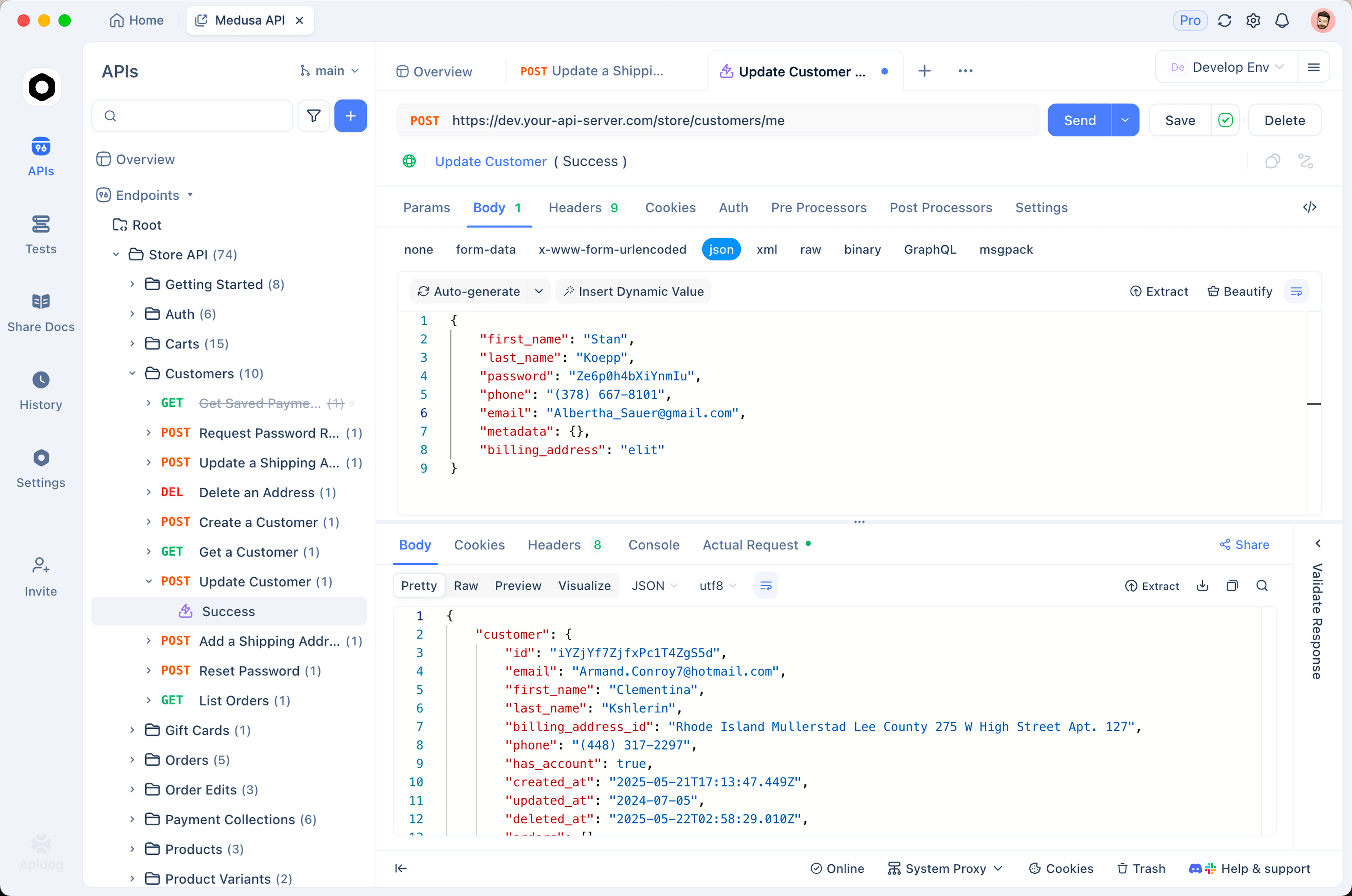
Every fix above is a candidate for a before-and-after test. In Apidog, save your agent loop’s first three turns as a request sequence, parameterize the system prompt, and run it with and without each snippet at the same effort. Assert on the count of tool_use blocks per assistant turn for the batching fix, on usage.output_tokens for the targeted-edit and density fixes, and on the absence of a final paragraph starting with “Next, I” for the autonomy fix. Download Apidog to build it; the Claude Code guide shows which of these lines belong in a CLAUDE.md.
FAQ
Do my Fable 5 prompts work on Fable 5.1? Anthropic says they should perform well without changes. The differences are behavioral: fewer batched tool calls, fewer progress updates, denser prose, less chat formatting, whole-file rewrites, and scope creep on open-ended tasks.
What effort level should I prompt Fable 5.1 at? Start at high and sweep. Anthropic says medium roughly matches Fable 5 at lower cost and low is often competitive with Opus and Sonnet on cost per task.
Where do I put a per-turn instruction on Fable 5.1? As a turn-scoped system message with clear_at: "next_user_message" after the tool results, leaving earlier copies in place. Injecting and deleting text from earlier turns invalidates later thinking blocks and restarts the cache.
Should I remove “verify your work” instructions like on Opus 5? No. That guidance was specific to Opus 5’s over-verification. Keep them on Fable 5.1.
How do I stop Fable 5.1 from rewriting whole files? One line in the system prompt or first user message: minimize tokens used to edit files and surgically edit rather than rewrite when it does not affect the result.