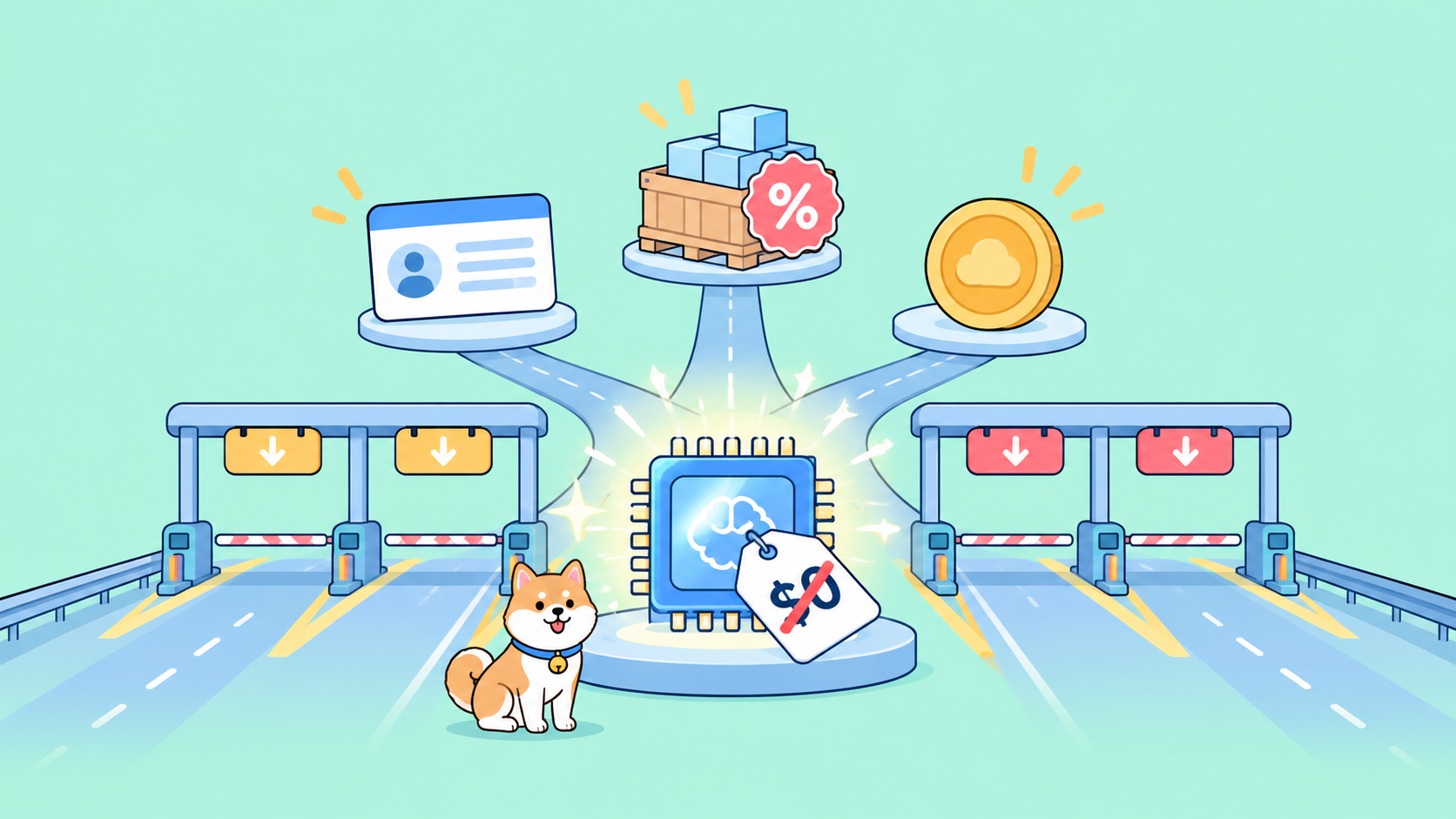
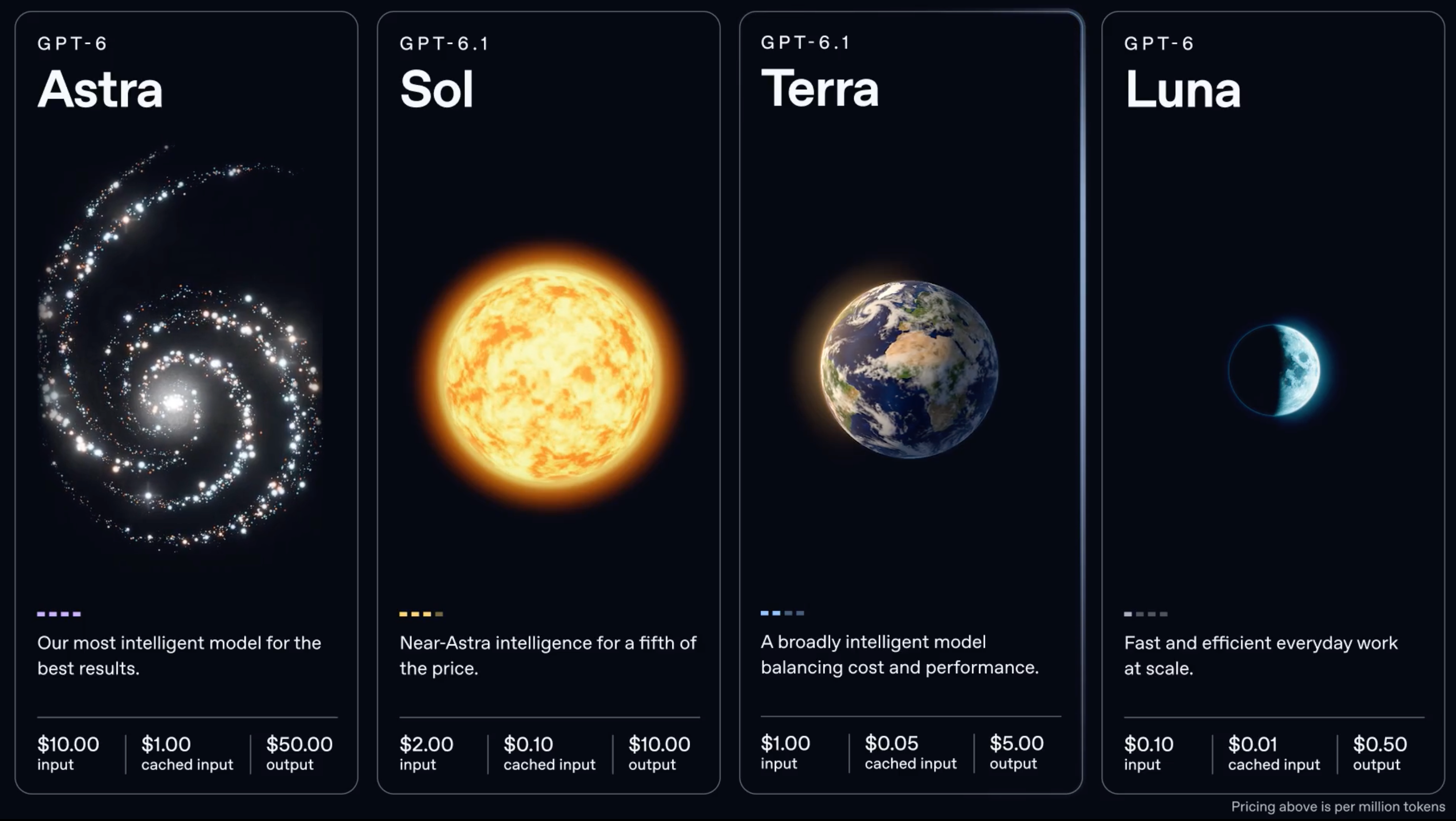
No, GPT-6.1 Terra isn’t free. OpenAI released it on October 26, 2026 for Plus, Pro, Enterprise and Edu users in ChatGPT Work and Codex, and the Free and Go plans aren’t on that list. The API model gpt-6.1-terra has no free tier either: standard pricing is $1 per million input tokens, $0.05 per million cached input tokens and $5 per million output tokens.
The good news is that Terra is the cheapest way yet to run a strong OpenAI model. It costs half of GPT-6.1 Sol, and its discount routes bring input down to $0.50 per million. This guide ranks every route by cost, lists what isn’t free, works through a real cost example, and points to the one $0 option in OpenAI’s range. For the model itself, start with what GPT-6.1 Terra is.
Every route to GPT-6.1 Terra, ranked
| Route | Cost | What you get | The catch |
|---|---|---|---|
| Free plan alternative: GPT-6 Luna | $0 | Luna, not Terra, in the ChatGPT desktop app | Different, smaller model; no API key |
| ChatGPT Plus in Codex or ChatGPT Work | A Plus subscription | Terra for coding and work tasks | Plan usage limits; no API key |
| API, Batch or Flex | $0.50 input, $0.025 cached, $2.50 output | Half the Standard rate | Batch is async; Flex is slower and can return 429 |
| API, Standard with caching | $1 input, $0.05 cached, $5 output | The model from your own code | Every token billed |
OpenRouter openai/gpt-6.1-terra |
Same as OpenAI: flex $0.50/$2.50, standard $1/$5, fast $2/$10 | One key across providers | No free endpoint |
| API, Fast mode | $2 input, $10 output | Faster responses | Double the Standard rate |
API prices are per million tokens for prompts up to 272K input tokens, from OpenAI’s pricing page and the GPT-6.1 Terra model page. OpenRouter’s rates are from its endpoints listing for openai/gpt-6.1-terra, read on October 27, 2026.
ChatGPT Plus: the lowest plan that includes Terra
If you want to use Terra yourself, Plus is the entry plan. OpenAI’s announcement says GPT-6.1 Terra “is rolling out now and is available to all Plus, Pro, Enterprise, and Edu users in ChatGPT Work and Codex.”
OpenAI’s ChatGPT models docs list these surfaces for Terra: Work and Codex in the desktop app, ChatGPT Work on the web, Codex CLI, ChatGPT Credits and API access. In Codex, you need CLI 0.159.0 or later, and codex -m gpt-6.1-terra selects it.
You don’t pay per token on a plan, but usage limits apply. Here Terra helps: OpenAI says your Work and Codex allowance “goes further” with Terra than with GPT-5.6 Terra, and much further than with GPT-6.1 Sol or GPT-6 Astra. If you hit limits on Sol, moving routine tasks to Terra stretches the same subscription. Our Codex usage limits guide explains how the allowance works, and the free Codex guide covers Codex’s no-cost options.
A ChatGPT plan is not an API key
This is the trap behind most “free GPT” searches. Plus or Pro gives you Terra inside ChatGPT Work and Codex. It doesn’t give you an API key. A script, CI job or agent that sends Authorization: Bearer $OPENAI_API_KEY to https://api.openai.com/v1 pays per token, whatever plan you’re on.
The one route that lets code draw on a plan is Sign in with ChatGPT, which lets apps that build its OAuth flow count eligible requests against your Plus or Pro usage, within preview limits. The developer side is in our Sign in with ChatGPT guide. Check which model a partner app actually runs before assuming it’s Terra.
The cheapest API routes: Batch, Flex and the cache
Three levers bring the per-token bill down:
- Batch runs requests asynchronously at half the Standard rate: $0.50 input, $0.025 cached, $2.50 output. Our Batch API guide walks through a job end to end.
- Flex charges the same half rate on ordinary requests when you set
service_tier: "flex". Responses are slower and you can get a429 Resource Unavailable, so it suits work that can wait or retry. - Prompt caching is on by default. Cached input costs $0.05 per million, 95% below standard input. A cache write costs $1.25 per million for the 30-minute retention window, or $2.50 for 12 hours. Keep the stable part of your prompt (system prompt, tool schemas, reference docs) at the front so it’s reused. Our GPT-6 prompt caching guide shows how to hit the cache reliably.
And stay under 272K input tokens. Above that, the whole request bills at 2x input and cache rates and 1.5x output.
Worked example: what one agent call costs
Take an agent step with a 100,000-token prefix that stays the same across calls, 8,000 new input tokens and 2,000 output tokens, reasoning included. The prefix is already cached.
On Standard with a cache hit:
- Cached input: 100,000 x $0.05 / 1,000,000 = $0.0050
- New input: 8,000 x $1.00 / 1,000,000 = $0.0080
- Output: 2,000 x $5.00 / 1,000,000 = $0.0100
- Total: $0.0230 per call
The same call on other routes and models:
| Scenario | Per call | 1,000 calls |
|---|---|---|
| GPT-6.1 Terra, Standard, cache hit | $0.023 | $23.00 |
| GPT-6.1 Terra, Batch or Flex, cache hit | $0.0115 | $11.50 |
| GPT-6.1 Terra, Standard, no cache hit | $0.118 | $118.00 |
| GPT-6.1 Sol, Standard, cache hit | $0.046 | $46.00 |
| GPT-5.6 Terra, Standard, cache hit | $0.060 | $60.00 |
The no-cache line bills all 108,000 input tokens at $1: $0.108 plus $0.010 output. The GPT-5.6 Terra line uses today’s $2 input, $0.20 cached and $12 output: $0.020 + $0.016 + $0.024. The first call that writes the 100,000-token prefix to cache adds $0.125 once.
Two takeaways. Your cache hit rate moves the bill about fivefold, more than any plan choice. And moving from GPT-5.6 Terra to GPT-6.1 Terra cuts this call by 62%, more than OpenAI’s “50% lower” headline, because output and cached input fell further than input. The GPT-6.1 Terra pricing guide has the full rate card.
What is NOT free
- ChatGPT Free and Go: not on OpenAI’s list for Terra.
- The API: no free tier and no free trial model.
- OpenRouter: every
openai/gpt-6.1-terraendpoint is paid. - Fast mode: double the Standard rate, $2 input and $10 output.
- Long prompts: anything above 272K input tokens costs more, not less.
The free alternative: GPT-6 Luna
If you need $0, OpenAI’s models docs say: “On Free and Go plans, choose GPT-6 Luna (gpt-6-luna) in the desktop app when available.” Go is a paid plan, so the truly free route is the Free plan in the desktop app. Luna is a different, smaller model. Artificial Analysis puts it 10 points below Terra on its Intelligence Index and scores it 31 on its Coding Agent Index against Terra’s 48. A plan seat gives you no API key, so it can’t power code you wrote.
On the API, Luna lists at $0.10 input and $0.50 output, a tenth of Terra’s rates. For high-volume classification and extraction it’s often the better buy. Our free GPT-6 Luna guide covers the setup.
Let your coding agent measure your real cost with Apidog CLI
The example above uses made-up token counts. Your real numbers decide which route wins, and your coding agent can get them for you with Apidog CLI instead of you sending requests by hand.
Set it up once:
npm install -g apidog-cli@latest
apidog auth login --with-token <YOUR_TOKEN>
apidog skill install
Then give your agent one prompt:
In Apidog project <id>, create a test case for POST https://api.openai.com/v1/responses
with model gpt-6.1-terra and one of my real prompts. Run it twice with 2 iterations
against the <env> environment. Assert that the second call returns
usage.input_tokens_details.cached_tokens greater than 0, and report input, cached and
output tokens so I can price the call at $1 / $0.05 / $5 per million.
The agent checks the schema, writes the case and runs it:
apidog cli-schema get test-case-create
apidog cli-schema validate test-case-create --file case.json
apidog test-case create --project <id> --file case.json
apidog run --test-case <caseId> --project <id> -e <envId> -n 2 -r cli,json
The cached-token assertion is the useful part: if someone edits the prompt prefix and breaks caching, the test fails before the invoice grows. Put the same apidog run in CI with -r junit, as in our Apidog CLI CI/CD guide, or follow the Apidog CLI in Claude Code setup.
FAQ
Is GPT-6.1 Terra free in ChatGPT? No. It’s in ChatGPT Work and Codex for Plus, Pro, Enterprise and Edu. Free and Go aren’t on OpenAI’s list.
Is there a free GPT-6.1 Terra API? No. The cheapest official rate is Batch or Flex: $0.50 input, $0.025 cached and $2.50 output per million tokens.
Is GPT-6.1 Terra free on OpenRouter? No. OpenRouter’s endpoints for openai/gpt-6.1-terra match OpenAI’s prices, from $0.50/$2.50 on flex to $2/$10 on fast.
Can I use my Plus plan as an API key? No. A plan isn’t an API key. Code that sends a key pays per token; only apps built on Sign in with ChatGPT can count requests against your plan.
What’s the cheapest way to use GPT-6.1 Terra? For interactive work, ChatGPT Plus in Codex or Work. For code, the API with a stable cached prefix, and Batch or Flex for anything that can wait.
Next step
If you use Terra by hand, Plus in Codex is the entry point and stretches further than Sol. If your code calls it, put caching to work and move what can wait to Batch or Flex. Then let your agent measure the real per-call cost with Apidog CLI. The GPT-6.1 Terra API guide covers the first request and migrating from gpt-5.6-terra.